Key Takeaways
- A realistic roadmap has five stages, from a 30-day foundation to legacy shutdown.
- Move one contained workload first, then repeat the playbook with a faster rhythm.
- Run old and new side by side, and switch off the old system only after sign-off.
- Review milestones monthly and cut scope before you move dates.
A roadmap turns a modernization idea into dated work. Without one, programs drift: a platform gets bought, two pipelines get rebuilt and a year later nobody can say which systems are gone. My data modernization consulting projects follow the same five-stage shape, and you can copy it.
The timing reflects mid-sized companies with a sponsor and a small team. Larger or heavily regulated organizations take longer. Treat the dates as a starting point and fit them to your own capacity.
The Five Stages at a Glance
| Stage | Timing | Main milestone | Who leads |
|---|---|---|---|
| 1. Foundations | Days 0 to 30 | Goals, baseline and full system inventory | Sponsor and technical lead |
| 2. Decide and Design | Days 31 to 60 | Verdicts, target design and stage plan approved | Architect and domain owners |
| 3. First Migration | Months 3 to 5 | One workload live, parallel run signed off | Engineering lead |
| 4. Scale Out | Months 6 to 12 | Shared sources and core reporting moved | Program lead |
| 5. Retire Legacy | Months 13 to 18 | Old systems off, licenses ended, archive verified | Sponsor and finance |
Stage 1: Foundations, Days 0 to 30
The first month is about facts. You confirm a sponsor, write two or three goals with baselines, such as report refresh time or yearly run cost, and build the inventory of databases, jobs, feeds and reports. Each entry gets an owner, a cost and a note on what breaks if it stops.
Milestones for this stage:
- Executive sponsor named and time committed.
- Technical lead appointed with real hours set aside.
- Goals written with baselines you can measure.
- Inventory covering every system that feeds a report.
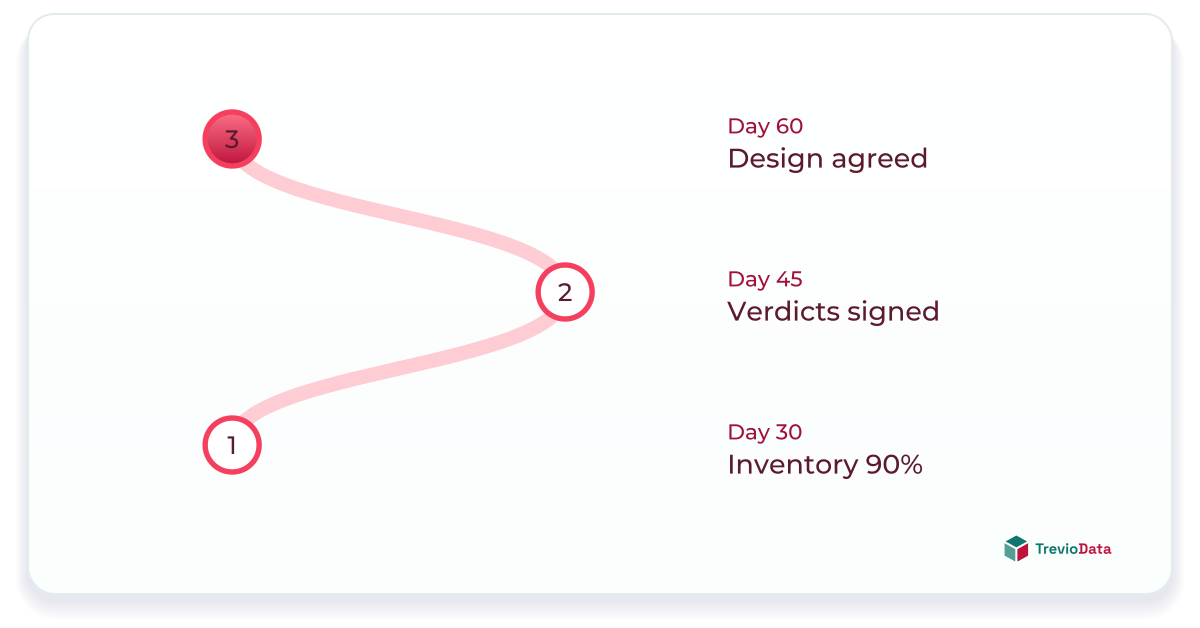
The usual delay is chasing the last few systems. Stop at 90 percent coverage and mark the rest as unknown, because completeness arrives later. If you want to know how to score the list, my data modernization strategy guide shows the verdict method.
Stage 2: Decide and Design, Days 31 to 60
Now you decide. Give each system a keep, move, rebuild or retire verdict, rank the ones that stay by value and risk and draw a one-page target design. Pick the first workload and write the exit criteria before anyone touches code.
This is also the point to choose the platform, because you now know your data volumes, query patterns and team skills. Compare two or three options against the first workload and not against the whole estate. Expect at least one business rule to surface that nobody wrote down, usually in a report that finance relies on.
Milestones and Evidence for the First 60 Days
| Milestone | Target | Evidence |
|---|---|---|
| Inventory complete to 90 percent | Day 30 | System list with owners and costs |
| Verdict for every system | Day 45 | Signed decision table |
| Target design and first workload agreed | Day 60 | One-page design and exit criteria |
Stage 3: First Migration, Months 3 to 5
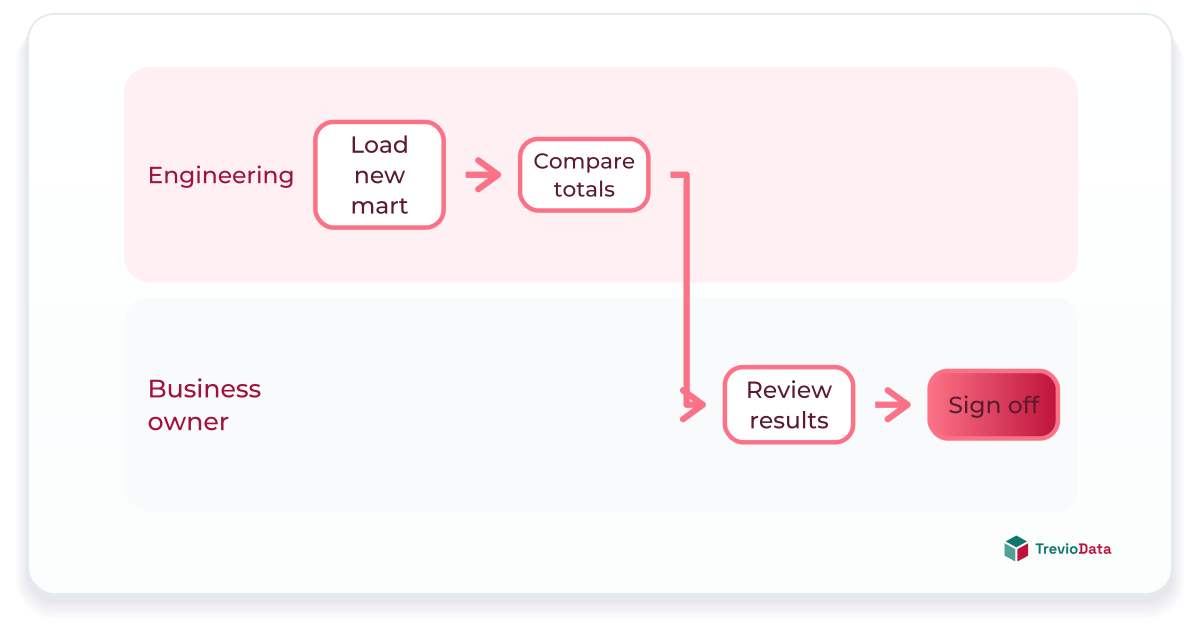
You build the first workload on the new platform and run it beside the old one. Automated checks compare row counts, totals and a sample of records every day. Users test their own reports and report differences, which is how you find the undocumented rules.
Cut over only after four clean weeks and a written sign-off from the business owner. Keep the old job running in read-only mode for a further month, as a rollback path. One retailer I worked with found a seasonal discount rule in week three of the parallel run, which saved a bad surprise at the next month-end.
A Small Example of Stage 3 Going Wrong
One finance team skipped the parallel run on a small mart because the logic looked simple. The totals were off by a rounding rule that the old system applied in a stored procedure, and the error reached a board pack. The rebuild took two weeks and cost the team some trust. Run the comparison even when the workload looks trivial.
Set a pace for checks, too. Daily comparisons in the first two weeks and weekly ones after that is enough for most workloads. Write down every difference you find, with its cause and the fix, because the list becomes the checklist for the next stage. For a deeper view of what the stage involves, my notes on the data modernization framework explain how checks, ownership and platform layers connect.
Stage 4: Scale Out, Months 6 to 12
With one workload done, repeat. Each stage goes faster because templates, checks and decision logs exist. Expect the second stage to take about two thirds as long as the first, and the third a little less, unless it touches finance.
Move shared sources next, then the core reporting built on them. Monthly program reviews settle cross-team conflicts, such as two departments needing different refresh times. Programs that hit this stage with a growing list of unknowns tend to meet the issues in my list of data modernization challenges all at once.
What Usually Slips in This Stage
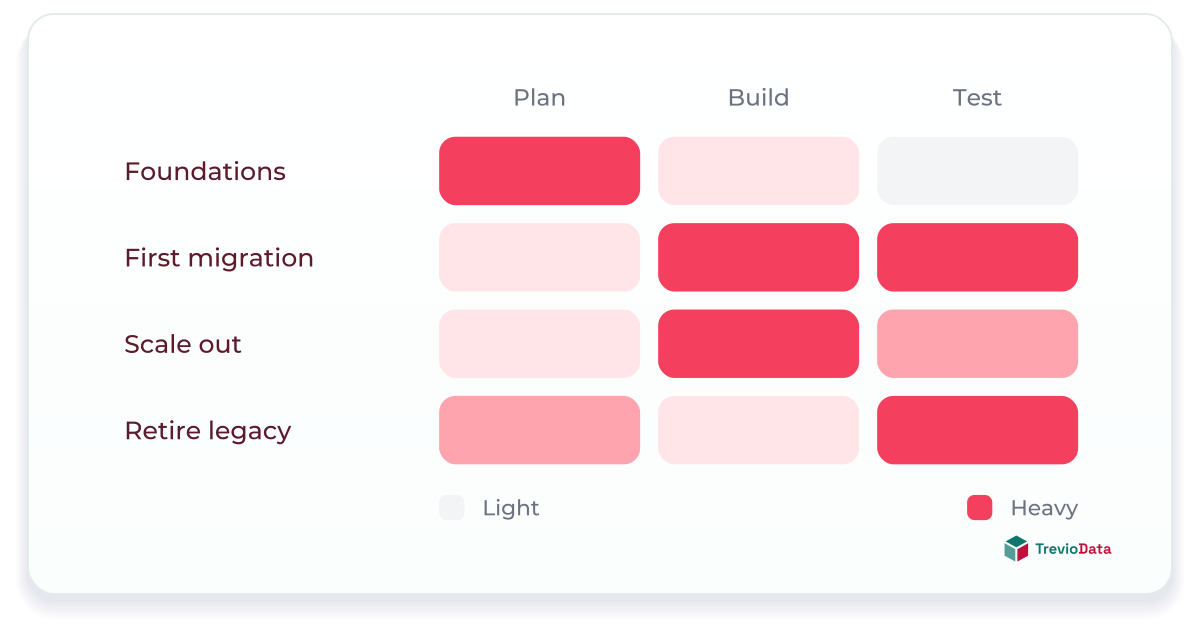
Engineer time is the first casualty. The same people who keep the legacy stack running are asked to build the new one, and both suffer. Free them explicitly, or bring in outside help for the migration work and keep your people on knowledge transfer. The second slip is scope: every workload brings a long tail of small reports. Park the tail on a list and move it in batches.
How to Report Progress to Your Sponsor
Send one page each month. Show run cost, refresh time, failed jobs and legacy systems still live against the baseline. List the milestones due next month and name any blocker that needs a decision. Add one short story, such as a report that used to need a day and now refreshes in minutes. Sponsors who see steady, honest numbers keep supporting the program.
Keep a running list of postponed decisions and close at least one each month. A growing list is an early warning that owners lack time or authority.
Plan the handover to operations in this stage too. Before the last workload moves, confirm who owns each pipeline, who answers alerts and where the runbooks live. A short handover test, in which someone who did not build the pipeline fixes a planted failure, shows quickly whether the documentation is good enough for the team that will run it every day.
Stage 5: Retire Legacy, Months 13 to 18
The program only pays off when the old systems are switched off. Set a shutdown date for each one, archive what you must keep in a read-only store and end the license or hosting contract. Check with finance and legal on retention periods before you delete anything regulated, and record the decision.
Hold a short review at the end. Compare the five measures with the baseline, list what you would do differently and decide what comes next. Many teams then build on the new platform with analytics and AI projects, supported by the habits in my data modernization best practices guide.
Risks to Put on the Roadmap Itself
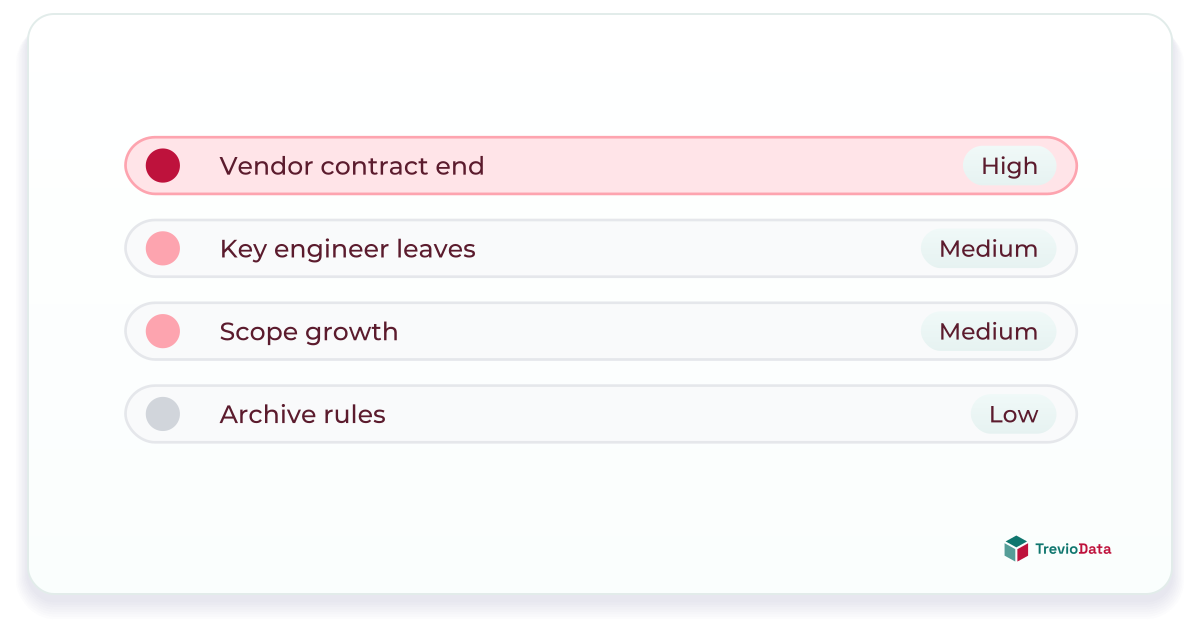
A roadmap should list what could move it. Four risks show up in nearly every program I see. The first is a missing owner on the business side, which stalls sign-off. The second is an undocumented rule found late. The third is a vendor contract that renews before you are ready to switch off the old system. The fourth is a key engineer leaving mid-program.
Give each risk an owner and a trigger. For the contract, the trigger is ninety days before renewal, when you decide whether to renew for one more year or finish earlier. For the engineer, the trigger is the first hint that someone is unhappy, and the response is documentation and pairing, not a retention talk after the resignation. Review the list at every monthly meeting.
Add one buffer to each stage, around ten to fifteen percent of its length. A buffer on the plan is easier to defend than an apology later, and it gives you room for the discoveries that every parallel run produces.
How to Choose Your Own Timeline
Copy the stages, then adjust the dates with four questions:
- How many engineers can you free from keeping the old stack alive?
- How many sources feed your first workload?
- Does a license or support deadline set a hard date?
- How much of the old logic is documented?
If you can free only one engineer and your first workload has more than five sources, add a month to each stage. If a vendor ends support on a fixed date, work backward from it and move the affected system forward. Teams that want a deadline-driven plan can use the same approach as in my wider data management roadmap.
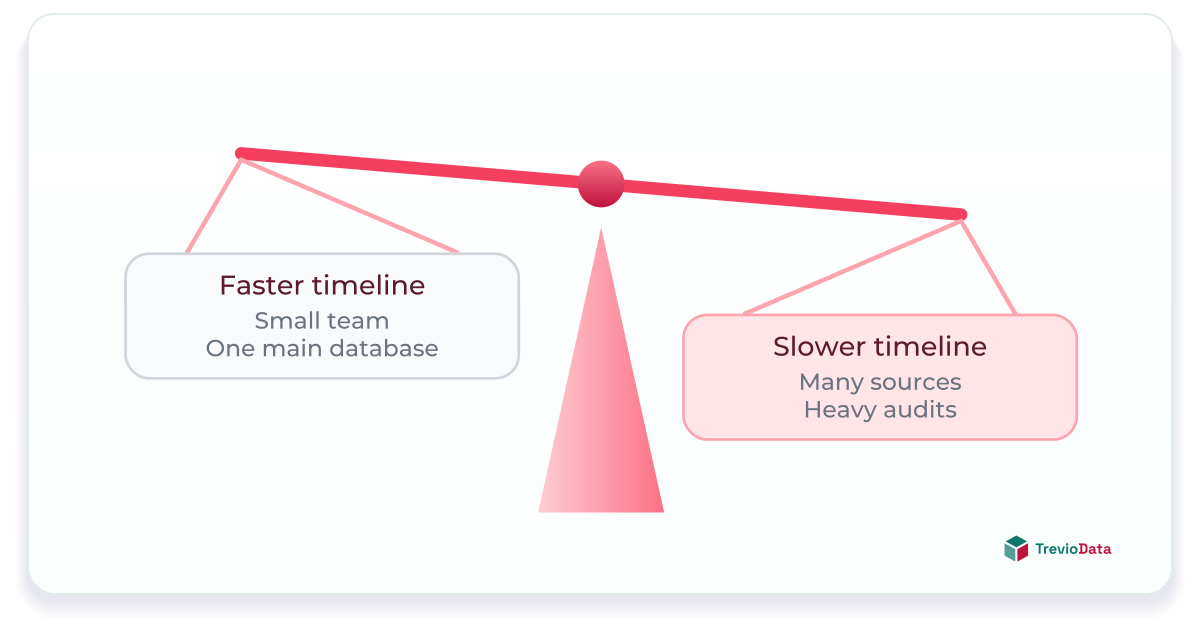
| Situation | Adjustment to the roadmap |
|---|---|
| Small team, one main database | Merge stages 2 and 3 into one quarter |
| Many sources per workload | Add a month to each stage |
| Vendor support ends on a set date | Pull that system into stage 3 |
| Heavy audit obligations | Add archive and retention work to stage 5 |
Questions About Building a Data Modernization Roadmap
How Long Does a Data Modernization Roadmap Take?
A first migration usually lands within three to four months, and a full program for a mid-sized company runs twelve to twenty-four months. Larger estates take longer. The honest answer depends on how many systems you have, how many people can work on it and how much of the old logic is undocumented.
What Belongs on a Data Modernization Roadmap?
List each workload with its verdict, owner, target month and exit criteria. Add the platform work it depends on, the training it needs and the legacy system it lets you switch off. Anything without an owner and a month is a wish, not a milestone.
Should I Buy the Platform Before I Start the Roadmap?
Usually not. Run the inventory and ranking first, then choose the platform for the first stage. Buying early often leaves you with a license that sits idle while you wait for the assessment to finish.
How Do I Keep the Roadmap from Slipping?
Keep stages short, review them every month and cut scope before you move dates. Most slips come from undocumented business rules and from engineers who are still busy keeping the old stack alive. Name who is freed up for each stage.
Can I Run Stages in Parallel?
Yes, if they use different teams and different sources. Two stages that share a source system or the same engineers will compete, and both slow down. Run them one after the other unless you can show they do not overlap.
What Is a Realistic First Milestone?
A single reporting workload running on the new platform, with totals matching the old one for four weeks and a business owner signing off. It is small enough to finish in a quarter and large enough to teach you how your migrations behave.
How Do I Show Progress to Leaders?
Send one page a month with run cost, report refresh time, failed jobs and legacy systems still live, all against the baseline. Add the next milestone and any blocker that needs a decision. Plain numbers and honest blockers keep support steady.
Note: This article is general information, not legal, financial or tax advice. Figures and examples are estimates based on typical projects, so check current details with your providers and advisers before you decide.
Was this article helpful?
Thank you for letting us know.
Camille leads the Trevio editorial team and works with our consultants to turn real client projects into practical guides on data strategy, engineering and governance. Before joining Trevio, she spent 11 years in data engineering and analytics roles. She has since edited more than 300 articles on data management and reviewed pipelines and platforms from over 100 client projects. She is based in Denver, Colorado.