Key Takeaways
- Undocumented logic and hidden dependencies cause most of the surprises.
- Migration copies bad data, so test quality before and after each move.
- Plan cost, skills and security from the first stage, not after go-live.
- Small stages with exit criteria beat one big cutover.
Modernization looks simple on a slide: move the data, switch off the old system. In practice, the old system holds rules nobody wrote down, the new one has a bill nobody predicted and the people between them have a day job. My data modernization consulting projects hit the same eight hurdles again and again.
Each challenge below has a short explanation, the steps I use to solve it and the tools that help. They are ordered roughly by when they appear, so use the list as a checklist for your own plan.
The Eight Challenges at a Glance
| Challenge | Typically appears | First fix |
|---|---|---|
| 1. Undocumented Legacy Logic | Parallel run | Log every mismatch |
| 2. Hidden Dependencies Between Systems | Inventory | Trace from reports |
| 3. Data Quality Problems That Travel | First load | Test key fields |
| 4. Cloud Costs That Climb After the Move | After go-live | Budgets and alerts |
| 5. Skills Gaps on the Team | Planning | Pair and train |
| 6. Business Teams Who Resist the Change | Parallel run | Name business owners |
| 7. Scope Growth and Endless Programs | Every stage | Exit criteria |
| 8. Security and Compliance Gaps in the New Stack | Design | Access before data |
Undocumented Legacy Logic
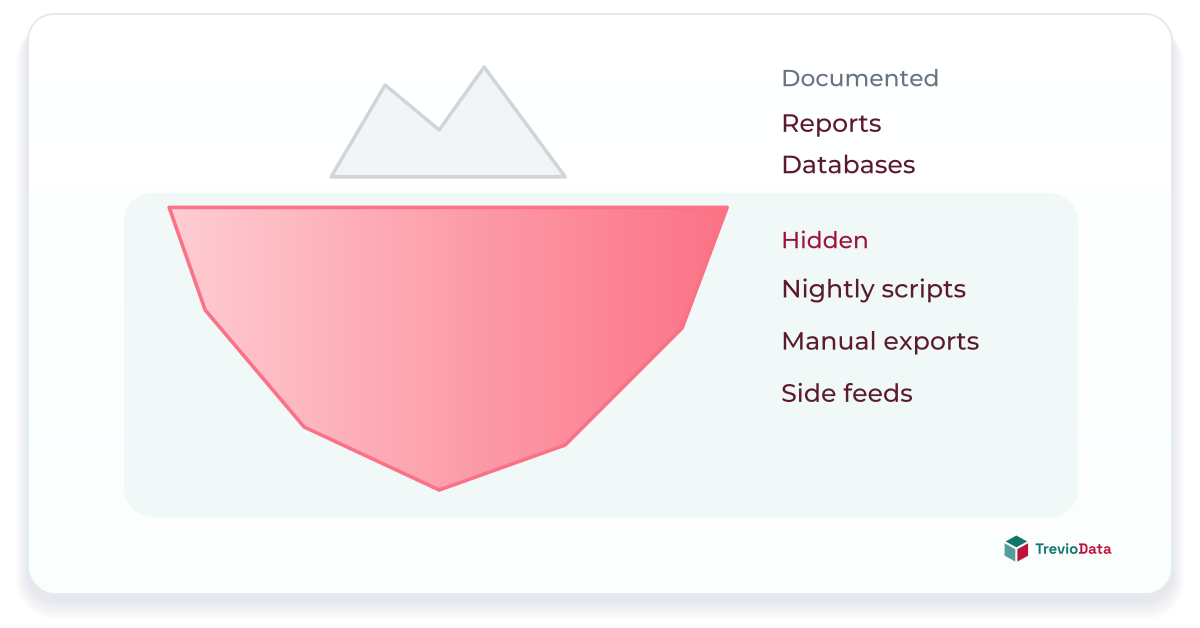
Old systems hold business rules in stored procedures, spreadsheet macros and the memory of one analyst. Nobody wrote them down, so nobody knows they exist until a migrated report shows a different number. In my client work, this is the challenge I meet in almost every project, and it usually shows up in finance reporting.
You cannot interview your way out of it, because people forget what they built years ago. The reliable fix is to let the old and new systems run side by side and treat every difference as a question. Each mismatch teaches you a rule, and the list becomes your documentation.
How to Surface Hidden Rules
- Pull the code and queries behind each critical report and read them with its business owner.
- Run the old and new versions in parallel for at least four weeks.
- Log every mismatch with its cause and the fix.
- Ask the owner to sign off on each rule in plain language.
- Store the final list next to the pipeline code.
Tools That Expose Old Rules
A data diff tool or a simple comparison query shows mismatches by row and by total. Keep the findings in the same repository as your transformation code, so they travel with it.
Data Quality Problems That Travel
Migration does not clean data. It copies the duplicates, blank fields and mismatched codes into a faster system, where they are now easier to query and just as wrong. Teams often discover this after cutover, when a new dashboard shows twice as many customers as before.
Treat quality as part of each workload and not as a later cleanup. Decide what good looks like for the critical fields, test it before and after the move and block cutover when the checks fail. Fix the cause at the source system where you can.
How to Stop Bad Data Moving Along
- Profile each source table for blanks, duplicates and odd values.
- Agree on the five most important fields and their rules.
- Write automated tests for those rules.
- Run the tests on the old data and on the migrated data.
- Make a failed test a blocker for cutover.
Where Quality Checks Live
Testing features in transformation tools and open source data quality libraries run these checks on every load. Start with a handful of tests on key fields and add more only when they catch real problems.
Cloud Costs That Climb After the Move
Moving a workload unchanged to a cloud platform often raises the bill. Always-on compute, large unpartitioned tables and heavy queries from a few users can turn a promised saving into a surprise invoice. The platform is not the problem, because the same habits that were cheap on a fixed server are expensive on a metered one.
Plan for cost from the first stage. Set budgets and alerts, size compute to the workload and review the most expensive queries every month. Compare the actual bill with the baseline you recorded, so the saving is a measured number.
How to Keep Run Cost Under Control
- Record your current yearly run cost before the first migration.
- Set budget limits and alerts on every new environment.
- Size compute for the workload and shut it down when idle.
- Review the ten most expensive queries each month.
- Report cost against the baseline in your monthly update.
Cost Controls Worth Turning On
Cloud providers publish cost and usage dashboards, and warehouse platforms show query-level spend. Tag every environment by team and workload, so you can see who spends what.
Skills Gaps on the Team
A new platform brings new skills: cloud security, version control for data code, orchestration and cost management. Your best legacy engineer may be the person who knows the old stack deepest and the new one least. Programs that ignore this get a new system run with old habits.
Plan learning as part of the schedule. Pair an experienced engineer with each legacy expert, set aside weekly learning hours and bring in outside help for the first migration, so your team learns on a working example. Do not hire only for the new stack, because you still need people who understand the old business rules.
How to Close the Skills Gap
- List the skills the target platform needs and rate your team against them.
- Pair each legacy expert with someone who knows the new tools.
- Book weekly learning time into the project plan.
- Use the first migration as a hands-on training project.
- Plan who is on call for the new pipelines before go-live.
Learning Resources That Work
Vendor training and sandbox accounts give your team safe practice. Keep a short internal guide with your own conventions, so new people ramp up quickly.
Business Teams Who Resist the Change
Users care about their reports, not your architecture. A migration that changes a number, a layout or a refresh time without warning creates distrust, and people go back to their own spreadsheets. The technology can be perfect and the program still fails.
Involve the report owners early and keep them close. Show them the old and new numbers side by side, explain every difference and give them a date and a person to call. Small gestures, such as keeping a familiar layout, buy a lot of goodwill.
How to Bring Users Along
- Name a business owner for each migrated workload.
- Show the owner the parallel results every week.
- Explain every difference in plain terms before cutover.
- Keep familiar layouts and names where you can.
- Offer a short training session and a named contact for the first month.
What Helps Users Adjust
Your BI tool can hold both versions of a report side by side during the parallel run. A shared channel for questions keeps feedback in one place.
Scope Growth and Endless Programs
Modernization invites scope growth. Every workload has a long tail of small reports, and every stakeholder has a wish. Without a boundary, the first stage takes a year and the sponsor loses patience.
Define each stage by exit criteria and a date. Park requests on a visible list and move them in batches. A stage that is done and switched off beats a stage that is perfect and still running.
How to Keep Scope in Check
- Write the scope and exit criteria for each stage before it starts.
- Keep a parking list for new requests.
- Review the list at the end of each stage, not during it.
- Set a shutdown date for the legacy system the stage replaces.
- Cut features before you move dates.
How to Track Scope
A simple board with columns for parked, in stage and done is enough. Keep it visible to the sponsor, so trade-offs are made in the open.
Security and Compliance Gaps in the New Stack
Legacy systems often sit behind a network perimeter with a few shared accounts. A cloud platform exposes more settings, and a wrong default can open data to the wrong people. Sensitive fields may also move into places that were never reviewed.
Set access rules and classification before data moves, not after. Check the current legal and contractual requirements that apply to your data with your advisor and record your decisions. Review access every quarter, and remove accounts when people change roles.
How to Build in Security Early
- Classify the sensitive fields in each workload.
- Set role-based access before loading any data.
- Mask sensitive fields in test and reporting environments.
- Turn on audit logging for the new platform.
- Review access with the owners every quarter.
Security Features to Switch On
Platform features for role-based access, masking and audit logs cover most needs. A security review of the target design before the first migration is cheaper than a fix afterward.
What the Eight Challenges Have in Common
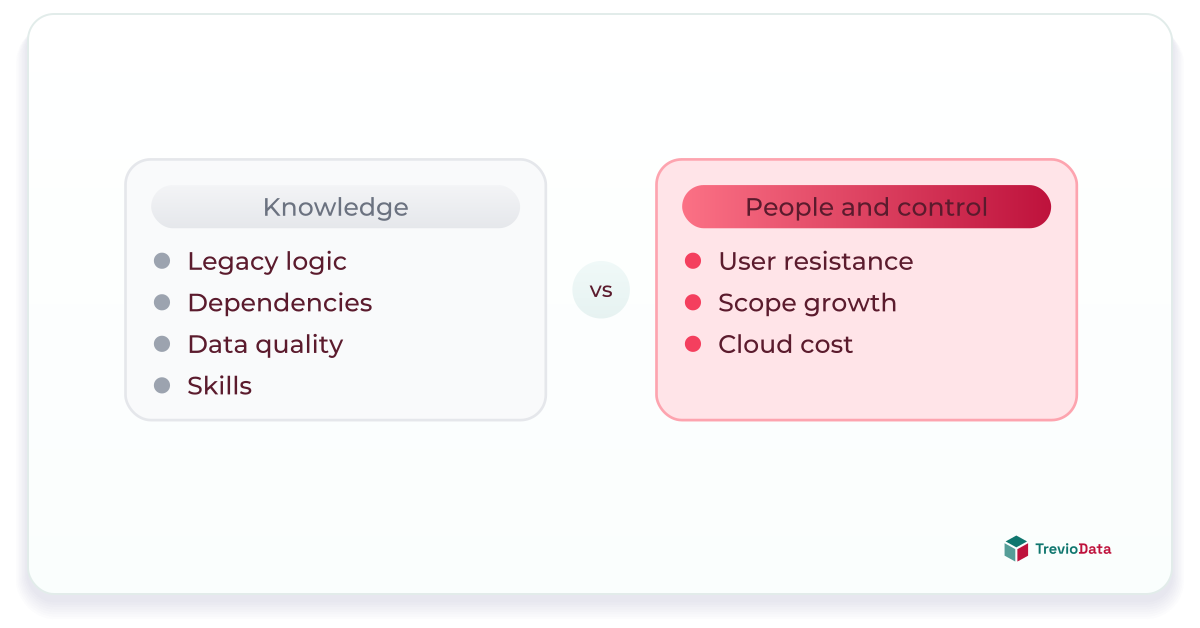
Look at the list again and a pattern appears. Four of the eight are about knowledge: hidden logic, hidden dependencies, quality and skills. Three are about people and control: user resistance, scope and cost. One is about risk: security. Almost none are about the choice of platform. A team that spends its energy on the platform comparison and skips the inventory is solving the smaller problem.
The roadmap view helps, because timing matters. Knowledge challenges peak in the first two stages, cost challenges after go-live and scope challenges whenever a sponsor loses patience. The stages in my data modernization roadmap are built to meet each challenge when it arrives.
How to Prevent Most of Them Before You Start
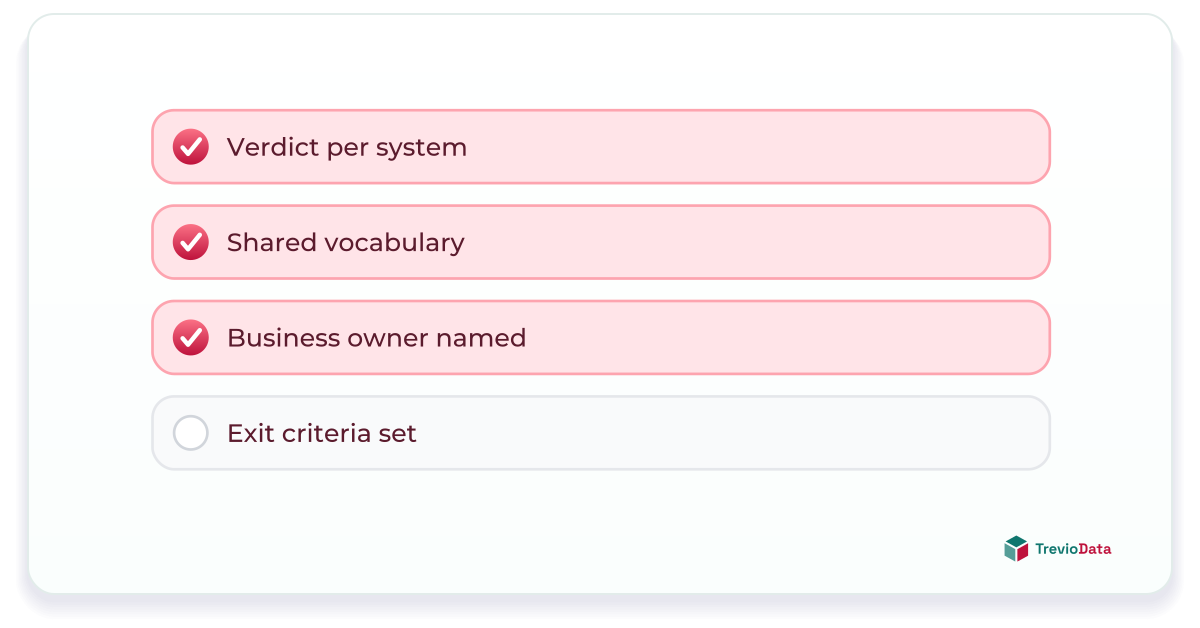
Three early decisions remove a lot of pain. First, write a verdict for every system in your inventory, so you only migrate what is worth migrating. The method is in my data modernization strategy guide. Second, name a business owner for each workload with the authority to sign off. Third, agree on exit criteria and a shutdown date for each legacy system.
Add a model to keep conversations consistent. The five layers in the data modernization framework give your team shared words for inventory, platform, pipelines, governance and people, and make it easier to see which layer a problem sits in.
How to Decide Which Challenge to Tackle First
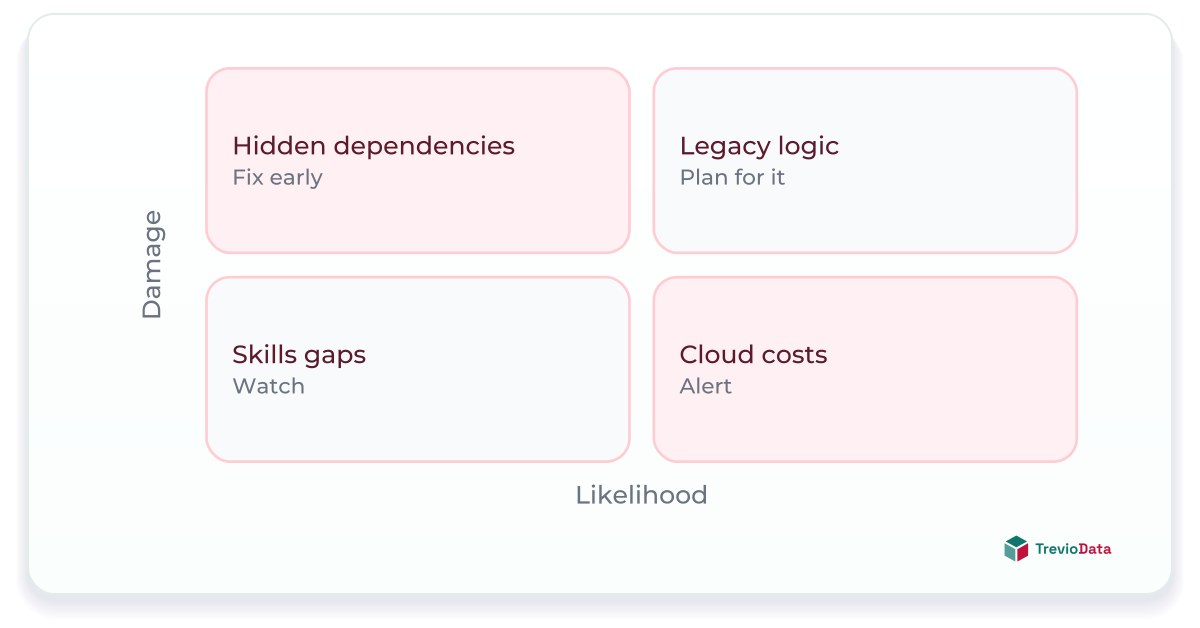
You cannot fix all eight at once. Match the challenge to the stage you are in:
- In planning: dependencies, scope and security design.
- In your first migration: legacy logic, quality and user involvement.
- After go-live: cost control and skills.
- In every stage: scope.
If you are unsure where to begin, ask your team which part of the last migration or release caused the most late nights. That answer is usually your first challenge. Written habits for each one are collected in my list of data modernization best practices. A short call can also help you check your plan against the eight.
Questions About Data Modernization Challenges
What Is the Biggest Data Modernization Challenge?
In my experience, undocumented business logic causes the most surprises, because it only shows up when numbers differ after migration. Running old and new side by side and logging every difference is the most reliable way to find it.
Why Do Data Modernization Projects Fail?
Most fail because of scope and people, not technology. Programs try to move everything at once, lack a business owner or skip the parallel run. Small stages with clear exit criteria avoid most of these failures.
How Long Do These Challenges Last?
Most appear in the first two stages and fade as your team builds templates and checks. Cost control and skills development continue as long as you run the platform.
Should I Hire Outside Help?
Outside help makes sense for the first migration, tool selection and heavy rebuilds, while your own team learns on the job. Your people should own daily operation from the start, and a handover plan keeps the knowledge in your company.
How Do I Handle a Legacy System Nobody Understands?
Read the code with its users, run it in parallel with the rebuilt version and treat every mismatch as a question to answer. If after that no one uses it, retire it and keep a read-only copy for a few months.
How Can I Keep Cloud Costs Predictable?
Record your baseline, set budgets and alerts, size compute to the workload and review expensive queries monthly. Tag workloads by team so spending has an owner.
Can I Avoid Downtime During Migration?
Yes, in most cases. You run old and new together, switch users over in stages and keep a tested rollback. Plan any short freeze windows with the business and announce them early.
Note: This article is general information, not legal, financial or tax advice. Figures and examples are estimates based on typical projects, so check current details with your providers and advisers before you decide.
Was this article helpful?
Thank you for letting us know.
Camille leads the Trevio editorial team and works with our consultants to turn real client projects into practical guides on data strategy, engineering and governance. Before joining Trevio, she spent 11 years in data engineering and analytics roles. She has since edited more than 300 articles on data management and reviewed pipelines and platforms from over 100 client projects. She is based in Denver, Colorado.