Key Takeaways
- Snowflake, BigQuery and Redshift are the three safest picks for most teams, and the best of them is usually the one that matches your existing cloud.
- Pay-per-query models such as BigQuery reward light, uneven use, while capacity models such as Fabric and Redshift reward steady use.
- Teradata and Vertica earn a place when data must stay on premises, and ClickHouse wins for very fast event analytics.
- Run a real workload trial before you commit, because list prices rarely predict what your own queries will cost.
The Best Data Warehouse Tools at a Glance
| Tool | Type | Best for |
|---|---|---|
| 1. Snowflake | Cloud warehouse | SQL analytics with little administration |
| 2. Google BigQuery | Serverless warehouse | Teams on Google Cloud and spiky workloads |
| 3. Amazon Redshift | Cloud warehouse | AWS-centered teams |
| 4. Databricks SQL | Lakehouse | Teams that also run streaming and machine learning |
| 5. Microsoft Fabric Data Warehouse | Unified analytics platform | Microsoft 365 and Power BI shops |
| 6. Teradata Vantage | Enterprise warehouse, cloud and on-prem | Large enterprises with heavy, mixed workloads |
| 7. Oracle Autonomous Data Warehouse | Managed cloud warehouse | Oracle database shops |
| 8. ClickHouse Cloud | Real-time analytics database | Fast queries on very large event data |
| 9. Vertica | On-prem and cloud analytics database | On-premises or hybrid analytics at scale |
| 10. Azure Synapse Analytics | Cloud warehouse | Existing Synapse and Azure SQL users |
The 10 Best Data Warehouse Tools, Ranked
I start with the platforms most teams shortlist first and move toward specialist and on-premises options. The tool is only part of the result: in data warehouse consulting projects, data models and cost controls decide more than the logo on the invoice. If you are weighing the work ahead, my data warehouse implementation plan shows how a rollout runs.
Snowflake
A Managed Cloud Warehouse That Keeps Storage and Compute Separate and Needs Little Tuning
Snowflake is a cloud data platform where you store data once and run as much or as little compute against it as you need.
Snowflake is the warehouse I most often see at the center of a modern stack. Storage and compute scale separately, so a heavy nightly load does not slow down the finance team running reports. You write standard SQL, and most tuning work that used to belong to a database administrator is handled for you.
Where it bites is spending. Compute is billed in credits while warehouses run, so an oversized warehouse left on overnight is the classic surprise. On client projects I set auto-suspend to a minute or two, tag every warehouse by team and review the top queries monthly. With those habits, Snowflake is easy to live with.
Pros of Snowflake
- Separate storage and compute make scaling simple
- Almost no administration compared with a traditional warehouse
- Data sharing gives partners live access without copies
Cons of Snowflake
- Credit-based billing needs active cost monitoring
- Always-on workloads can get expensive
Snowflake Pricing
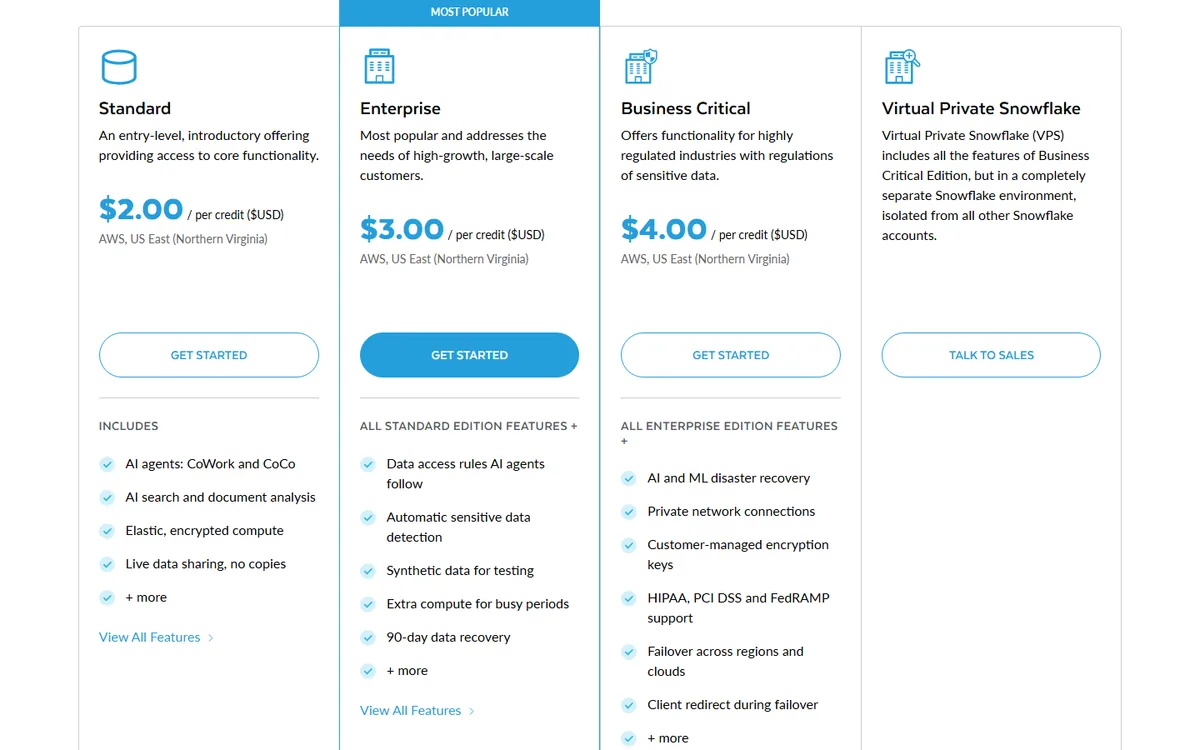
Snowflake uses consumption-based pricing. You pay for compute in credits, for storage by the terabyte per month, and for data transfer, and the credit price depends on the edition (Standard, Enterprise, Business Critical or Virtual Private Snowflake) and region. Snowflake does not show a flat per-credit price on its pricing page, so use its pricing calculator or ask for a quote for your region. A free trial is available.
Snowflake Reviews
- G2: 4.6/5 average (from +730 reviews)
Google BigQuery
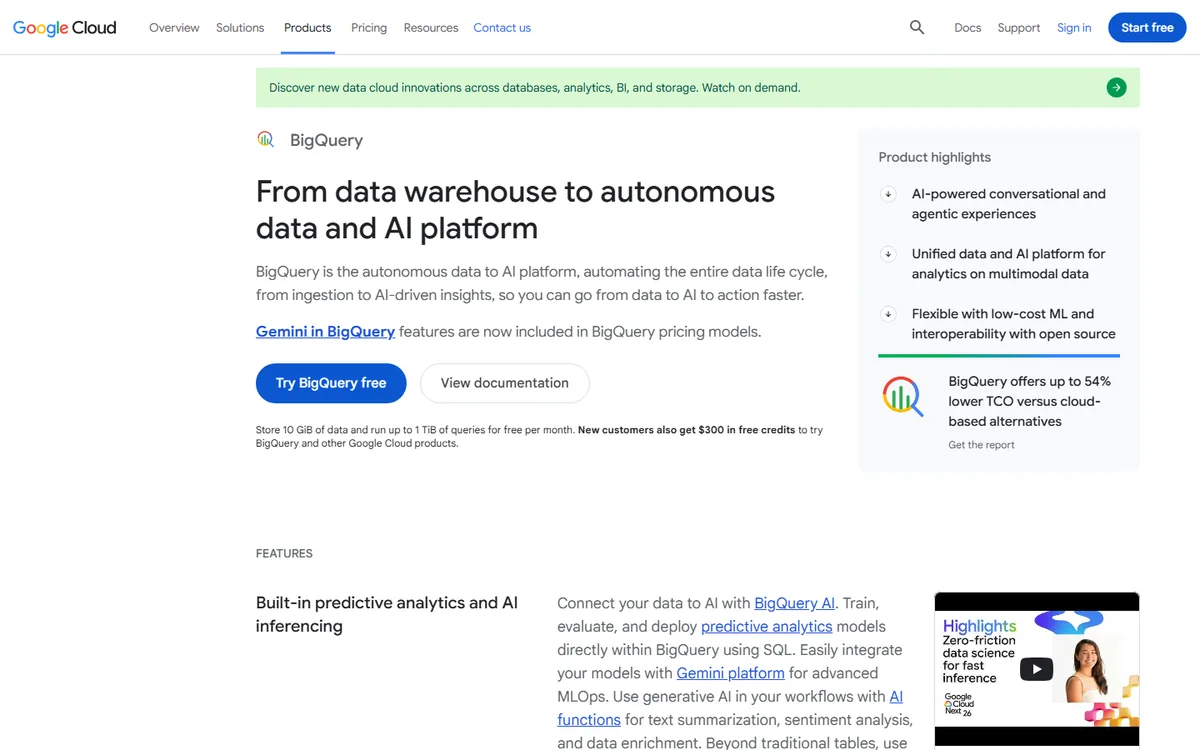
The Closest Thing to a Warehouse With No Servers to Size, Patch or Tune
BigQuery is Google Cloud's serverless data warehouse, where you run SQL and Google handles the infrastructure.
BigQuery has no clusters to size. You load data, write SQL and pay either for the data each query scans or for reserved capacity. For teams with uneven workloads, such as month-end reporting or ad-hoc analysis, that model removes a lot of planning.
The risk is an unbounded query. A careless select over a huge table scans every column and the bill follows, so I always set per-query byte limits, partition large tables by date and cluster them on the columns people filter by. It also fits naturally if your marketing and web data already sit in Google products.
Pros of Google BigQuery
- No infrastructure to manage and fast scaling
- Pay-per-query pricing suits irregular workloads
- Strong fit with Google Analytics, Ads and Cloud services
Cons of Google BigQuery
- Unfiltered queries can scan and bill far more data than expected
- Best value depends on staying inside the Google Cloud ecosystem
Google BigQuery Pricing
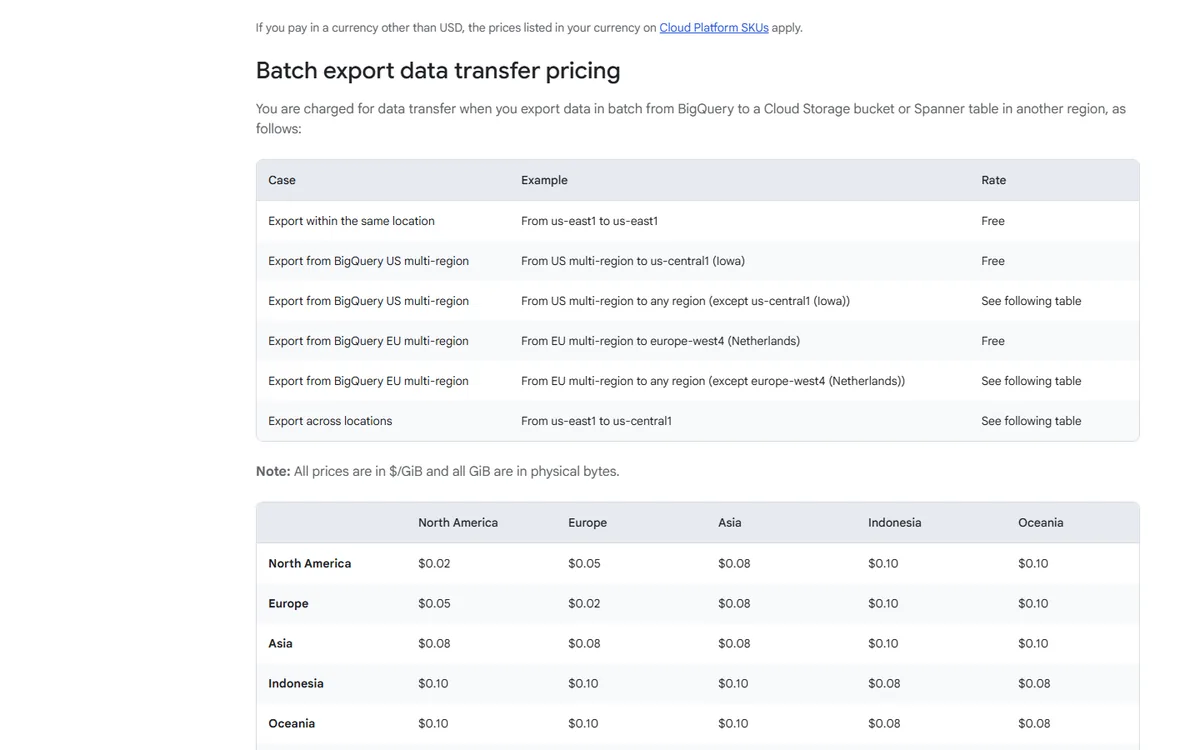
BigQuery on-demand pricing is $6.25 per TiB of data processed, and the first 1 TiB of queries each month is free. Storage is billed by the gibibyte-hour, with the first 10 GiB free each month and a lower rate for long-term storage. Capacity pricing charges per slot-hour and starts at $0.04 for Standard, $0.06 for Enterprise and $0.10 for Enterprise Plus in the Iowa region.
Google BigQuery Reviews
- G2: 4.5/5 average (from +1,100 reviews)
Amazon Redshift
The Natural Choice When Your Data, Security Model and Team Already Live in AWS
Amazon Redshift is AWS's managed data warehouse, available as provisioned clusters or as a serverless service.
Redshift is strongest where the rest of your stack is on AWS. It reads from S3, connects to Glue and Kinesis and uses the same IAM roles and networking your security team already approved. Serverless mode removes cluster sizing, and provisioned RA3 nodes still suit steady, predictable workloads.
I find it less forgiving than Snowflake or BigQuery on tuning. Distribution and sort choices matter on large tables, and workload management needs attention when many teams share one cluster. If you have an AWS-fluent team, that is fine. If you do not, the learning curve shows up in the project plan.
Pros of Amazon Redshift
- Deep integration with S3, IAM and other AWS services
- Serverless and provisioned options for different workloads
- Reserved pricing lowers cost for steady usage
Cons of Amazon Redshift
- Needs more tuning than the newest serverless rivals
- Less attractive outside the AWS ecosystem
Amazon Redshift Pricing
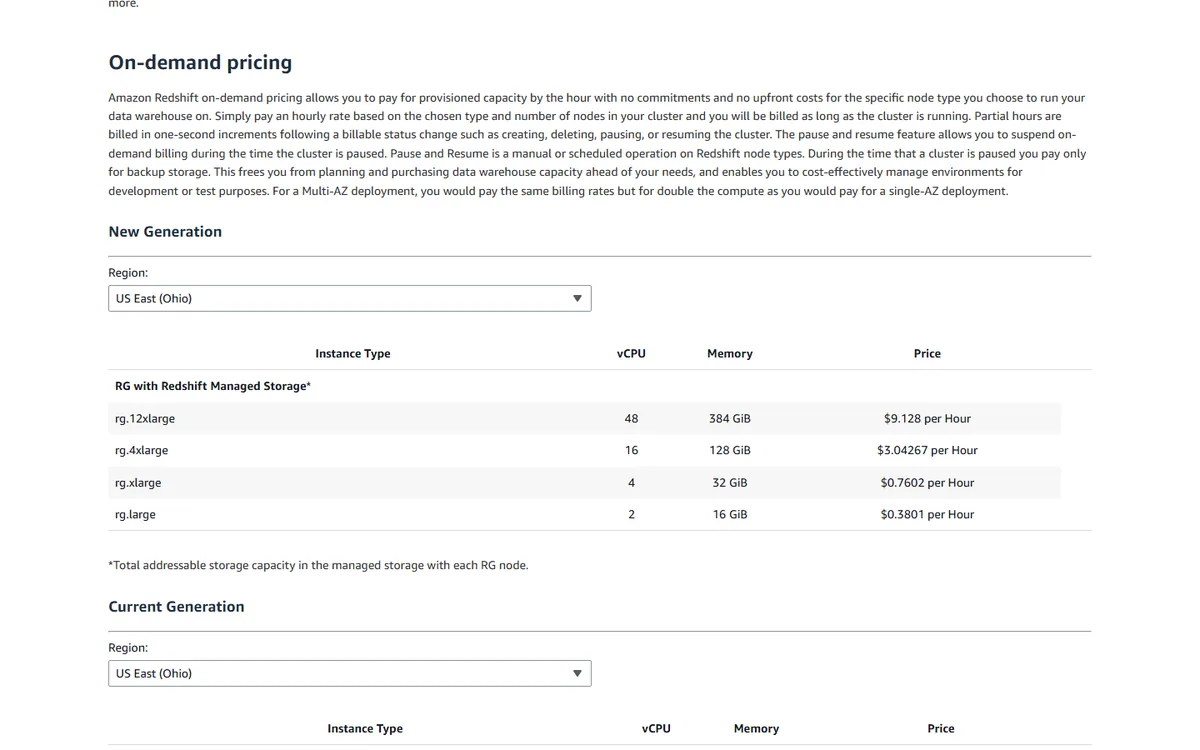
Redshift Serverless is billed at $0.375 per RPU-hour in US East (N. Virginia), and first-time serverless users get a $300 credit that expires after 90 days. Provisioned clusters get a two-month free trial, and the ra3.4xlarge node is listed at $3.26 per hour on demand. Managed storage is $0.024 per GB-month. Reserved capacity lowers rates for steady use.
Amazon Redshift Reviews
- G2: 4.3/5 average (from +380 reviews)
Databricks SQL
The Strongest Choice When Warehouse Reporting, Streaming and Machine Learning Share One Platform
Databricks SQL is the warehouse layer of the Databricks lakehouse, built on open table formats and Spark.
Databricks started as the company behind Apache Spark, and its SQL warehouses now serve BI tools directly against Delta Lake tables. If your team builds models as well as reports, keeping both on one copy of the data removes a lot of glue.
It asks more of your team than a pure SQL warehouse. Cluster policies, Unity Catalog permissions and job design all need an owner. When a client only needs dashboards on a handful of sources, I usually steer them to a simpler warehouse first and revisit Databricks when machine learning arrives.
Pros of Databricks SQL
- Batch, streaming and machine learning in one place
- Open table formats reduce lock-in
- Unity Catalog centralizes access control and lineage
Cons of Databricks SQL
- A steeper learning curve than a SQL-only warehouse
- Compute and cloud fees are billed separately, so estimates need care
Databricks SQL Pricing
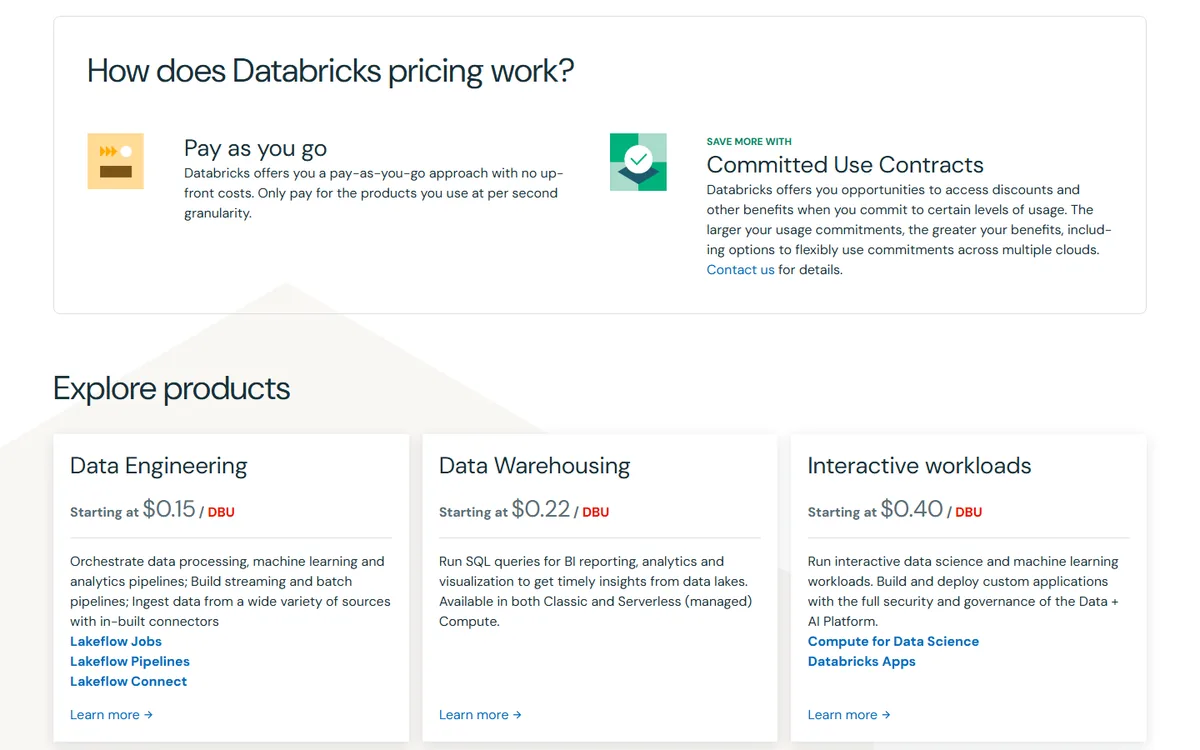
Databricks uses pay-as-you-go pricing with no up-front costs, based on compute usage in Databricks units (DBUs). Committed-use contracts offer discounts, and a free trial gives access to the platform. If you connect it to your own cloud account, your cloud provider still charges for the underlying resources. Databricks publishes a price list by product and a cost calculator, so check current rates for your cloud.
Databricks SQL Reviews
- G2: 4.6/5 average (from +1,300 reviews)
- Capterra: 4.5/5 average (from 23 reviews)
Microsoft Fabric Data Warehouse
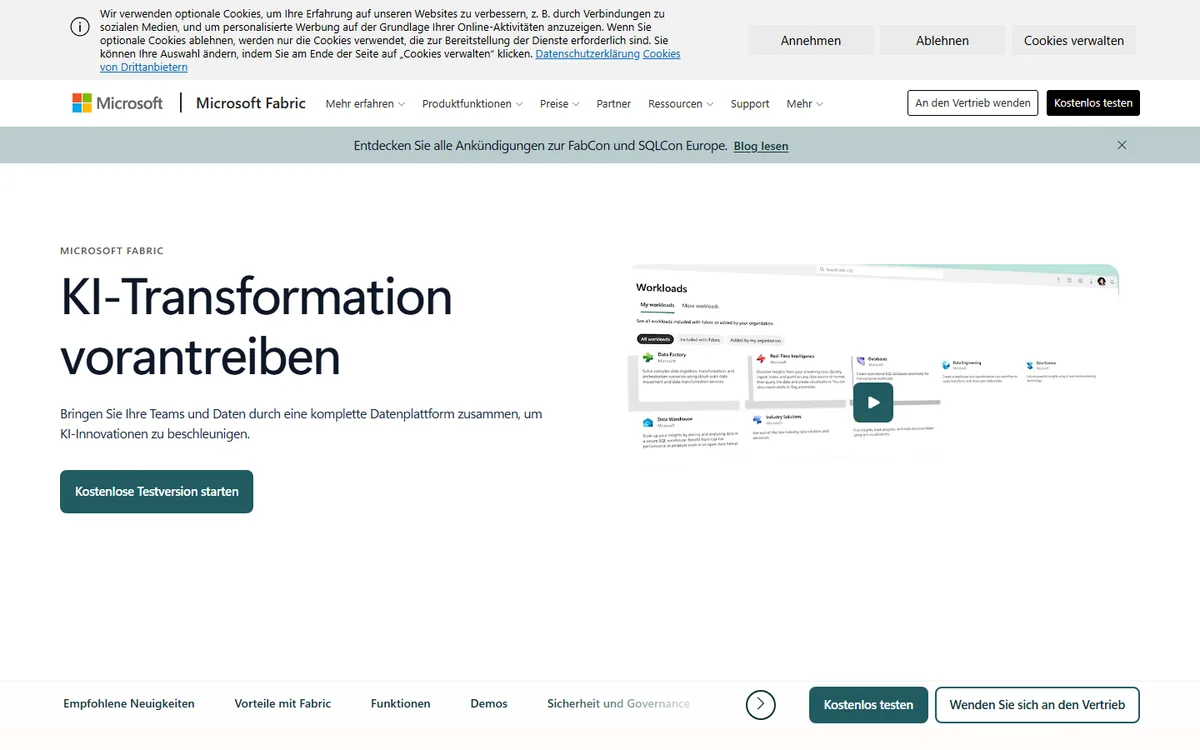
A Natural Fit When Power BI and Microsoft Are Already How Your Business Reports
Microsoft Fabric bundles a SQL warehouse, a lakehouse, pipelines and Power BI on one capacity-based platform.
Fabric puts the warehouse, the data lake storage (OneLake) and Power BI under one license and one capacity. For a company that already lives in Microsoft 365, Entra ID and Power BI, onboarding is quick and permissions follow accounts people already have.
The model is different from per-query pricing. You buy capacity and share it across workloads, so a heavy notebook job and a busy dashboard can compete for the same units. I size capacity from a real workload trial before committing, and I would not skip that step.
Pros of Microsoft Fabric Data Warehouse
- One platform for warehouse, lake, pipelines and Power BI
- Sign-in and permissions follow your Microsoft accounts
- A 60-day free trial lets you test a real workload
Cons of Microsoft Fabric Data Warehouse
- Shared capacity needs monitoring so workloads do not compete
- The platform is newer, and features keep shifting
Microsoft Fabric Data Warehouse Pricing
Microsoft Fabric is sold as capacity (F SKUs starting at F2), billed pay as you go or reserved, with OneLake storage billed separately. Microsoft's pricing page shows prices by region and currency, so use the Azure pricing calculator for your numbers. A 60-day free trial is available.
Microsoft Fabric Data Warehouse Reviews
I could not confirm a current G2 or Capterra rating for this product when I wrote this, so I am not quoting one. Check the review sites for the latest scores before you decide.
Teradata Vantage
A Proven Engine for Very Large Enterprise Workloads, in the Cloud or in Your Own Data Center
Teradata is a long-established enterprise warehouse that now runs in the cloud, on-premises or in a hybrid mix.
Teradata has handled very large, mixed workloads for decades, and big banks, retailers and telecoms still depend on it. It runs in the cloud and on-premises, which makes it one of the few real choices when regulation or latency keeps some data in your own building.
The trade-off is cost and the skills around it. Most newcomers get more value per dollar from a cloud-native warehouse. I recommend Teradata mainly when you already run it and the question is how to modernize it step by step instead of replacing it overnight.
Pros of Teradata Vantage
- Handles very large, concurrent enterprise workloads
- Runs in the cloud, on-premises and hybrid
- Mature workload management and security features
Cons of Teradata Vantage
- Higher total cost than newer cloud-native options for most teams
- Priced by custom quote and harder to compare
Teradata Vantage Pricing
Teradata does not publish list prices. Its pricing model is Fixed plus Flex, where a committed baseline covers steady workloads and flexible capacity is billed on what you consume, all measured in one unit that covers compute, storage and software. Use its price estimator or talk to a pricing specialist for a quote.
Teradata Vantage Reviews
- G2: 4.3/5 average (from +350 reviews)
Oracle Autonomous Data Warehouse
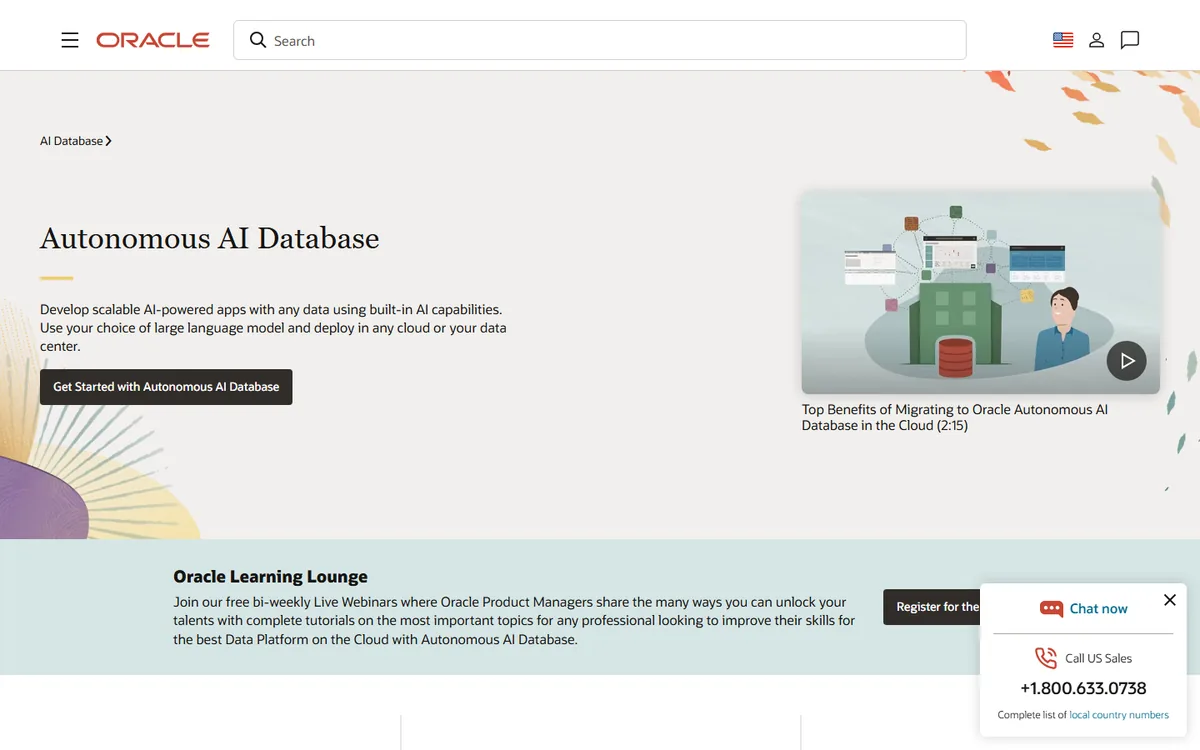
The Low-Friction Upgrade Path When Your Core Systems and Skills Are Already Oracle
Oracle Autonomous Data Warehouse is a managed Oracle Database service that automates tuning, patching and scaling.
If your ERP and operational databases already run on Oracle, this warehouse keeps SQL dialects, tools and skills the same. Indexing, patching and backups are automated, and compute scales up and down without downtime.
Outside the Oracle world it is a harder sell. The ecosystem of connectors and community knowledge is smaller than for Snowflake or BigQuery, and licensing questions deserve a careful read. I recommend it when Oracle skills already exist in your team and the migration from an on-premises Oracle warehouse is the main goal.
Pros of Oracle Autonomous Data Warehouse
- Same SQL and tooling as your existing Oracle databases
- Automated tuning, patching and backups
- Scales compute without downtime
Cons of Oracle Autonomous Data Warehouse
- Smaller community and connector ecosystem than the market leaders
- Licensing and pricing options take effort to compare
Oracle Autonomous Data Warehouse Pricing
Oracle prices Autonomous Data Warehouse by compute (ECPU per hour) and storage, and it offers an Always Free cloud tier. The unit prices were not visible on Oracle's pricing page when I checked, so use the Oracle Cloud Cost Estimator for current figures in your region.
Oracle Autonomous Data Warehouse Reviews
I could not confirm a current G2 or Capterra rating for this product when I wrote this, so I am not quoting one. Check the review sites for the latest scores before you decide.
ClickHouse Cloud
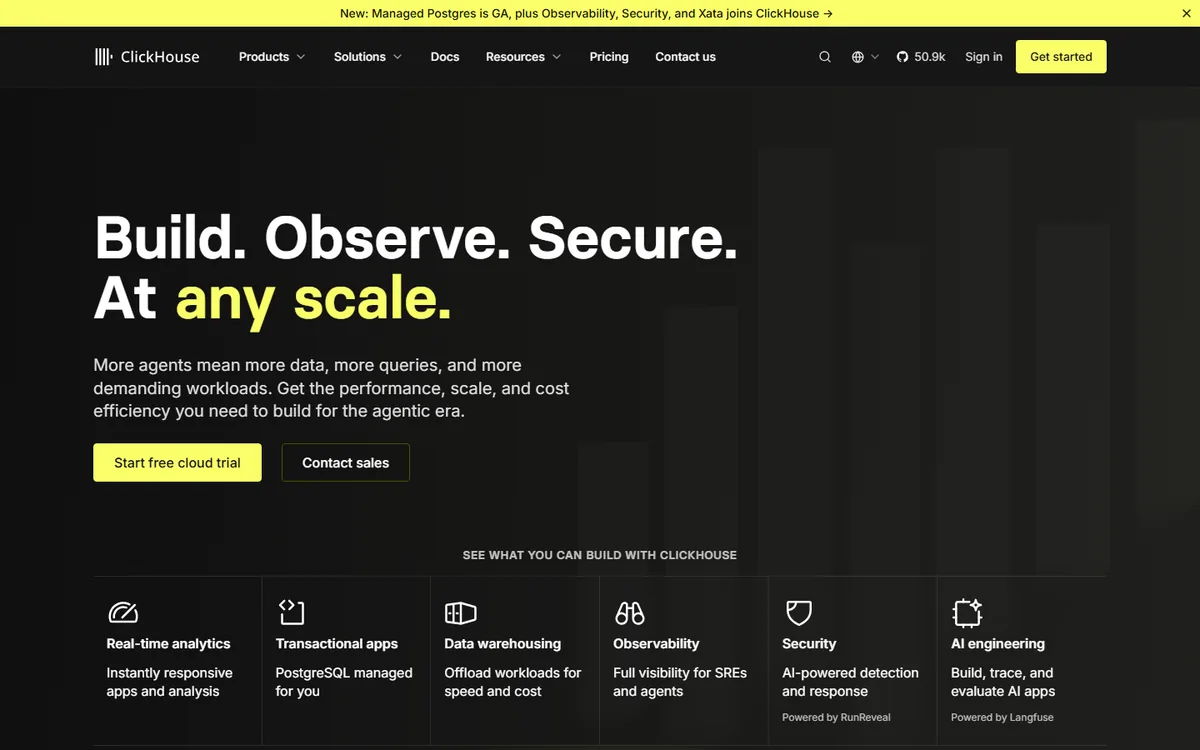
The Fastest Option for Real-Time Dashboards Over Huge Event and Log Tables
ClickHouse is a column-oriented database built for very fast analytics, available as open source or as ClickHouse Cloud.
ClickHouse is the engine I pick when the main job is dashboards over billions of events, such as product analytics, logs or ad impressions, and users expect sub-second answers. It compresses data heavily and scans columns very quickly, so hardware goes a long way.
It is not a drop-in replacement for a general warehouse. Joins across many large tables and frequent updates need more thought, and data modeling matters more. Many teams run it next to a main warehouse, with ClickHouse serving the fast, customer-facing or operational dashboards.
Pros of ClickHouse Cloud
- Very fast queries on large event tables
- Open-source core with a managed cloud option
- Heavy compression keeps storage cost low
Cons of ClickHouse Cloud
- Updates and many-table joins need careful modeling
- Less suited as the only warehouse for a broad business
ClickHouse Cloud Pricing
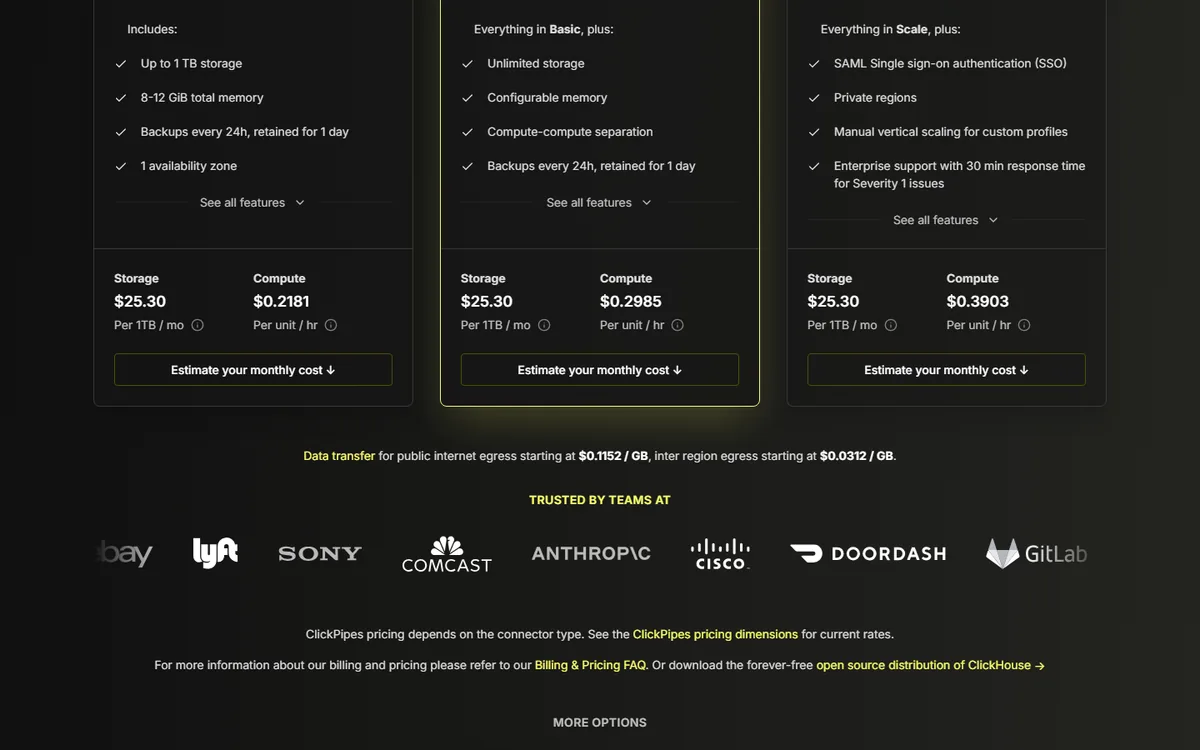
ClickHouse Cloud is usage-based with no monthly minimum. In AWS us-east-1, compute is $0.21811 per unit-hour on Basic, $0.29846 on Scale and $0.39030 on Enterprise, and storage is $25.30 per TB per month on all three. Rates vary by cloud and region, and a 30-day trial includes $300 in credits with no credit card.
ClickHouse Cloud Reviews
I could not confirm a current G2 or Capterra rating for this product when I wrote this, so I am not quoting one. Check the review sites for the latest scores before you decide.
Vertica
A Columnar Engine You Can Run Where Your Data Has to Stay, From Your Own Servers to the Cloud
Vertica is a columnar analytics database that runs on your own hardware, in the major clouds or in hybrid setups.
Vertica has long served companies that need fast analytics but cannot, or will not, move everything to a public cloud. It separates compute from storage in its Eon mode and runs on premises, on AWS, Google Cloud and Azure, with built-in machine learning functions.
I see it mostly in established enterprises with existing deployments. For a new project with no on-premises constraint, a cloud-native warehouse is usually quicker to start. If you must keep data in your own data center, Vertica belongs on the shortlist.
Pros of Vertica
- Runs on premises, in the cloud or hybrid
- Fast columnar analytics with in-database machine learning
- Eon mode separates compute from storage
Cons of Vertica
- Smaller community than the big cloud warehouses
- Self-managed deployments need database administration skills
Vertica Pricing
Vertica offers a free Community Edition with size limits, and paid licensing or consumption pricing for production use. The vendor's pricing page did not load when I checked, so ask Vertica for current terms and limits.
Vertica Reviews
I could not confirm a current G2 or Capterra rating for this product when I wrote this, so I am not quoting one. Check the review sites for the latest scores before you decide.
Azure Synapse Analytics
Still Common in Azure Estates, Though New Projects Should Compare It With Fabric First
Azure Synapse Analytics combines dedicated SQL pools, a serverless SQL option and Spark in one Azure service.
Synapse is installed in a great many Azure environments, so you will meet it whether you pick it or not. Dedicated SQL pools handle classic warehouse workloads, and the serverless SQL pool lets you query files in the lake without loading them.
Microsoft is putting its newer investment into Fabric, so for a greenfield project I compare the two before choosing. If you already run Synapse and it performs, there is no reason to rush a migration. Plan one when the licensing or feature gap starts to cost you.
Pros of Azure Synapse Analytics
- Dedicated and serverless SQL options in one service
- Strong integration with Azure storage, Entra ID and Power BI
- Query lake files directly without loading them
Cons of Azure Synapse Analytics
- Newer Microsoft investment is going to Fabric
- Dedicated pools need sizing and pausing to control cost
Azure Synapse Analytics Pricing
Synapse bills dedicated SQL pools by the hour based on their performance level, and its serverless SQL pool by the data processed. Rates differ by region, so use the Azure pricing calculator for your numbers.
Azure Synapse Analytics Reviews
I could not confirm a current G2 or Capterra rating for this product when I wrote this, so I am not quoting one. Check the review sites for the latest scores before you decide.
Estimate the Return on a Data Warehouse Tool
Before you pick a plan, check whether the numbers work for you. Enter the manual hours you want to remove and the monthly price of the platform you are considering, and you will see what it could return in a year. For a full budget view, including people and migration, read my breakdown of data warehouse cost.
Will the Tool Pay Off for You?
Move the sliders to match the work you want to automate and the plan you are considering.
How to Choose the Right Data Warehouse Tool
In my experience, where your data already lives and what your team already knows decide more than any feature list. Before you compare vendors, answer four questions:
- Which cloud, if any, do your sources and security team already use?
- Is your workload steady or spiky, and does per-query or capacity billing suit it better?
- Does your team write SQL only, or also Python and machine learning code?
- Must any data stay on premises for legal or latency reasons?
If you are on AWS, start with Redshift and Snowflake. If you are on Google Cloud, start with BigQuery. If Power BI runs your reporting, trial Fabric. If you need one platform for reports and machine learning, add Databricks. Whatever you pick, follow the habits in my list of data warehouse best practices, because a tool does not fix a weak design. And before you buy anything, write down the data warehouse use cases you want first, then agree a data warehouse strategy so the platform serves a plan.
Questions About Choosing Data Warehouse Tools
What Is the Best Data Warehouse Tool for a Small Business?
BigQuery and Snowflake are the usual starting points because you can begin small and pay for what you use. BigQuery suits teams on Google Cloud, and Snowflake suits teams that want a neutral platform. If your reporting already runs in Power BI, Microsoft Fabric is worth a trial too.
What Is the Difference Between a Data Warehouse and a Data Lake?
A warehouse stores cleaned, structured data modeled for reporting. A lake stores raw files of any type at low cost. Lakehouse platforms such as Databricks try to cover both with open table formats on top of lake storage.
Should I Choose a Cloud or an On-Premises Data Warehouse?
Most new projects choose cloud because there is no hardware to buy and capacity scales on demand. On-premises still makes sense when regulation, latency or existing investments keep data in your own building. Teradata and Vertica are two tools that run in both places.
Which Data Warehouse Is Cheapest?
It depends on your usage pattern. BigQuery's on-demand model is cheap for light, irregular querying, and committed capacity is cheaper for steady use. Snowflake, Redshift and Fabric each reward right-sizing and shutting compute down when idle. Run a real workload trial instead of comparing list prices.
How Hard Is It to Switch Data Warehouses Later?
SQL is portable, but the surrounding pieces are not: stored procedures, scheduling, security rules and dashboards. Open table formats lower the lock-in. Keep your transformation logic in version-controlled tools such as dbt so a move later is a project, not a rewrite.
Do I Need a Data Warehouse If I Already Use Power BI or Tableau?
A BI tool shows data, and a warehouse prepares it. Without a warehouse, each dashboard tends to rebuild its own logic, and numbers drift apart. A small warehouse gives every dashboard the same tested tables.
How Long Does It Take to Set Up a Data Warehouse?
A first warehouse with a few sources and reports often takes a few weeks. Larger migrations take months because of history loads and the reports that sit on top. My guide to data warehouse implementation lays out the phases.
Heads up: vendors change prices, plans and ratings often. Everything was checked at the last update date, but confirm on each vendor’s website first. This article is not legal or financial advice.
Was this article helpful?
Thank you for letting us know.
Camille leads the Trevio editorial team and works with our consultants to turn real client projects into practical guides on data strategy, engineering and governance. Before joining Trevio, she spent 11 years in data engineering and analytics roles. She has since edited more than 300 articles on data management and reviewed pipelines and platforms from over 100 client projects. She is based in Denver, Colorado.