Key Takeaways
- Total cost is platform fees plus people plus migration plus ongoing operations, and people often cost more than the platform.
- Pricing models differ: BigQuery on-demand charges per terabyte scanned, Redshift Serverless and ClickHouse charge for compute time, and Snowflake charges in credits.
- Most overspending comes from idle compute, unfiltered queries and nobody owning the invoice.
- Start small, tag cost by team from day one and review the five costliest queries monthly.
Ask five vendors what a data warehouse costs and you get five answers in five units: per terabyte, per credit, per hour, per capacity unit. None of them is your annual budget. In my data warehouse consulting work, the first task is turning those units into one yearly number that finance can sign.
This guide gives you the formula, current list prices for the platforms I see most, a worked example with illustrative numbers and the levers that bring the bill down. It will not give you a universal price, because none exists.
The Formula Behind Every Warehouse Budget
Think of the yearly cost as four parts added together:
- Platform: compute plus storage plus data transfer.
- Loading and tools: connectors, transformation and orchestration, BI licenses.
- People: engineers, analysts and any consultants, for the build and for the run.
- Migration and change: moving old reports, parallel running and training.
Teams budget the first line carefully and the other three casually. In my client work, the first line is often the smaller one once a project is past its first quarter. A build with a few sources needs engineering time measured in weeks, and every new source adds ongoing maintenance.
How Platforms Charge You
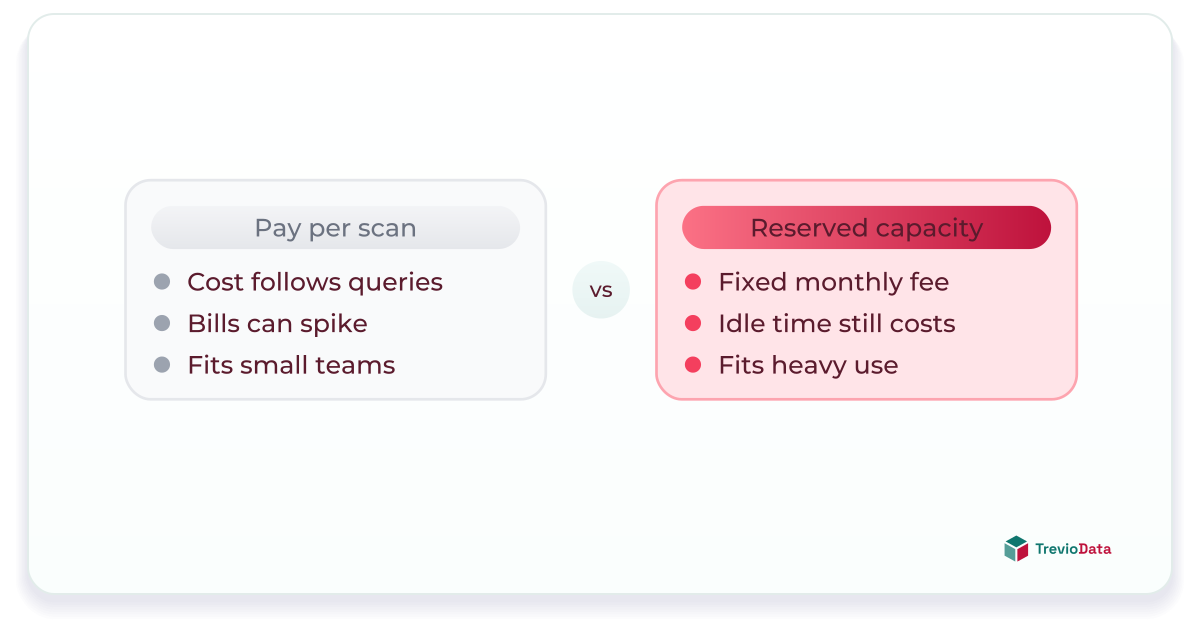
Platform fees follow three models. Pay-per-query charges for the data each query scans. Pay-for-compute charges for the time compute runs. Committed capacity charges a fixed amount for reserved units. Most vendors offer a mix, and the right one depends on how steady your workload is.
| Platform | Pricing model | Published list price |
|---|---|---|
| Google BigQuery | Per TiB scanned, or slot capacity | $6.25 per TiB on demand, first 1 TiB a month free; slots from $0.04 per hour (Standard) |
| Amazon Redshift Serverless | Per RPU-hour | $0.375 per RPU-hour in US East; $0.024 per GB-month managed storage |
| ClickHouse Cloud | Compute units plus storage | $0.21811 to $0.39030 per unit-hour by plan; $25.30 per TB-month in AWS us-east-1 |
| Snowflake | Credits plus storage | Not on its pricing page; use the calculator or a quote |
| Microsoft Fabric | Capacity (F SKUs) | By region in the Azure calculator; 60-day trial |
| Teradata | Fixed plus Flex units | Quote only |
These are list prices checked in November 2026, and they differ by region. My data warehouse tools ranking has more on each platform, including trials you can use to measure your own workload.
A Worked Example: A Mid-Sized Retailer
The numbers below are illustrative, to show the method. Assume a retailer with five sources, 2 TB of data, 25 dashboard users and a first release in about three months. Platform spend is a function of usage, so I use ranges.
| Cost line | How to estimate it | Illustrative yearly range |
|---|---|---|
| Platform compute and storage | Hours of compute times rate, plus TB stored | $6,000 to $24,000 |
| Connectors and transformation | Per source or per row, plus tool seats | $3,000 to $15,000 |
| BI licenses | Seats times price | $3,000 to $12,000 |
| Build: engineering and design | Weeks of work times day rate | $30,000 to $90,000 |
| Run: monitoring and changes | Part-time engineer or support plan | $12,000 to $36,000 |
The structure matters more than the totals. In this example the build and run lines together are several times the platform line, and that ratio matches what I see in my client work. If your estimate has only a platform number, it is incomplete.
Three Budget Shapes by Company Size
Rather than quote a price, I describe the shape of the budget at three sizes. The pattern is more useful than a number, because it shows where the money goes as you grow.
| Size | Typical setup | Where most of the money goes |
|---|---|---|
| Small team | Two or three sources, one serverless warehouse, a handful of dashboards | Build time, then BI licenses; platform fees stay small |
| Mid-sized company | Five to fifteen sources, tested models, several teams using it | Engineering for the run, connectors and platform compute |
| Enterprise | Dozens of sources, strict access rules, legacy migration | Migration, governance and committed capacity |
A small team can often start on free tiers and trials. BigQuery gives the first 1 TiB of queries each month for free, Redshift Serverless gives new users a $300 credit and ClickHouse Cloud offers $300 in trial credits. Those offers are enough to test a real workload before you spend anything, and I recommend using them for the comparison described above.
As you grow, the lines move. Compute and people take a larger share, and governance work such as access reviews and documentation becomes a real cost. Plan for it in the budget instead of finding it in year two.
What Pushes the Cost Up
Five drivers account for most budget overruns. First is the number of sources, because each needs a connector, tests and upkeep. Second is data quality: messy sources mean cleaning rules and issue logs. Third is history, since loading five years of data costs more than starting from today. Fourth is refresh speed, because hourly or streaming loads keep compute running. Fifth is the number of reports to migrate, each of which has hidden rules that surface during a parallel run.
If you can cut one, cut the number of sources in release one. The data warehouse implementation plan shows how to release in pieces so cost and value arrive together.
Levers That Bring the Bill Down
These work on every platform I have used:
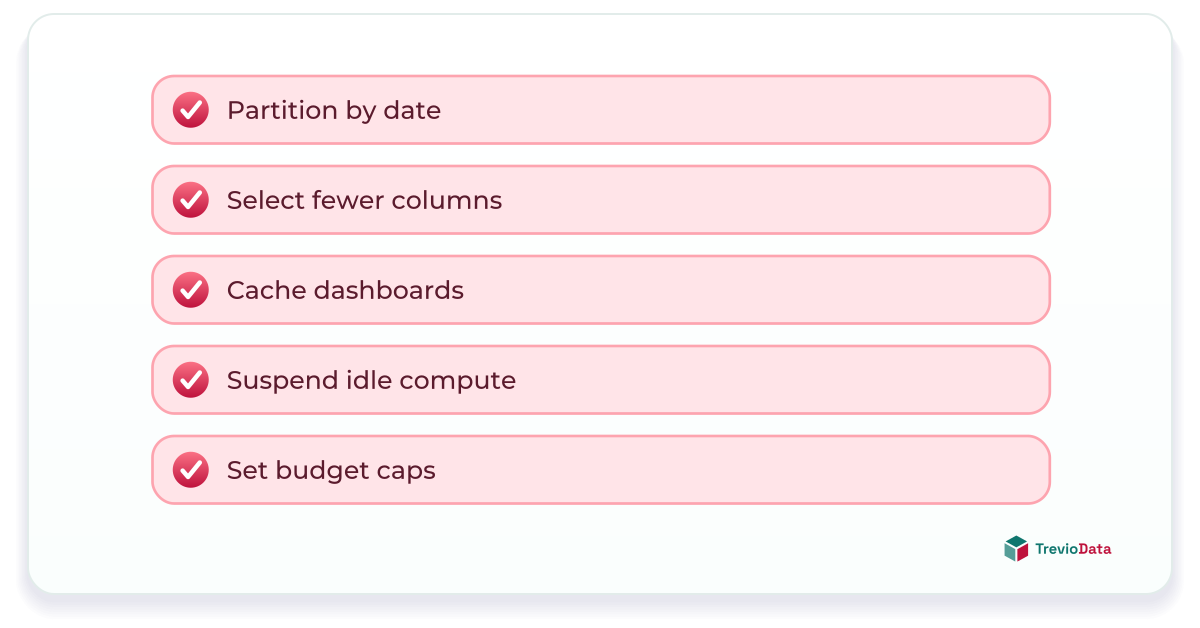
- Shut idle compute down automatically, with a short timeout.
- Partition large tables by date and select only the columns you need.
- Schedule heavy jobs once a day instead of every hour, unless a decision needs fresher data.
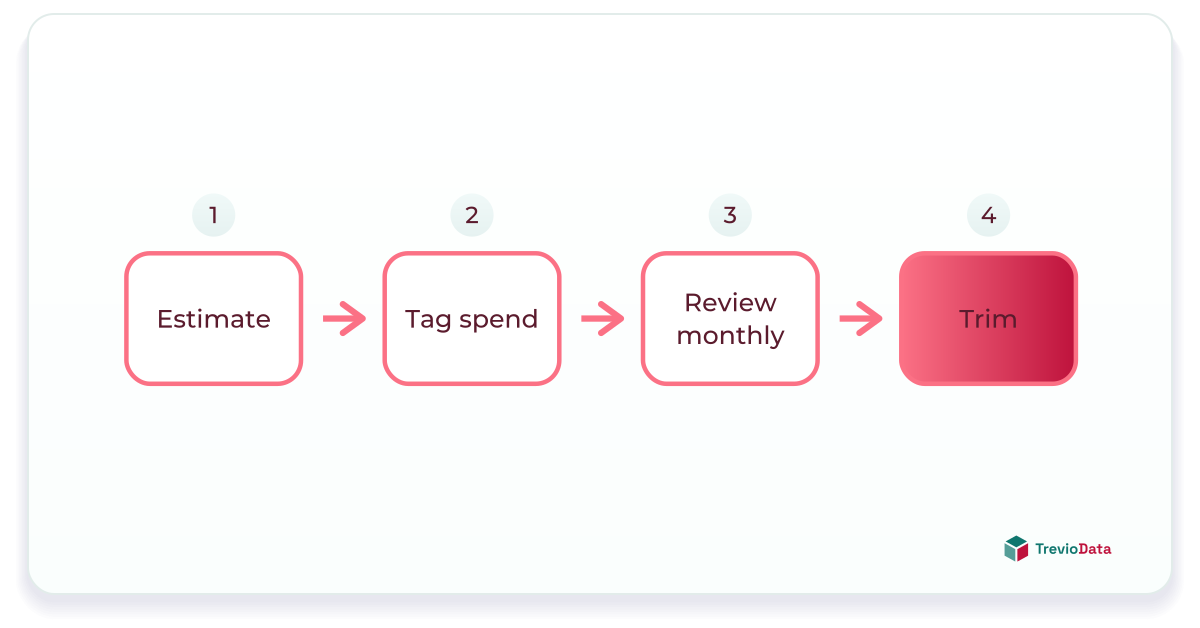
- Set budgets with alerts per team, and review the top five queries monthly.
- Commit to reserved capacity only for the steady part of the workload.
The habits behind these levers are in my list of data warehouse best practices. One client cut a quarter of its monthly bill in a single afternoon by fixing three dashboards that scanned full tables on every refresh.
What You Pay After Launch
A warehouse is not a one-time purchase. Once it is live, you pay for compute and storage every month, and storage only grows. You also pay for the people who keep loads running, answer questions and add sources. A rough planning rule from my projects is to expect the yearly run cost to settle at a share of the build cost, and to track it against that number so a drift shows up early.
Three line items surprise teams. Data transfer between clouds or regions can add up when dashboards sit in a different place from the warehouse. Development and test environments are real compute, and they run too. Finally, old data keeps billing until someone deletes or archives it, so set a retention rule for raw history and move cold data to cheaper storage.
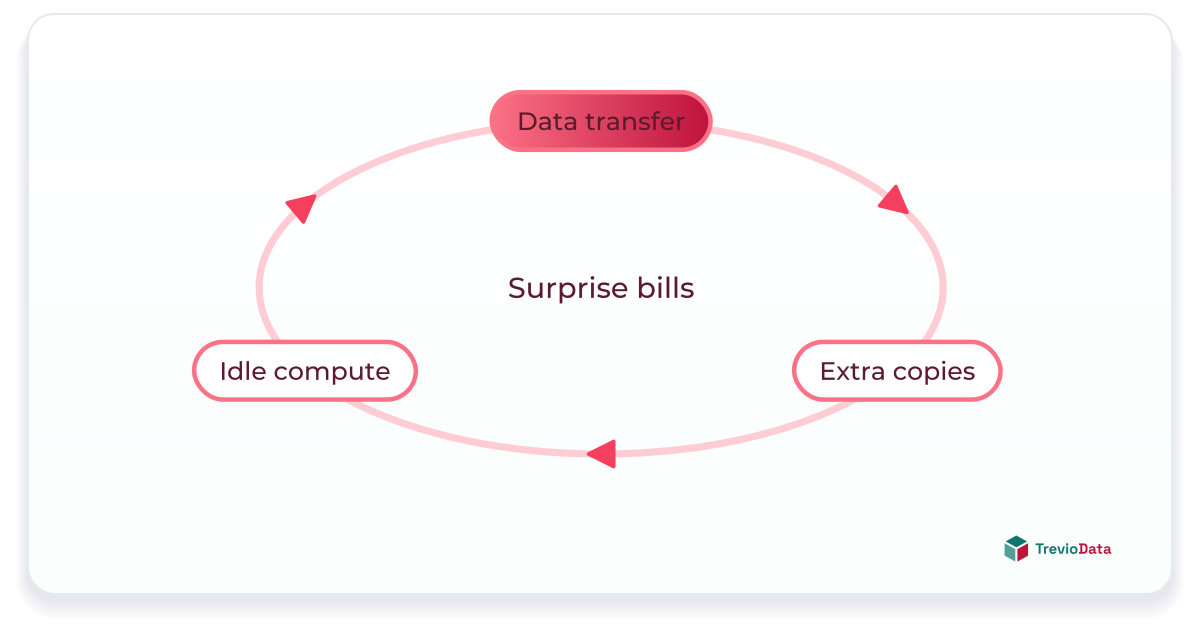
Put a named owner on the invoice. When one person sees the monthly total next to the budget, spending questions get answered in a week instead of at the year-end review. Share the cost by team in a simple table so each group sees what its dashboards and jobs cost, and can decide whether a refresh every hour is worth the money.
What Outside Help Costs, and When It Pays
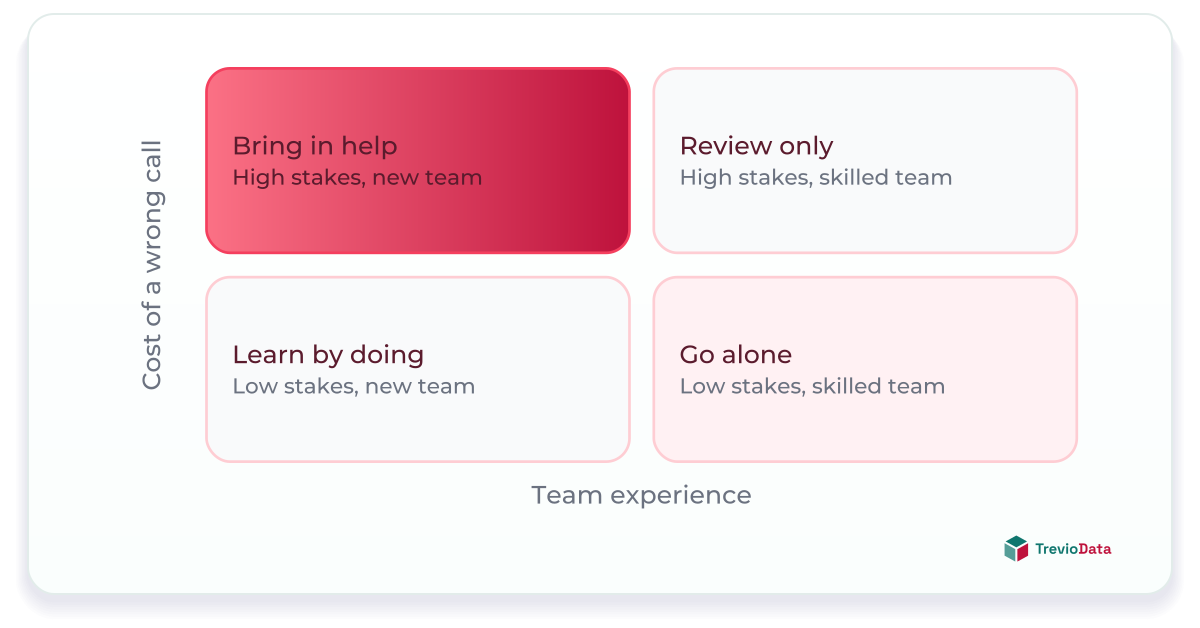
Day rates and project prices vary widely by region and experience, so I do not quote a range here. Ask for a fixed price after a short audit, with scope, deliverables and handover written down. Compare it with what the same work costs your team, including the time it takes them to learn a new platform.
Outside help pays back most on the first design, a platform choice and a migration, where an early mistake is expensive. It pays back least on routine reports, which your own team can run once the foundation exists.
Keep a short cost log as you go. Each month, write down the platform total, the people hours and any one-off spend, along with the one change that moved the number most. After a year you have a real baseline, which is worth more than any vendor estimate when you negotiate a renewal or defend next year's budget. It also shows whether the warehouse is paying for itself in hours saved each month, which is the number your finance lead will ask for first.
Estimate the Return on Your Own Warehouse
Enter the manual hours your team spends building reports and fixing data, and the monthly platform cost you are considering. The calculator shows what the warehouse could return in a year. If the result is positive, pick the first use case from my guide to data warehouse use cases.
Will the Tool Pay Off for You?
Move the sliders to match the work you want to automate and the plan you are considering.
How to Set Your Own Budget
Start from a use case and a headcount, not from a vendor price. Write the four cost lines, estimate each as a range and add a quarter for delays. Then set a budget alert at 80 percent of the platform line, so you hear about overruns early. A written data warehouse strategy makes this easier because it links every cost line to a goal.
Questions About Data Warehouse Cost
How Much Does a Data Warehouse Cost per Month?
It ranges from almost nothing for a small project to tens of thousands of dollars for a large enterprise. A small team with a few sources and light querying often spends a few hundred dollars on the platform, with people and tools adding more. Your own query volume, storage and number of users decide the real figure.
Is BigQuery Cheaper than Snowflake?
Neither is cheaper in general. BigQuery's on-demand model, at $6.25 per TiB scanned with the first TiB each month free, favors light and uneven querying. Snowflake's credit model favors teams that size and suspend compute well. Test both on a sample of your real queries.
What Is the Biggest Hidden Cost?
People. Platform fees get the attention, but engineering time to build, test and maintain pipelines usually matches or exceeds them. Data cleaning, access reviews and report migration also take more time than most estimates assume.
How Do I Reduce My Warehouse Bill?
Shut idle compute down, partition large tables, select only needed columns, schedule heavy jobs outside peak hours and review the five costliest queries every month. Check whether a reservation or committed capacity fits your steady workload.
Should I Buy Reserved or Committed Capacity?
Only for the part of your workload that runs steadily. Keep spiky and experimental work on pay-as-you-go pricing. Start with a lower commitment than you expect to use, and raise it after a few months of real data.
How Much Do Data Warehouse Consultants Charge?
Rates vary by region, seniority and whether the work is fixed price or hourly. Ask for a fixed quote after an audit, with scope, deliverables and handover written down, and compare it with the cost of your own team's time.
Is an On-Premises Warehouse Cheaper than the Cloud?
It can be at very high, steady volumes, once hardware, licences, power, space and administrators are counted. For most businesses the cloud costs less up front and scales with use, which makes it the lower-risk starting point.
Disclaimer: Prices change often. List prices were checked in November 2026, so confirm them on each vendor's site. The worked example uses illustrative numbers, not a quote. Nothing here is financial advice.
Was this article helpful?
Thank you for letting us know.
Camille leads the Trevio editorial team and works with our consultants to turn real client projects into practical guides on data strategy, engineering and governance. Before joining Trevio, she spent 11 years in data engineering and analytics roles. She has since edited more than 300 articles on data management and reviewed pipelines and platforms from over 100 client projects. She is based in Denver, Colorado.