Key Takeaways
- Airflow, dbt and Airbyte Core are free to run yourself, and you pay in engineering time instead of license fees.
- Fivetran and Airbyte Cloud load your data for you, and Fivetran bills by monthly active rows, so watch noisy tables.
- Snowflake and Databricks are the two big platforms: choose Snowflake for SQL and reporting, Databricks for streaming and machine learning.
- Most teams need one loader, one warehouse, dbt and one orchestrator, so start small and add tools only when a real problem calls for them.
The Best Data Engineering Tools at a Glance
| Tool | Type | Best for |
|---|---|---|
| 1. Apache Airflow | Open-source orchestration | Teams that want code-based scheduling and full control |
| 2. dbt | SQL transformation | Analytics teams modeling data inside the warehouse |
| 3. Fivetran | Managed ELT | Teams that want connectors maintained for them |
| 4. Airbyte | Open-source ELT | Teams that want free self-hosting or custom connectors |
| 5. Snowflake | Cloud data warehouse | Teams that want a managed warehouse with little tuning |
| 6. Databricks | Lakehouse platform | Teams combining engineering, streaming and machine learning |
| 7. Dagster | Asset-based orchestration | Teams that want a modern orchestrator with built-in testing |
The 7 Best Data Engineering Tools, Ranked
I start with the tools that most teams touch first and move toward the platforms that need more skill. The tool is only part of the result: in data engineering consulting projects, design and testing decide more than the logo on the invoice. If you are new to the field, my data engineering guide explains how these tools fit together.
Apache Airflow
The Default Scheduler for Teams Who Want Pipelines Defined in Python and Owned by Engineers
Airflow schedules, runs and monitors workflows written as Python code, and it has become the most common orchestrator in data engineering.
Airflow is where I send most engineering teams that need to coordinate many jobs with dependencies. You write each workflow as a DAG in Python, set the order of tasks, and Airflow handles schedules, retries and backfills. Because it is code, your pipelines sit in version control and go through review like any other software.
The trade-off is operations. Someone has to run the scheduler, size the workers and upgrade versions, or you pay for a managed service from Astronomer, Amazon MWAA or Google Cloud Composer. In my client work, the first month with Airflow goes into learning how DAGs, sensors and executors fit together, and teams that skip that step end up with slow, tangled graphs.
Pros of Apache Airflow
- Huge community, with providers for almost every database and cloud service
- Pipelines are plain Python, so they are reviewable and testable
- Mature scheduling, retries and backfills handle messy real-world loads
Cons of Apache Airflow
- Running and upgrading it yourself takes real engineering time
- Local development and testing feel heavier than in newer tools
Apache Airflow Pricing
Apache Airflow is free and open source under the Apache 2.0 license, so you pay only for the servers it runs on. Managed options such as Astronomer, Amazon MWAA and Google Cloud Composer charge for the environment and workers, and each publishes its own price list. Compare them against the hours your team would spend on upgrades and on-call.
Apache Airflow Reviews
- G2: 4.4/5 average (from +130 reviews)
dbt
The Standard Way to Turn Raw Warehouse Tables Into Tested, Documented Models Using Only SQL
dbt lets you write transformations as SQL select statements, then tests, documents and deploys them like software.
dbt handles the T in ELT. Once your data is loaded into Snowflake, BigQuery, Databricks or Redshift, you write each model as a SQL file, and dbt builds the tables in the right order, runs your tests and generates documentation with lineage. Analysts who know SQL can contribute without learning a new language, which is the main reason it spread so quickly.
I like dbt most for what it forces: version control, code review and tests on every model. The honest caveat is that dbt does not move data or schedule much on its own, so you still need a loader and an orchestrator beside it. I also see teams build hundreds of models with no naming rules and regret it within a year, so agree on layers early.
Pros of dbt
- Tests and documentation come built in, next to the SQL
- Lineage graphs show exactly which models feed which reports
- The open-source core is free, with a large package ecosystem
Cons of dbt
- It only transforms data, so you need other tools to load and schedule it
- Project structure gets messy without clear conventions
dbt Pricing
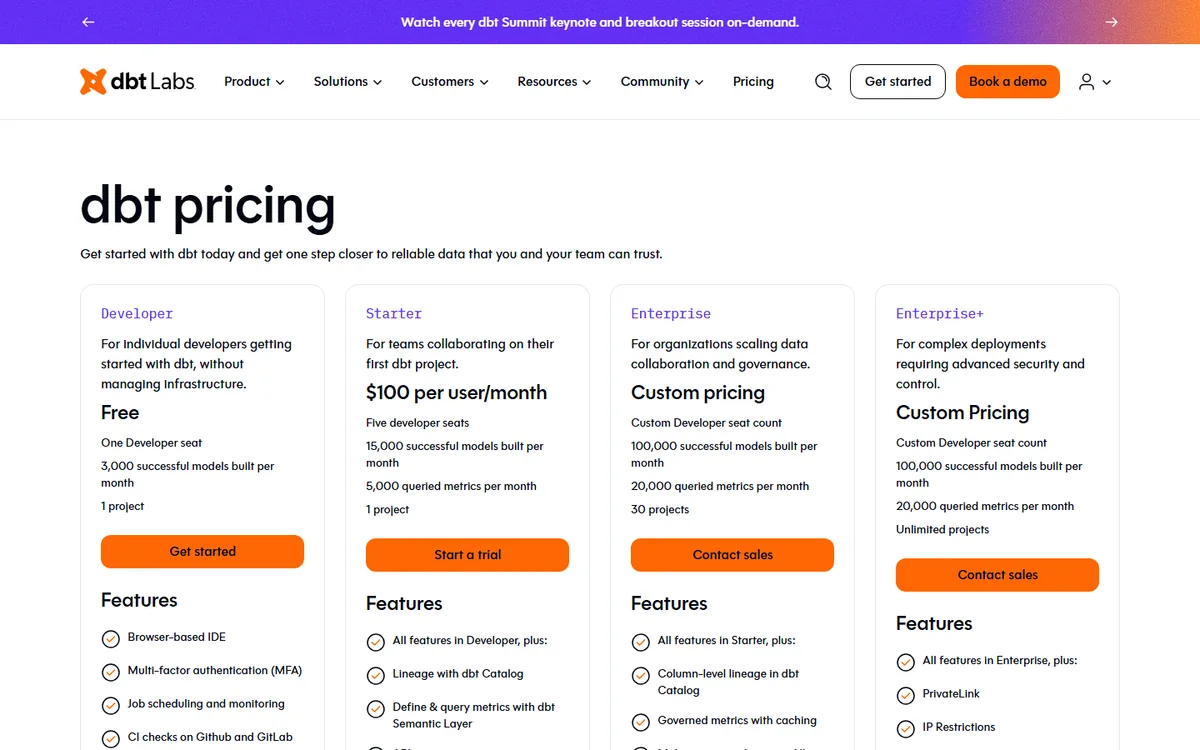
The dbt Developer plan is free for one seat with 3,000 models built per month. The Starter plan costs $100 per user per month and includes five developer seats and 15,000 models built per month. Enterprise and Enterprise+ are custom priced and add SSO, role-based access, dbt Mesh and column-level lineage. The open-source dbt Core is free to run yourself.
dbt Reviews
- G2: 4.7/5 average (from +210 reviews)
Fivetran
The Lowest-Maintenance Way to Load SaaS and Database Data Into Your Warehouse
Fivetran is a managed ELT service with hundreds of prebuilt connectors that copy your source data into a warehouse and keep it in sync.
Fivetran sells you time. You choose a source such as Salesforce, Stripe or Postgres, point it at your warehouse, and the connector handles schema changes, retries and incremental updates. For most teams I work with, that replaces weeks of custom API code and the maintenance that follows it.
The catch is cost control. Fivetran bills by monthly active rows, so a noisy table that updates constantly can raise your invoice quickly. I recommend you check which tables really need syncing and set the sync frequency per connector before you roll it out widely, and review the usage report every month.
Pros of Fivetran
- Connectors are maintained by the vendor, so API changes do not become your problem
- Setup takes minutes, and syncs are reliable
- The Free plan covers low-volume use with no base charge
Cons of Fivetran
- Monthly active row pricing is hard to predict on busy sources
- You depend on the vendor for connectors and fixes
Fivetran Pricing
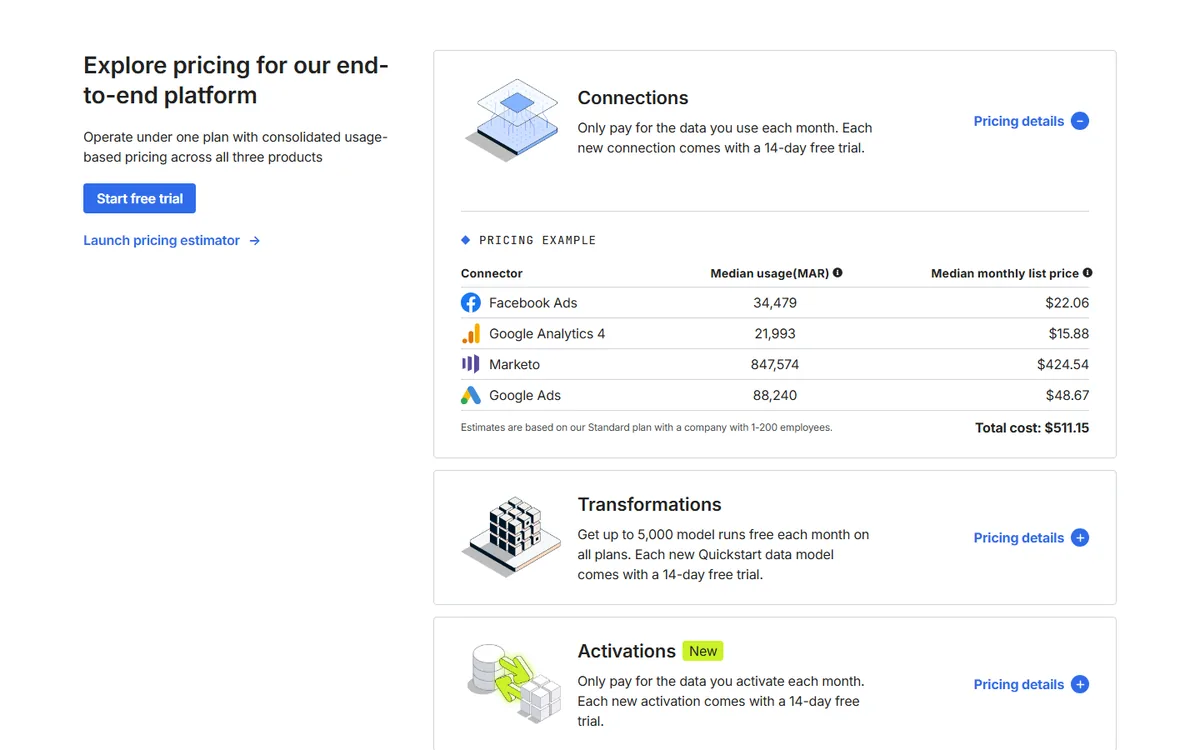
Fivetran has a Free plan for low volumes, with up to 500,000 monthly active rows for connections. Paid plans are Standard, Enterprise and Business Critical, and pricing is based on monthly active rows (MAR), with a rate that falls as volume rises. On Standard, connections with 1 to 1 million MAR carry a $5 base charge. Fivetran's own example puts a Facebook Ads connector with about 34,000 MAR at around $22 per month.
Fivetran Reviews
- G2: 4.3/5 average (from +850 reviews)
- Capterra: 4.4/5 average (from 25 reviews)
Airbyte
The Open-Source Alternative When You Need Control Over Connectors or Want to Self-Host
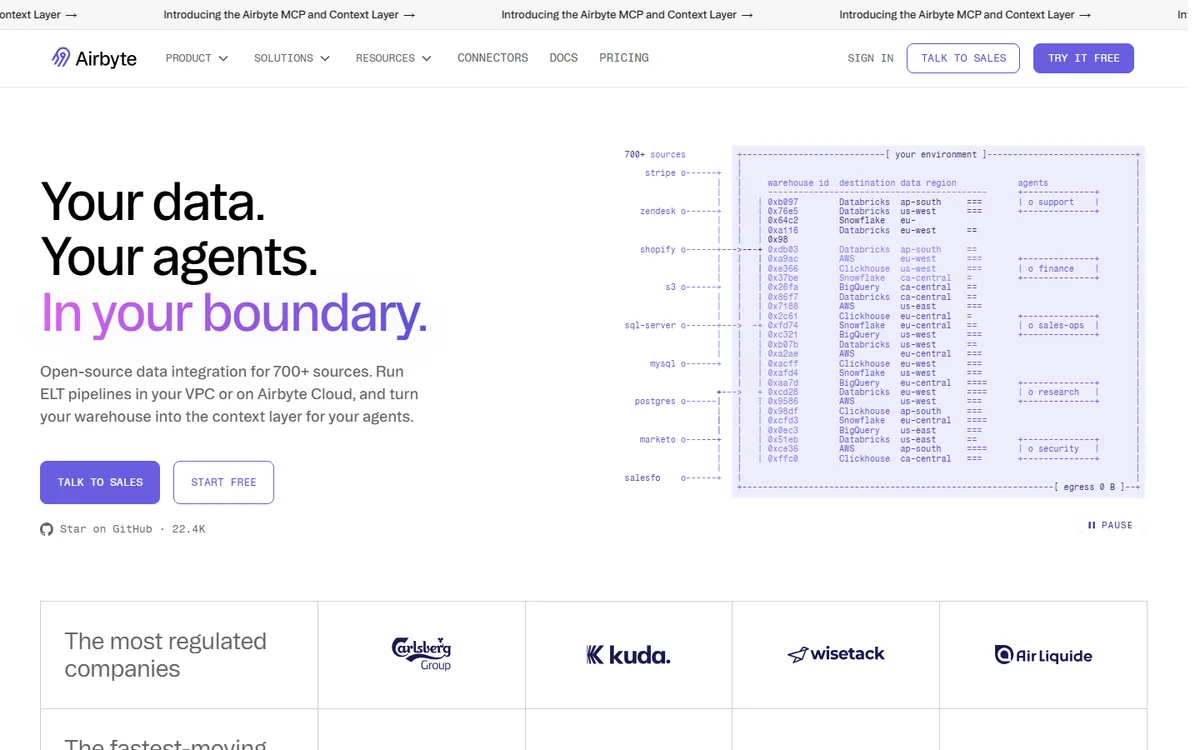
Airbyte is an ELT platform with a large connector catalog that you can self-host for free or run as a managed cloud service.
Airbyte covers the same job as Fivetran, loading data from many sources into your warehouse, but you can run the core yourself. Its connector catalog is large and growing, and a connector builder lets you create your own for a niche API in a short time instead of writing a whole pipeline.
Self-hosting saves license fees and costs engineering time, and I see teams underestimate that second part. If you have one engineer who can own Kubernetes or Docker, it is a strong choice. If not, the cloud version gives you the same connectors without the servers, and you can still move between the two later.
Pros of Airbyte
- Free self-hosted core and a large catalog of connectors
- A connector builder for sources nobody else supports
- Cloud and self-hosted options use the same connectors
Cons of Airbyte
- Connector quality varies between community and certified ones
- Self-hosting needs someone who owns upgrades and monitoring
Airbyte Pricing
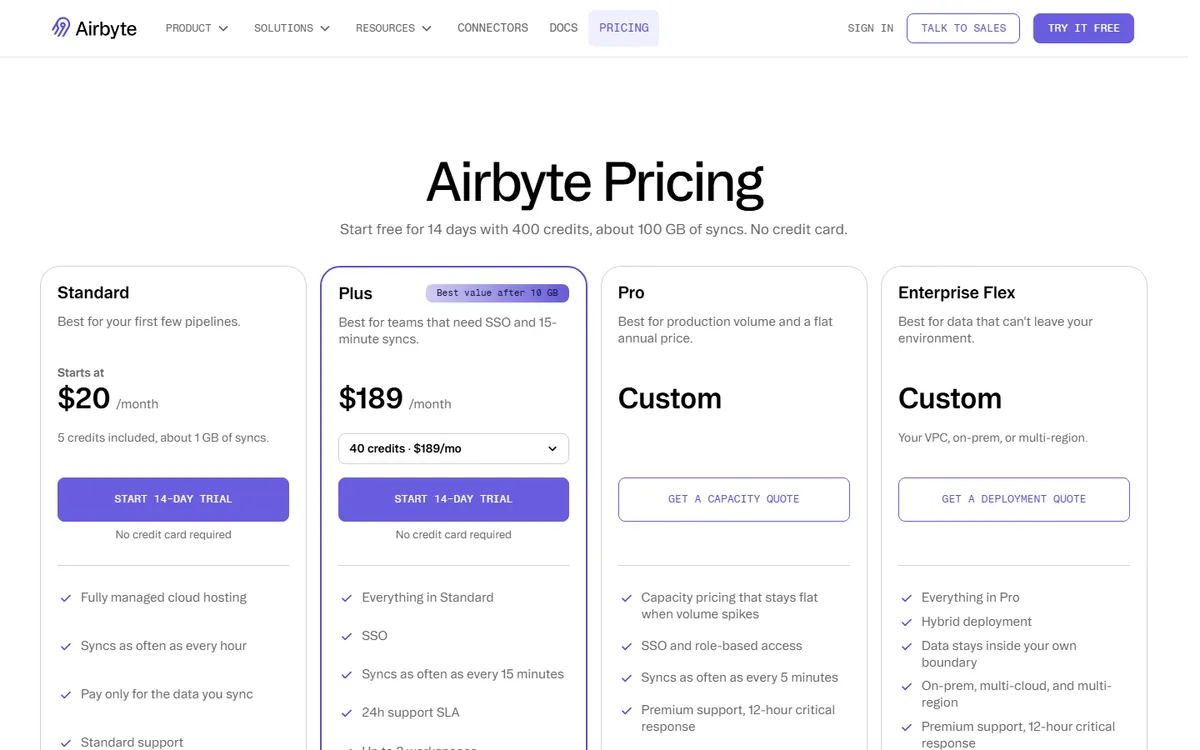
Airbyte Core is free to self-host. Airbyte Cloud starts with a 14-day trial that includes 400 credits, roughly 100 GB of syncs. The Standard plan starts at $20 per month with 5 credits, Plus starts at $189 per month for 40 credits, and Pro and Enterprise Flex are custom priced. Plus becomes cheaper than Standard once you use around 40 credits a month.
Airbyte Reviews
- G2: 4.4/5 average (from +79 reviews)
Snowflake
A Managed Cloud Warehouse That Keeps Storage and Compute Separate and Needs Little Tuning
Snowflake is a cloud data platform where you store data once and run as much or as little compute against it as you need.
Snowflake is the warehouse I most often see at the center of a modern pipeline. Storage and compute scale separately, so a heavy nightly load does not slow down the finance team running reports. You write standard SQL, and most tuning tasks that used to belong to a database administrator are handled for you.
Where it bites is spending. Compute is billed in credits while warehouses run, so an oversized warehouse left on overnight is the classic surprise. I tell clients to set resource monitors and auto-suspend on day one. It also pairs well with the tools above: Fivetran or Airbyte loads it, dbt models it and Airflow or Dagster schedules the work.
Pros of Snowflake
- Separate storage and compute make scaling simple
- Almost no administration compared with a traditional warehouse
- Data sharing lets you give partners live access without copies
Cons of Snowflake
- Credit-based billing needs active cost monitoring
- Costs can climb for constant, always-on workloads
Snowflake Pricing
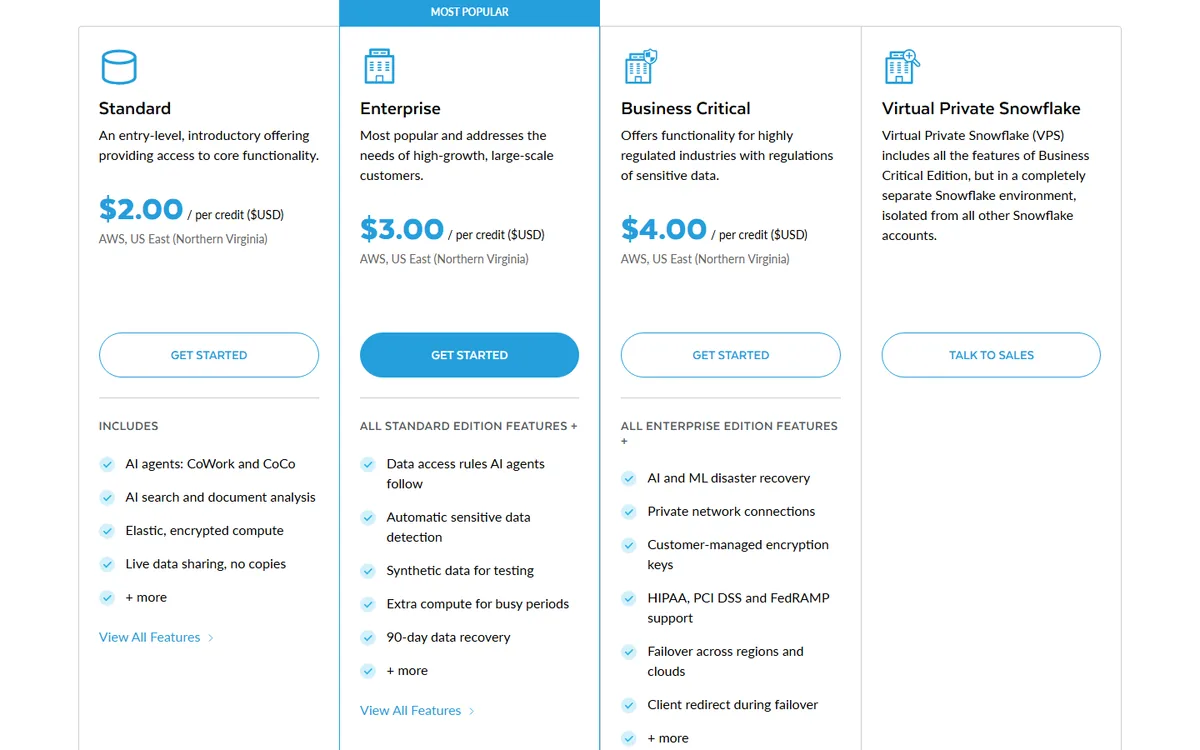
Snowflake uses consumption-based pricing. You pay for compute in credits, for storage by the terabyte per month, and for data transfer, and the credit price depends on the edition (Standard, Enterprise, Business Critical or Virtual Private Snowflake) and region. Snowflake does not show a flat per-credit price on its pricing page, so use its pricing calculator or ask for a quote for your region. A free trial is available.
Snowflake Reviews
- G2: 4.6/5 average (from +780 reviews)
Databricks
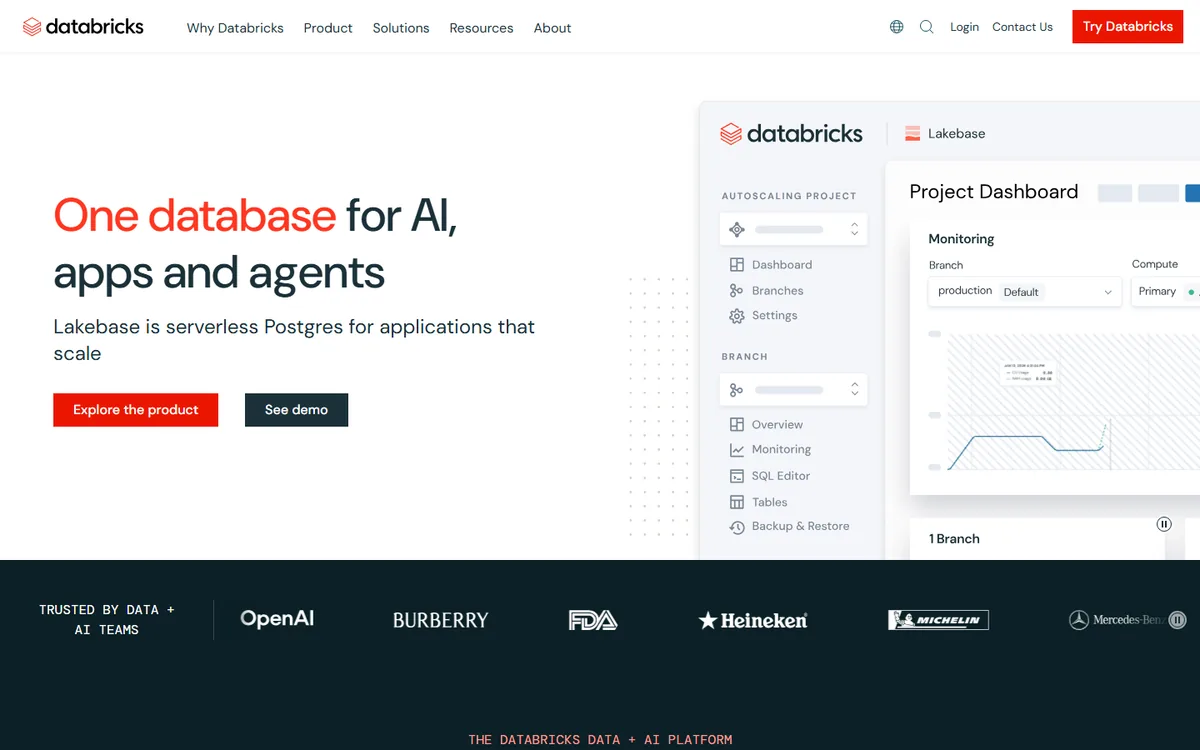
The Strongest Choice When Data Engineering, Streaming and Machine Learning Share One Platform
Databricks combines Apache Spark processing, a lakehouse storage layer and notebooks in one platform for engineering and machine learning.
Databricks started as the company behind Apache Spark, and it still shines on large-scale processing, streaming and machine learning. Data engineers write jobs in Python, SQL or Scala, run them on managed clusters and store results in open table formats such as Delta Lake. If your team builds models as well as pipelines, having both on one platform removes a lot of glue.
It asks more of your team than a pure SQL warehouse. Cluster sizing, job configuration and governance through Unity Catalog take time to learn, and I see smaller analytics teams struggle with that. For heavy, varied workloads it pays off, and for simple reporting a lighter warehouse is often the better value.
Pros of Databricks
- Handles batch, streaming and machine learning in one place
- Open table formats reduce lock-in
- Notebooks and jobs sit close together, which speeds up development
Cons of Databricks
- A steeper learning curve than a SQL-only warehouse
- Cost estimates need care because compute and cloud fees are billed separately
Databricks Pricing
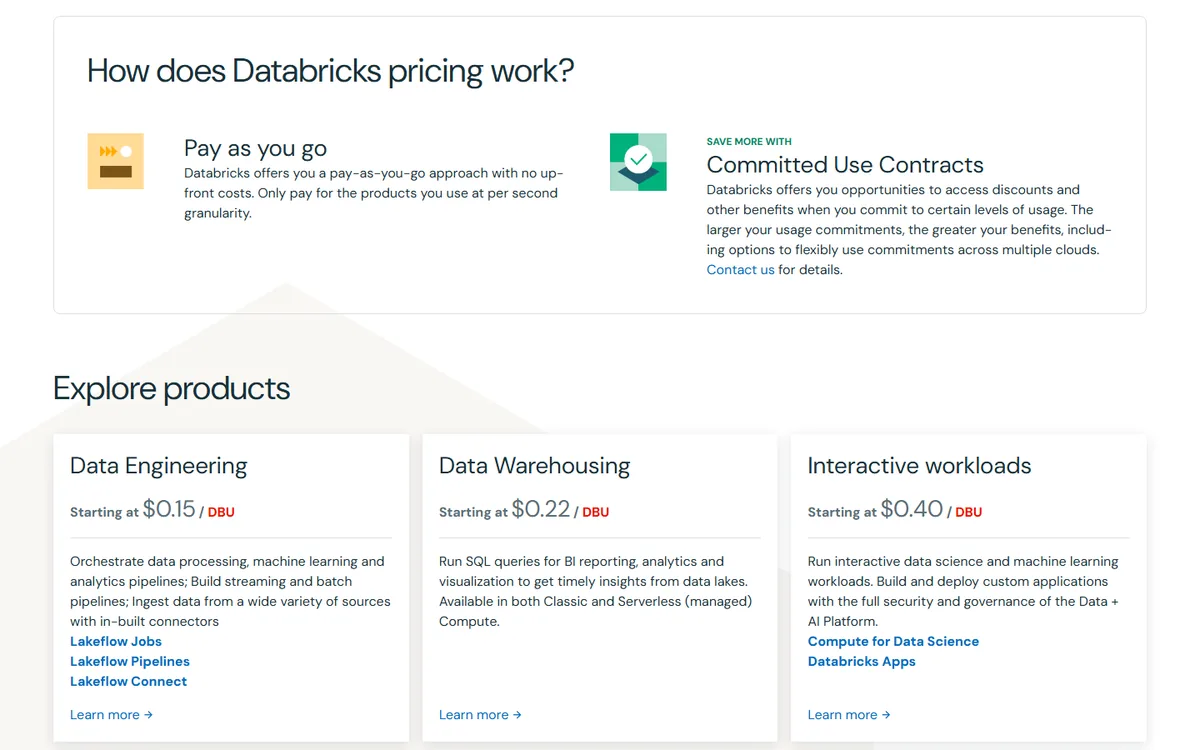
Databricks uses pay-as-you-go pricing with no up-front costs, based on compute usage in Databricks units (DBUs). Committed-use contracts offer discounts, and a free trial gives access to the platform. If you connect it to your own cloud account, your cloud provider still charges for the underlying resources. Databricks publishes a price list by product and a cost calculator, so check current rates for your cloud.
Databricks Reviews
- G2: 4.6/5 average (from +1,400 reviews)
- Capterra: 4.5/5 average (from 23 reviews)
Dagster
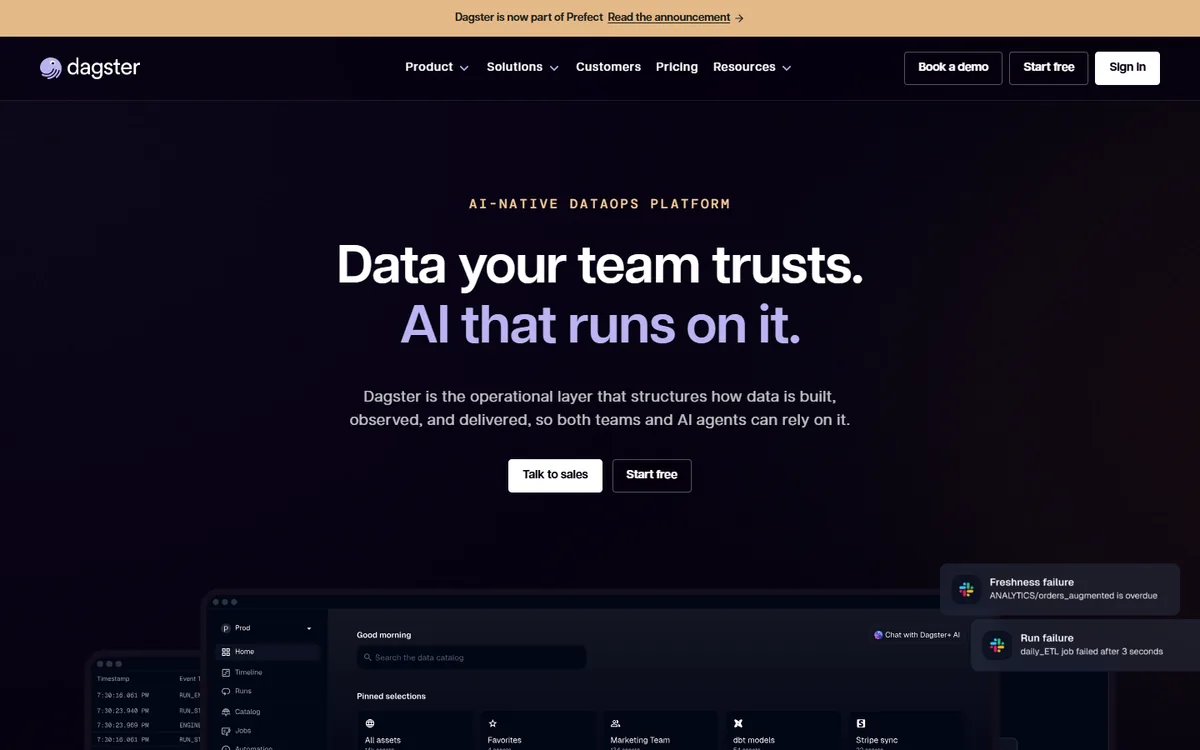
A Newer Orchestrator That Treats Your Tables as First-Class Assets You Can See and Test
Dagster is an orchestrator built around data assets, with local development, testing and a clear view of what depends on what.
Dagster takes a different view from Airflow. Instead of only scheduling tasks, you declare the assets, such as a table or a file, that your code produces, and Dagster tracks how they depend on each other. The interface shows which assets are fresh, which failed and what will be affected downstream, which helps a lot when a report looks wrong.
I like how easy it is to run and test locally, and I recommend it for newer platforms with no legacy DAGs to migrate. The ecosystem is smaller than Airflow, so you will find fewer ready-made integrations and fewer engineers who already know it, and G2 shows only a handful of reviews so far, so judge it by a trial rather than by ratings.
Pros of Dagster
- Asset view shows freshness and lineage at a glance
- Local development and testing are straightforward
- Integrates cleanly with dbt and common warehouses
Cons of Dagster
- Smaller community and fewer prebuilt integrations than Airflow
- Usage-based billing needs watching as runs grow
Dagster Pricing
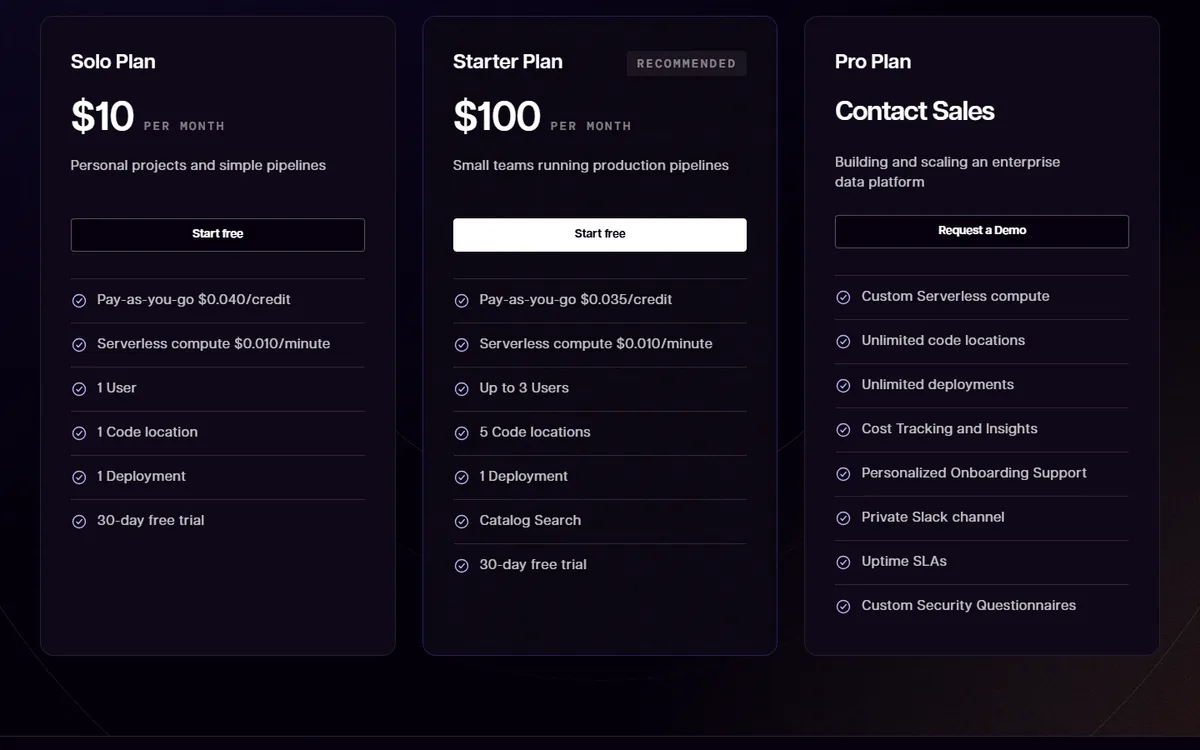
The open-source version of Dagster is free to self-host. Dagster+ Solo has a $10 monthly base fee and Starter has a $100 monthly base fee, plus usage billed per credit at $0.040 on Solo and $0.035 on Starter since May 2026. Serverless compute adds $0.010 per minute, and Pro plans are custom priced.
Dagster Reviews
- G2: 4.5/5 average (from 2 reviews)
Estimate the Return on a Data Engineering Tool
Before you pick a plan, check whether the numbers work for you. Enter the manual hours you want to automate and the monthly price of the tool you are considering, and you will see what it could return in a year. Typical wins come from the problems I list in my overview of data engineering challenges, such as hand-built exports and failed overnight jobs.
Will the Tool Pay Off for You?
Move the sliders to match the work you want to automate and the plan you are considering.
How to Choose the Right Data Engineering Tool
In my experience, your team’s skills and your sources decide more than any feature list. Before you compare vendors, I suggest you answer four questions:
- Which sources do you need to load, and does the tool already have a maintained connector for each?
- Does your team prefer SQL or Python, and who will be on call when a job fails?
- How much data do you move each month, and how does the tool bill for it?
- Can you start on a free tier and leave later without rewriting everything?
If you have no engineers, a managed loader such as Fivetran or Airbyte Cloud plus Snowflake and dbt gets you running fastest. If you have engineers who like code, Airflow or Dagster with dbt gives you the most control. Whatever you pick, follow the habits in my list of data engineering best practices, because tools do not fix a weak design. If you are unsure whether to build this yourself, I compare the options in data engineering outsourcing, and a short call usually settles it.
Questions About Choosing Data Engineering Tools
What Are the Best Free Data Engineering Tools?
Apache Airflow, dbt Core, Airbyte Core and the open-source version of Dagster are all free to run yourself. You pay for the servers and for the engineering time to maintain them. Several vendors also offer free tiers, including dbt Developer and the Fivetran Free plan, which suit small projects and trials.
Do I Need All Seven Tools?
No. A typical small stack uses one loader, one warehouse, dbt for modeling and one orchestrator. For example, Airbyte or Fivetran, Snowflake, dbt and Airflow. Add more only when a real problem calls for it, because every extra tool is something your team must learn and maintain.
What Is the Difference Between ETL and ELT Tools?
ETL transforms data before it reaches the warehouse, and ELT loads raw data first and transforms it inside the warehouse. Fivetran and Airbyte handle the load step, and dbt does the transformation. ELT is now the common pattern because cloud warehouses are cheap and fast enough to do the heavy work.
Should I Choose Snowflake or Databricks?
Snowflake is easier if your work is mostly SQL, reporting and sharing. Databricks fits better if you also run streaming, large-scale processing or machine learning. Many companies use both, so the choice often comes down to which skills your team already has.
Is Airflow Still Worth Learning?
Yes. It is the most widely used orchestrator, so skills and integrations are easy to find. Newer tools such as Dagster offer a nicer development experience, but Airflow remains a safe choice, particularly if you plan to hire engineers who already know it.
How Much Does a Data Engineering Stack Cost?
It varies widely. A small team can start for under a few hundred dollars a month using free tiers and entry plans, while a company with large volumes may spend thousands on warehouse compute and loaders. The most useful habit is to track cost per pipeline from the start, so growth never surprises you.
Can a Consultant Choose and Set Up the Tools for Me?
Yes. A short audit compares your sources, volumes, team skills and budget, then recommends a stack and builds the first pipelines on it. You get a written reason for every choice. If you want help, start with a free discovery call.
Heads up: vendors change prices, plans and ratings often. Everything was checked at the last update date, but confirm on each vendor’s website first. This article is not legal or financial advice.
Was this article helpful?
Thank you for letting us know.
Camille leads the Trevio editorial team and works with our consultants to turn real client projects into practical guides on data strategy, engineering and governance. Before joining Trevio, she spent 11 years in data engineering and analytics roles. She has since edited more than 300 articles on data management and reviewed pipelines and platforms from over 100 client projects. She is based in Denver, Colorado.