Key Takeaways
- Data quality, silent failures and schema changes cause most of the pain, and tests plus alerts solve most of it.
- Cloud cost and slow jobs usually come from full reloads and idle compute, which you can fix with incremental loads and budgets.
- Ownership, definitions and documentation are people problems first, and tools come second.
- A smaller stack, clear owners and a mix of training and outside help beat a long tool list.
Teams that build data platforms hit the same walls in the same order. The first load works, the second one breaks, the bill arrives, and the engineer who knew everything leaves. If you recognize these, you are in good company, and a good data engineering consulting partner has seen every one.
Below are eleven challenges from my client work, each with what causes it, how to fix it and which tools help. The table gives you a quick map, and you can jump to the one that hurts most.
The 11 Challenges at a Glance
| Challenge | Typical cause | First fix |
|---|---|---|
| 1. Poor Data Quality at the Source | Source systems and missing checks | Tests plus named source owners |
| 2. Unreliable Pipelines and Silent Failures | No alerts, retries or owners | Alerts to an owner with a runbook |
| 3. Schema Changes That Break Pipelines | Uncommunicated source changes | Data contracts and drift checks |
| 4. Rising Cloud Warehouse Costs | Idle compute and full reloads | Cost tags and auto-suspend |
| 5. Slow Pipelines and Missed Deadlines | Data growth and full reloads | Incremental loads and partitions |
| 6. Siloed Data and Unclear Ownership | No agreed definitions | One shared metric model |
| 7. Too Many Tools and Overbuilt Stacks | Tools bought before problems | One tool per job |
| 8. Skills Gaps and Hiring Delays | Strong demand, few specialists | Training plus outside help |
| 9. Real-Time Data Requests Without a Real Need | Speed requested without a decision | Micro-batches first |
| 10. Security and Compliance Pressure | Copied data and shared credentials | Masking and least privilege |
| 11. Undocumented Pipelines and Lost Knowledge | People leave, pages never written | One page per pipeline |
11 Data Engineering Challenges and How to Solve Them
I ordered these by how early they tend to appear. If you are starting a platform, read from the top. If you are firefighting, jump to the one that matches your last incident, and compare it with the habits in my list of data engineering best practices.
Poor Data Quality at the Source
Source systems create the mess before your pipeline sees it. Duplicate customers, empty required fields and free-text values in dropdown columns all travel straight into your reports unless something stops them.
The cure is checking at the door and agreeing on ownership. A test can find the problem, but only the owner of the source can fix it at the root, so each source needs a named person.
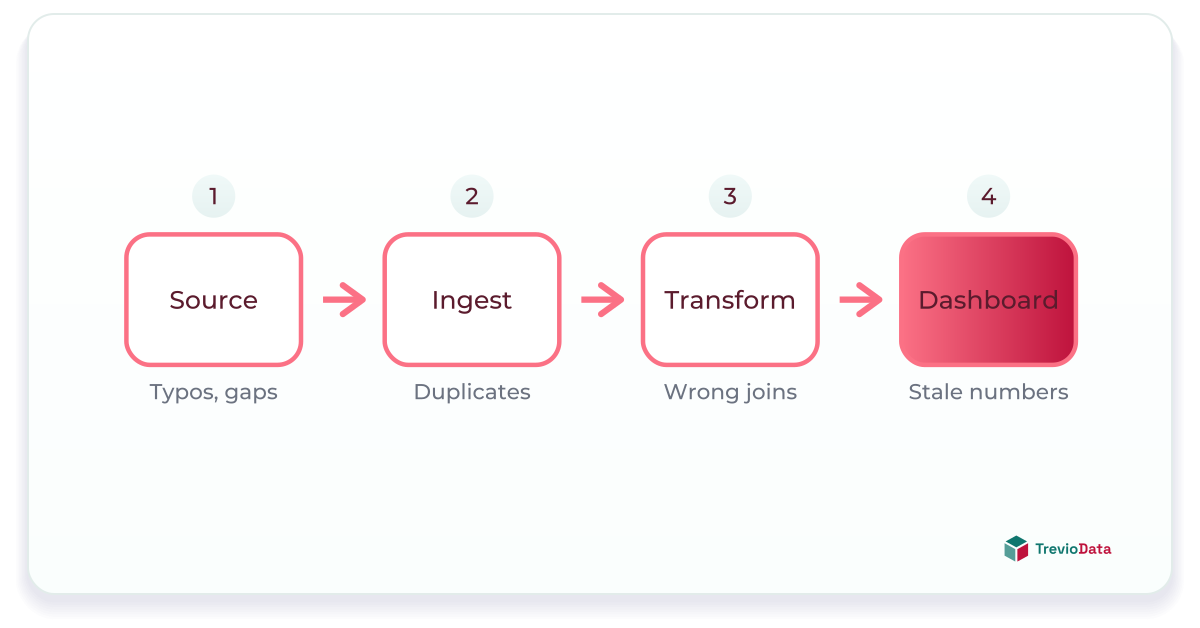
How to Catch Bad Data Early
- Profile each source for nulls, duplicates and odd values.
- Write tests for keys, required fields and accepted values.
- Quarantine failing rows instead of dropping them silently.
- Send a weekly quality summary to each source owner.
- Track the failure rate over time to show progress.
Tools for Data Quality Checks
dbt tests and open-source libraries such as Great Expectations cover most checks. Warehouse-native features then let you quarantine rows without extra servers.
Unreliable Pipelines and Silent Failures
The worst failure is the one nobody sees. A job fails at night, the dashboard shows yesterday’s numbers, and a manager makes a decision on stale data. Many teams only learn about it from a complaint.
Reliability comes from alerts, retries and clear ownership. Retries handle the brief outages, and alerts handle the rest, with a runbook to shorten the fix.
How to Make Failures Loud
- List your ten most important pipelines and name an owner for each.
- Add freshness and row-count checks to every one.
- Configure retries with sensible waits for temporary failures.
- Route failures to the owner with a link to a runbook.
- Review all incidents monthly and fix the repeat offenders.
Tools for Orchestration and Alerts
Airflow and Dagster provide retries, schedules and failure callbacks. Pair them with a paging or chat tool so alerts reach a person quickly.
Schema Changes That Break Pipelines
A vendor adds a field, a developer renames a column, and a nightly job that worked for a year stops. Source teams rarely know who depends on their data, so they cannot warn you.
Treat the boundary between teams as an interface. A written contract and automatic change detection turn surprises into planned work.
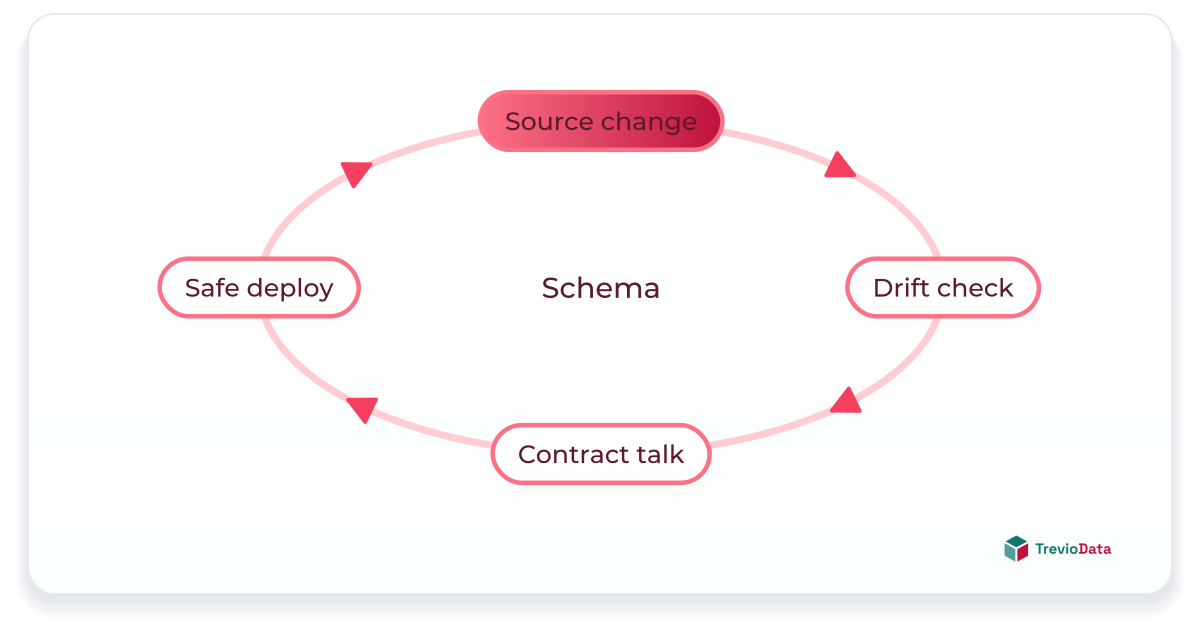
How to Survive a Schema Change
- Document the columns and types you depend on for each source.
- Agree a notice period for breaking changes with the source owner.
- Load raw data in a tolerant format, so new columns do not fail the load.
- Compare the incoming schema with the expected one on every run.
- Alert on breaking changes before the transformation runs.
Tools That Catch Schema Drift
Managed loaders such as Fivetran and Airbyte handle many schema changes automatically. For your own sources, schema checks in dbt or a data contract tool catch the rest.
Rising Cloud Warehouse Costs
Cloud warehouses make it easy to run heavy queries and just as easy to forget them. An oversized warehouse that never suspends, or a dashboard that scans a huge table on every refresh, can double a bill quietly.
Cost control is a habit, and it starts with visibility. Once each pipeline has a cost, owners tend to fix the worst jobs themselves.
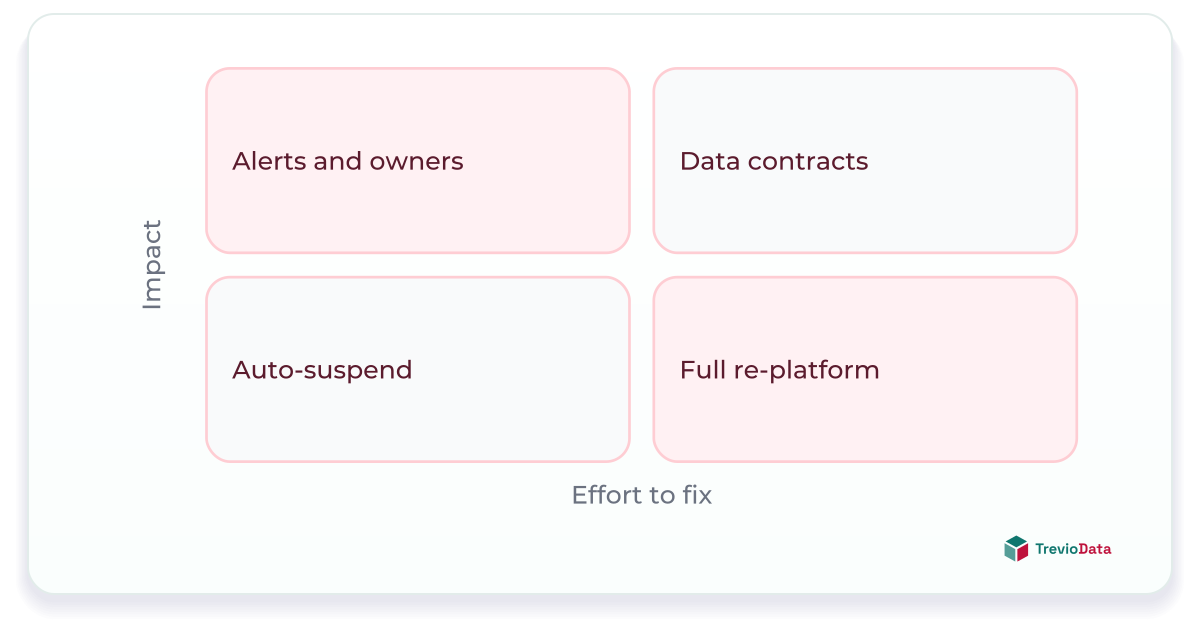
How to Bring Costs Down
- Tag compute and queries by pipeline or team.
- Turn on auto-suspend and set budgets with alerts.
- Find the ten most expensive queries each month.
- Switch big tables to incremental loads and partition them by date.
- Drop tables and dashboards nobody has used in ninety days.
Tools for Cost Visibility
Most warehouses expose usage views, and platforms such as Snowflake offer resource monitors. A simple dashboard on top of those views is often enough.
Slow Pipelines and Missed Deadlines
A job that took twenty minutes a year ago now takes four hours and finishes after the executives open their reports. Data volumes grow quietly, and queries written for small data struggle on big tables.
Speed problems have usual suspects: full reloads, missing partitions, huge joins and one slow task holding up everything behind it.
How to Speed Up a Slow Job
- Measure each task’s runtime and find the longest path through the job.
- Replace full reloads with incremental ones where a change marker exists.
- Partition and cluster big tables on the columns you filter by.
- Run independent tasks in parallel.
- Set a runtime alert so growth is spotted before the deadline slips.
Tools for Profiling and Tuning
Query history and profile views in your warehouse show where time goes. Orchestrator run charts show the slow tasks in the pipeline.
Siloed Data and Unclear Ownership
Marketing, sales and finance each keep their own copy of customer data, and each copy is slightly different. Nobody owns the shared definitions, so every meeting starts with a debate about whose number is right.
The fix is organizational before it is technical. Someone has to decide what counts as revenue or an active customer, and write it down once.
How to Agree on One Definition
- Pick the five metrics that cause the most arguments.
- Hold one workshop per metric with the teams that use it.
- Write the agreed definition and name its owner.
- Implement it once in a shared model.
- Retire the old copies of the metric from reports.
Tools for Shared Definitions
A transformation layer such as dbt keeps each metric in one place. A data catalog then publishes the definitions where people can find them.
Too Many Tools and Overbuilt Stacks
It is easy to collect a loader, a lake, a warehouse, a streaming service, a catalog and three orchestrators before the first report ships. Each tool needs learning, upgrades and money.
A smaller stack that your team fully understands beats a long list nobody can run. Start with the simplest design that meets the real need.
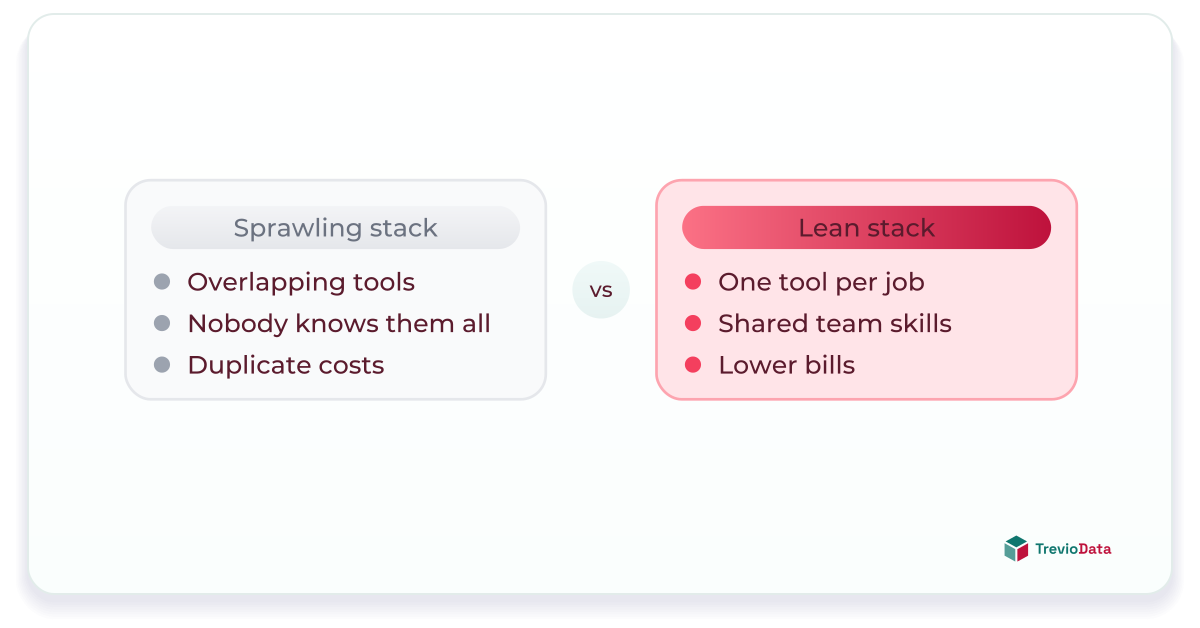
How to Simplify the Stack
- List the problems you actually have today.
- Pick one tool per job: load, store, transform and schedule.
- Run a small proof of concept with real data.
- Set a rule that every new tool replaces or retires another.
- Review the stack every year and remove what is unused.
Tools Worth a Short List
My ranking of tools compares the main options on cost and fit. For most teams, one loader, one warehouse, dbt and one orchestrator is plenty.
Skills Gaps and Hiring Delays
Good data engineers are in demand, and a search can take months. Meanwhile analysts patch pipelines in their spare time, and the one engineer you have becomes a single point of failure.
You have three levers: train people you have, hire slowly for the core role, and bring in outside help for the gaps. Mixing them works better than relying on any one.
How to Close a Skills Gap
- Write down which skills you lack: design, streaming, cloud or testing.
- Train an analyst with SQL skills toward analytics engineering.
- Hire for the central owner role and give the search enough time.
- Use a partner for the build and ask for training during it.
- Document everything so a new person is productive within weeks.
Where Outside Help Fits
A partner can cover specific skills for a defined period. I compare that route with hiring in my article on outsourcing.
Real-Time Data Requests Without a Real Need
Someone asks for streaming because it sounds modern. Streaming costs more to build, run and debug, and the people reading the dashboard check it twice a day.
Ask which decision changes if the data arrives in seconds instead of minutes. If nobody can name one, you do not need streaming.
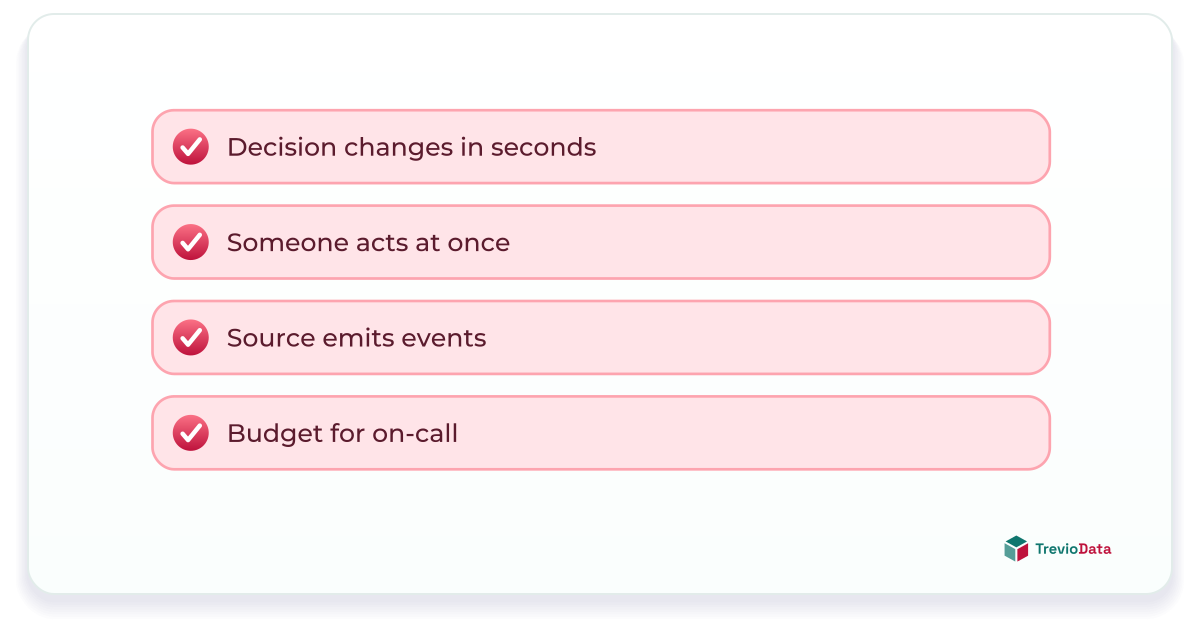
How to Decide on Streaming
- Ask the requester what decision depends on speed.
- Measure how often the data is actually viewed.
- Try micro-batches every five to fifteen minutes first.
- Use streaming only for the cases with a clear cost of delay.
- Review the choice after three months of real usage.
Tools for Fast Data
Managed batch loaders with short sync intervals cover many needs. For true streaming, Kafka and cloud-native services are the usual choices.
Security and Compliance Pressure
Pipelines copy data everywhere, including personal and financial records. A column with names ends up in a test table, and a shared credential sits in a script on someone’s laptop.
Security works best when it is built into the pipeline: least-privilege access, masked columns, secrets in a vault and logs you can read.
How to Lock Down Sensitive Data
- Classify columns by sensitivity and tag them.
- Mask or hash personal data in non-production environments.
- Store credentials in a secrets manager, never in code.
- Give each pipeline its own role with only the access it needs.
- Review access logs on a schedule and remove unused accounts.
Tools for Access and Masking
Warehouse role-based access and column masking cover the basics. A secrets manager from your cloud provider handles credentials.
Undocumented Pipelines and Lost Knowledge
The engineer who built the nightly revenue job left a year ago. Nobody knows why a filter excludes certain orders, and nobody dares to change it.
Documentation does not need to be long, but it must exist and sit next to the code. A single page per pipeline saves days during an incident.
How to Rescue Lost Knowledge
- Create a short template: source, owner, schedule, tests and fixes.
- Fill it in for the ten most important pipelines first.
- Generate model documentation from the code where possible.
- Make documentation part of the review for any change.
- Record a short walkthrough for the most complex job.
Tools That Keep Documents Close to Code
dbt generates documentation and lineage from your models. A wiki page linked from the repository README covers the rest.
Which Challenge to Tackle First
You will not fix all eleven at once, and you should not try. Rank them by pain and effort. A challenge that causes weekly incidents and has a cheap fix, such as missing alerts, goes first. A challenge that is annoying and expensive, such as a full rebuild, can wait for a quarter.
In my experience, the best sequence for a new platform is quality checks, then alerts, then cost visibility, then documentation. That order gives you trust first, speed to fix second and long-term health third. Shared definitions and the skills gap run in the background, because they need conversations and not code.
How to Choose Between Fixing In-House and Getting Help
Fix a challenge yourself when your team has the skill, the time and a clear owner. Get help when the work blocks a deadline, needs a skill you lack or has failed twice already. A short audit can rank the problems in your own platform, and my article on data engineering outsourcing explains how to split the work with a partner. If you are weighing tools, see the ranking of data engineering tools, and if you are still learning the basics, the data engineering guide gives the background.
Questions About Data Engineering Challenges
What Is the Biggest Data Engineering Challenge?
Data quality is the one I see most. Source systems send duplicates, gaps and changed formats, and every downstream report inherits the problem. Teams that test data on every load and agree on who owns each source avoid most of the pain.
Why Do Data Pipelines Fail So Often?
Most failures come from changes outside your control: a renamed column, a late file, an API limit or a schema change nobody announced. Pipelines without tests and alerts turn those small changes into long outages.
How Do I Reduce Cloud Data Warehouse Costs?
Track cost per pipeline, suspend idle compute, load incrementally, partition large tables and remove unused tables. Review the biggest queries with their owners every month.
How Many Data Engineers Does a Company Need?
One engineer can run a small platform of a few sources. Many sources, streaming or strict compliance usually call for a small team of three to five. If you cannot hire that many, a consulting partner can cover the gap while you grow.
Is Real-Time Data Worth the Extra Effort?
Only when a decision depends on it. Fraud checks and live operations often do. Reports that people read once a day are better served by hourly or daily batch loads, which are cheaper and simpler to run.
How Do I Handle Schema Changes from Source Systems?
Agree a data contract with the source owner, detect changes automatically and load new columns into a flexible raw layer. Tests then flag the breaking changes before they hit a report.
Should I Fix Old Pipelines or Rebuild Them?
Fix the ones that fail often and are small. Rebuild the ones that are slow, expensive or impossible to understand. An audit that ranks them by failures, cost and risk makes the choice quick.
Note: This article is general information, not legal, financial or tax advice. Figures and examples are estimates based on typical projects, so check current details with your providers and advisers before you decide.
Was this article helpful?
Thank you for letting us know.
Camille leads the Trevio editorial team and works with our consultants to turn real client projects into practical guides on data strategy, engineering and governance. Before joining Trevio, she spent 11 years in data engineering and analytics roles. She has since edited more than 300 articles on data management and reviewed pipelines and platforms from over 100 client projects. She is based in Denver, Colorado.