Key Takeaways
- Keep raw data unchanged and make every load safe to rerun, so failures cost minutes instead of days.
- Test freshness, volume, keys and values on every load, and send alerts to a named owner.
- Use Git, separate environments and incremental loads to reduce risk and cloud cost.
- Write down owners, definitions and data contracts, because pipelines outlive the people who built them.
Most pipeline problems I get called about are not clever. A job reruns and doubles the revenue, a column is renamed and a dashboard goes blank, or a warehouse bill triples because nobody looked. The fixes are habits, and good data engineering consulting mostly consists of installing them.
Below are seven practices I apply on nearly every project. Each has a short explanation, then what to do and what to avoid. The table gives you the whole set in one view, and you can read the details in any order.
The Seven Practices at a Glance
| Practice | Problem it prevents | First step |
|---|---|---|
| 1. Keep raw data unchanged | Lost history and impossible rebuilds | Create a read-only raw layer |
| 2. Make loads rerunnable | Duplicates after a failed run | Switch inserts to merge or partition overwrite |
| 3. Test every load | Wrong numbers that look fine | Add key and freshness tests to top tables |
| 4. Alert a named owner | Failures nobody notices | Assign owners and write runbooks |
| 5. Use Git and environments | Risky edits to production | Move all code into a repository |
| 6. Load incrementally | Slow jobs and high bills | Tag compute cost by pipeline |
| 7. Document and set contracts | Broken dashboards after source changes | One page per pipeline |
The 7 Data Engineering Best Practices, With Do’s and Don’ts
Start with practice 3 if your team already has an unreliable platform, because trust is the first thing to rebuild. If you are starting fresh, take them in order.
1. Keep Raw Data Unchanged
Load source data into a raw layer exactly as it arrived, and build every cleaned table on top of it. When a business rule changes or a bug turns up, you rebuild from the raw layer instead of asking a source system for a new export that may no longer exist.
On one retail project, a supplier changed a date format and our staging layer broke. Because the raw files were untouched, we fixed the parsing rule and replayed three weeks of data in an afternoon.
- Do this: Name your layers clearly, for example raw, staging and marts, and give the raw layer read access only to pipelines.
- Avoid this: Overwrite raw tables with cleaned values, or drop columns at load time because nobody uses them yet.
2. Make Every Pipeline Safe to Rerun
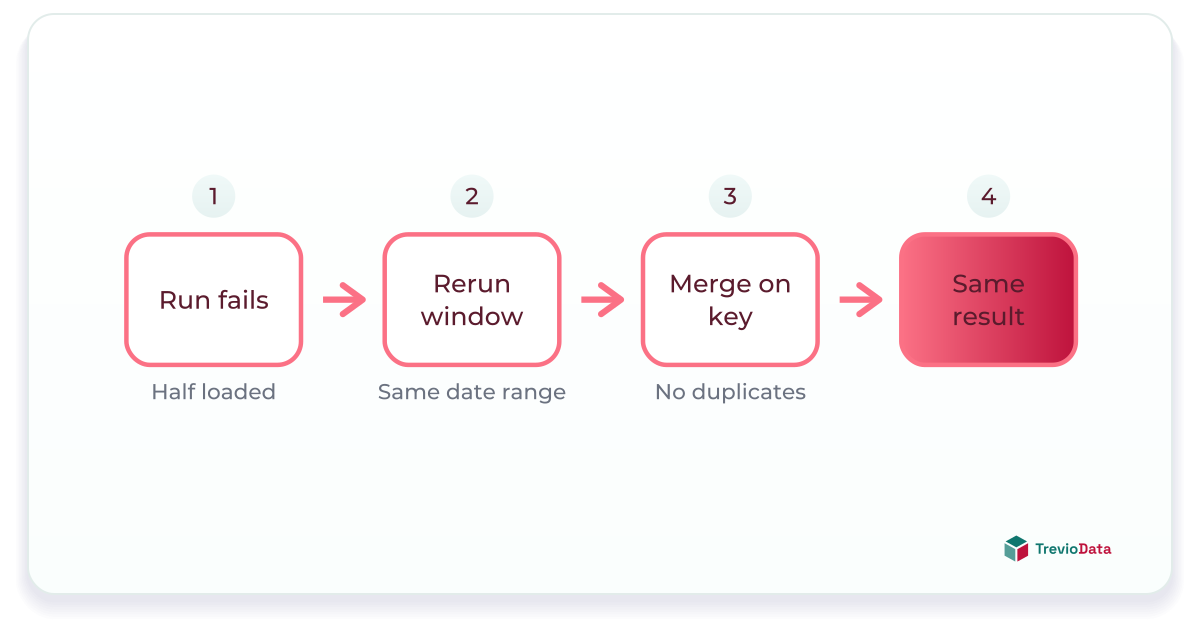
Jobs fail at two in the morning, and the fix is usually a rerun. If a rerun duplicates rows, someone has to clean up by hand. Design each load so running it twice for the same period gives the same result, by overwriting a partition or using a merge on a stable key.
A common trap is a job that appends yesterday’s orders. When it fails after writing half the rows and someone reruns it, orders double and finance spots the error a week later. A merge on the order ID removes that whole class of problem.
- Do this: Test this on purpose: run the same load twice in a dev environment and compare row counts.
- Avoid this: Use plain inserts with no key, or build logic that depends on the time the job happened to start.
3. Test Data on Every Load
A job that finishes without an error has only proven the code ran. Tests prove the data makes sense. Check that keys are unique, that important columns are never empty, that row counts are close to yesterday’s and that data arrived on time.
Tests also give you a way to argue with source owners. When you can show that a customer ID was empty on four percent of rows after their release, the conversation about a fix gets short.
- Do this: Begin with your five most-used tables and add a test whenever an incident teaches you something new.
- Avoid this: Write hundreds of checks nobody reads, or let tests fail for weeks until everyone ignores the alerts.
4. Alert a Named Person With a Runbook
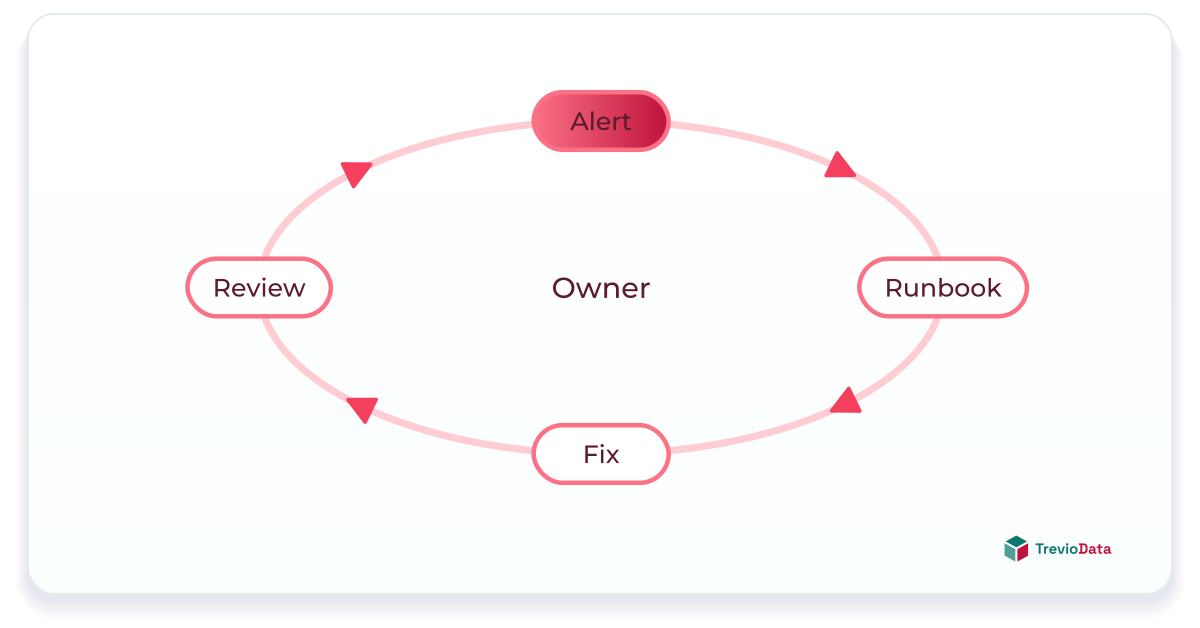
An alert that goes to a shared channel belongs to nobody. Route each pipeline’s failures to a named owner, and link a short runbook that says what broke before, how to check it and how to fix it. Whoever is on call at midnight should not need to find the author.
In practice, the runbook matters as much as the alert. I have seen teams cut average repair time sharply just by writing down the three usual causes of their most fragile load.
- Do this: Add severity levels, so a late marketing file does not wake anyone but a broken finance load does.
- Avoid this: Send every warning to a busy channel, or have alerts that say only “job failed”.
5. Version Control Everything and Use Separate Environments
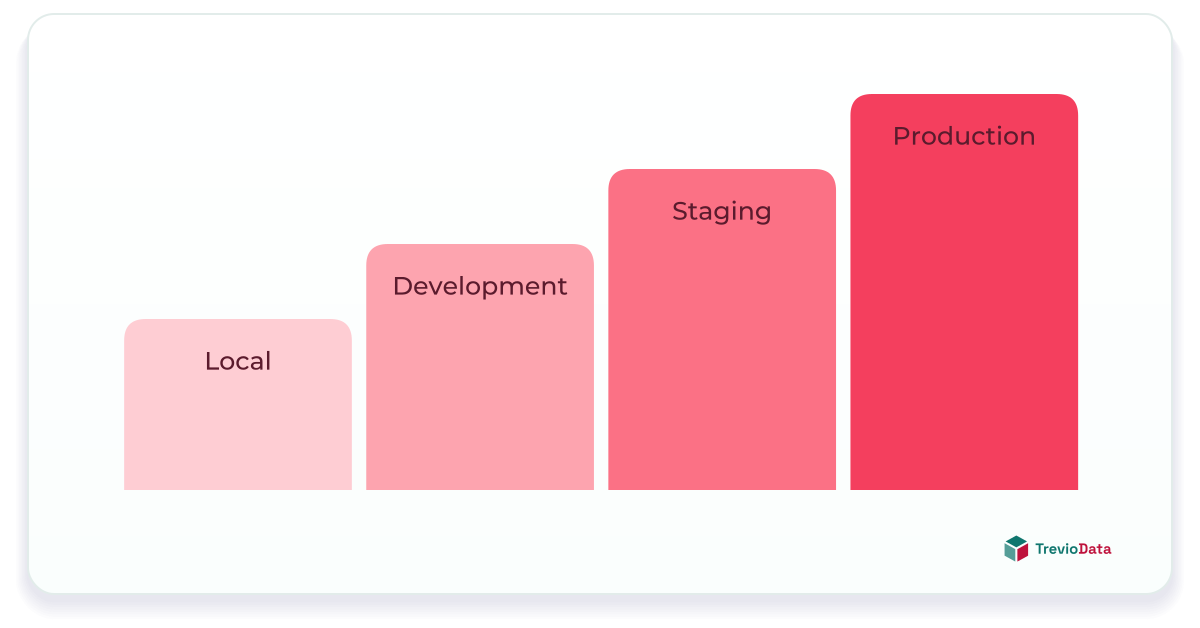
Pipelines, models, tests and infrastructure all belong in Git, and changes should go through review. Keep a development and a production environment, so you can try a change against real-shaped data without touching the numbers the business reads.
Separate environments pay off most during migrations and model changes. You can compare old and new outputs side by side, and only switch the dashboards over once the numbers match.
- Do this: Run tests automatically on every pull request, and deploy to production only from the main branch.
- Avoid this: Edit production queries in a browser console, or keep the only copy of a script on one laptop.
6. Load Incrementally and Watch the Bill
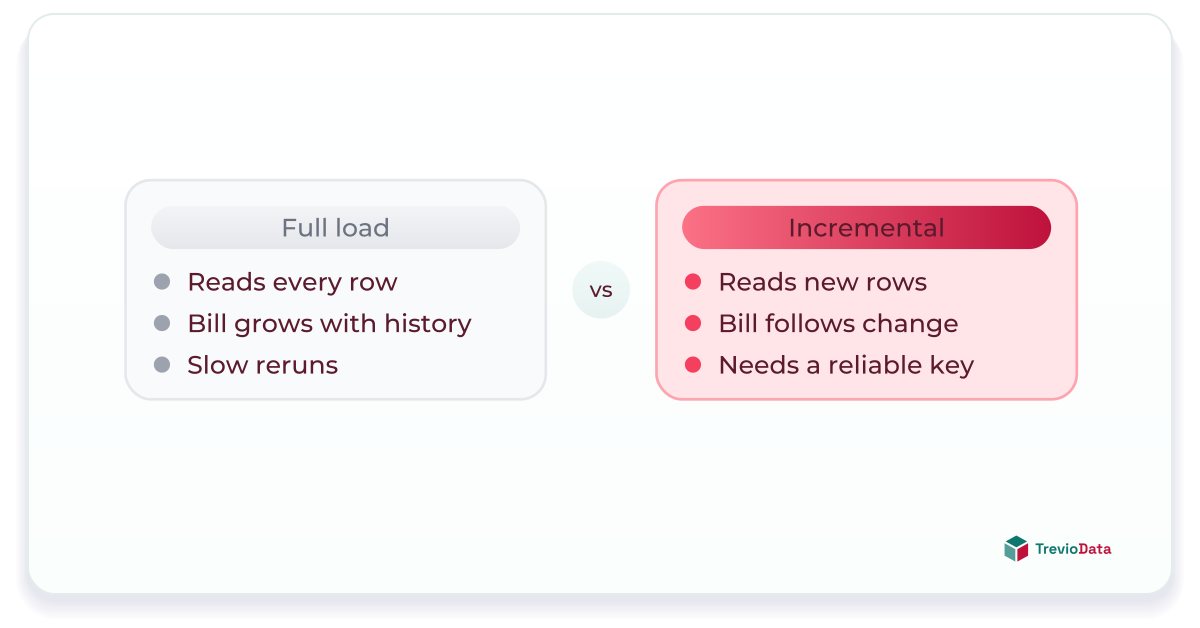
Reloading a full table every night is simple and expensive. Where sources allow it, load only new and changed rows, and partition large tables by date so queries read less. Cost belongs in your monitoring next to freshness and errors.
Incremental loading has a cost of its own, because you need a reliable change marker such as an updated-at column. When a source has none, a full reload of small tables is fine, so save the effort for the large ones.
- Do this: Tag compute by pipeline and review the five costliest jobs every month with their owners.
- Avoid this: Leave oversized warehouses running overnight, or use select-star queries on wide tables inside dashboards.
7. Document Ownership, Definitions and Contracts
Write down who owns each source, what each metric means and what a source promises to send. A short data contract between the team that produces data and the team that uses it prevents the classic surprise of a renamed column breaking a dashboard. Documentation can live next to the code and be generated from it.
A data contract can be as simple as a shared page that lists column names, types and the notice period for changes. The value is the agreement, and the tooling can follow later.
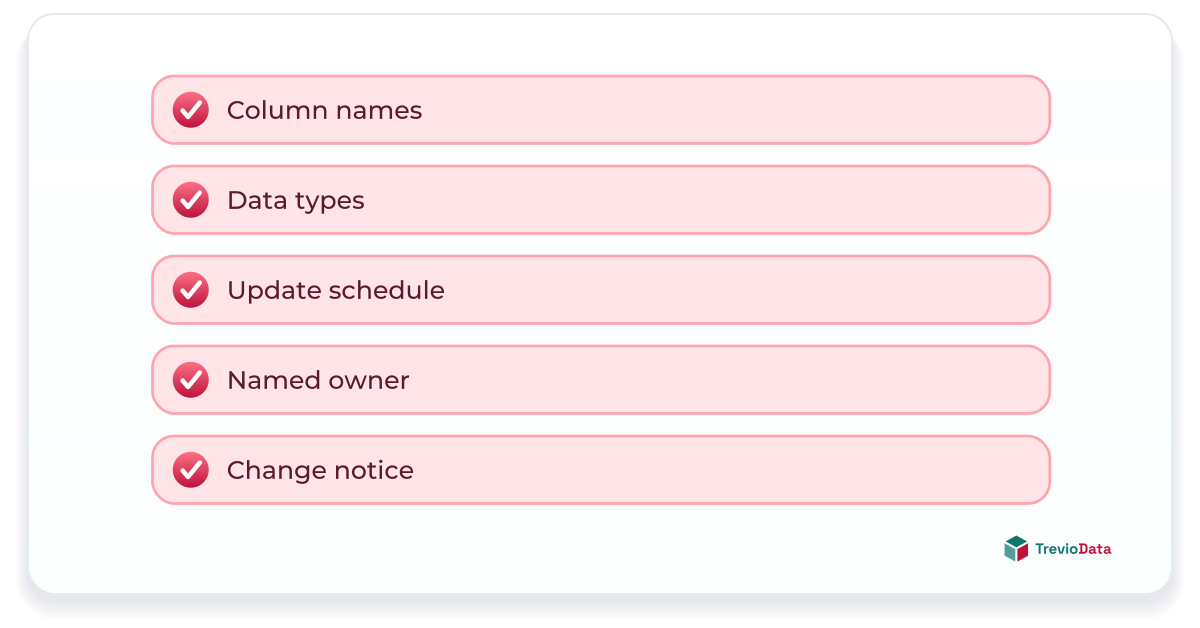
- Do this: Keep one page per pipeline with source, owner, schedule, tests and fix steps.
- Avoid this: Define revenue differently in each team’s report, or write long documents that nobody updates.
Which Practice to Adopt First
You do not need to adopt all seven at once. In my client work, the order below removes the most pain per week of effort:
- First, Git and a separate dev environment, because every other change depends on a safe place to try it.
- Second, tests and alerts on the five tables the business reads most.
- Third, rerun-safe loads on the jobs that fail most often.
- Fourth, cost tags and incremental loads on the most expensive jobs.
- Fifth, documentation and contracts, written as you touch each pipeline.
If you are choosing tools to support these habits, my ranking of data engineering tools shows which ones handle testing, orchestration and loading well. Teams new to the field can read the data engineering guide first for the background.
When Best Practices Meet Reality
Every team I work with has a backlog of old pipelines that break these rules. Rewriting everything at once rarely works. Apply the habits to new pipelines first, then to old ones when they fail or when you need to change them. Over six to twelve months the worst jobs get fixed without a big-bang rewrite.
Some problems do not go away with habits. Skill gaps, unclear ownership and tight deadlines show up again and again, and I describe how to handle them in my article on data engineering challenges. If you lack the people to apply any of this, data engineering outsourcing can supply them while you build your own team.
Measure progress so the habits stick. Three numbers are enough: how many incidents reached the business before your team saw them, how long a typical fix took, and what the warehouse cost per month. If all three fall over a quarter, the practices work. If one rises, look at the pipeline behind it and apply the matching habit there.
Keep the list short and visible. A one-page checklist in the pull request template, with the seven practices as tick boxes, reminds reviewers to ask the questions that matter without adding a new process.
Picking a Place to Begin in Your Own Team
Look at your last three incidents and ask what would have caught each one. If tests would have, begin there. If nobody noticed for hours, begin with alerts. If a rerun caused a second problem, begin with safe loads. Your own history is a better guide than any generic list, and a short audit can map it for you.
Questions About Data Engineering Best Practices
What Are the Most Important Data Engineering Best Practices?
Four habits give the biggest return: keep raw data unchanged, make every pipeline safe to rerun, test data on every load and alert a named person when something fails. Documentation, version control and cost tracking come right after those.
What Does Idempotent Mean for a Pipeline?
An idempotent pipeline gives the same result no matter how many times you run it for the same period. If a job fails halfway, you rerun it and nothing is duplicated or lost. You get this by overwriting a partition or using merge statements instead of blind inserts.
Should I Use ETL or ELT?
For most new projects, ELT is the better default. You load raw data into a cloud warehouse and transform it there with SQL, which keeps history and makes rebuilds easy. Choose ETL when you must remove sensitive fields before data leaves a system.
How Many Data Tests Are Enough?
Start with tests on keys, freshness, row counts and accepted values for your most important tables. Add a test every time a real incident teaches you something. Hundreds of tests nobody reads are worse than twenty that everyone trusts.
How Do I Keep Warehouse Costs Under Control?
Track cost per pipeline and per query, set auto-suspend and budgets on compute, load data incrementally and remove tables nobody uses. Review the bill once a month with the people who own the biggest jobs.
Is Documentation Really Worth the Time?
Yes, because pipelines outlive their authors. A short page per pipeline that names the source, owner, schedule, tests and fix steps saves hours at every handover and every incident.
Where Should a Small Team Start?
Start with version control, a separate dev and prod environment and tests on your top five tables. Those three changes remove most surprises. Then add monitoring and documentation as you grow.
Note: This article is general information, not legal, financial or tax advice. Figures and examples are estimates based on typical projects, so check current details with your providers and advisers before you decide.
Was this article helpful?
Thank you for letting us know.
Camille leads the Trevio editorial team and works with our consultants to turn real client projects into practical guides on data strategy, engineering and governance. Before joining Trevio, she spent 11 years in data engineering and analytics roles. She has since edited more than 300 articles on data management and reviewed pipelines and platforms from over 100 client projects. She is based in Denver, Colorado.