Key Takeaways
- Soda, Monte Carlo and dbt cover most teams, from code-based checks to automatic monitoring.
- Open-source options such as Great Expectations and Soda Core are free to license but cost engineering time.
- Most enterprise vendors do not publish prices, so compare written quotes for the same scope.
- Name owners for alerts first, then buy a tool that routes problems to them.
The Best Data Quality Tools at a Glance
| Tool | Type | Best for | Cost to start | My score (of 10) |
|---|---|---|---|---|
| 1. Soda | Checks as code and data contracts | Teams that want tests and contracts in code | Free tier; Team from $750 | 9.1 |
| 2. Monte Carlo | Data observability | Large teams with many pipelines | Quote only | 8.8 |
| 3. dbt | Transformation with built-in tests | Analytics engineering teams | Free; Starter $100 per user | 8.5 |
| 4. Great Expectations | Open-source validation library | Python teams that want full control | Free (open source) | 8.0 |
| 5. Ataccama ONE | Quality, catalog and MDM platform | Quality-led governance programs | Quote only | 7.8 |
| 6. Informatica Data Quality | Enterprise data quality suite | Large, regulated enterprises | No starting price listed | 7.5 |
| 7. Anomalo | AI anomaly detection | Teams that want no-code monitoring | Quote only | 7.4 |
The 7 Best Data Quality Tools, Ranked
I shortlisted tools that real teams run in production and scored each from 1 to 10 on fit for mid-size teams, ease of starting, coverage of quality problems, openness about pricing and public reviews. The scores are my own judgment and not a lab test. Tools do not replace a plan, and my data quality consulting work usually starts with the data you rely on most and the rules that define good. Ratings come from G2 and Capterra at the time of writing.
Soda
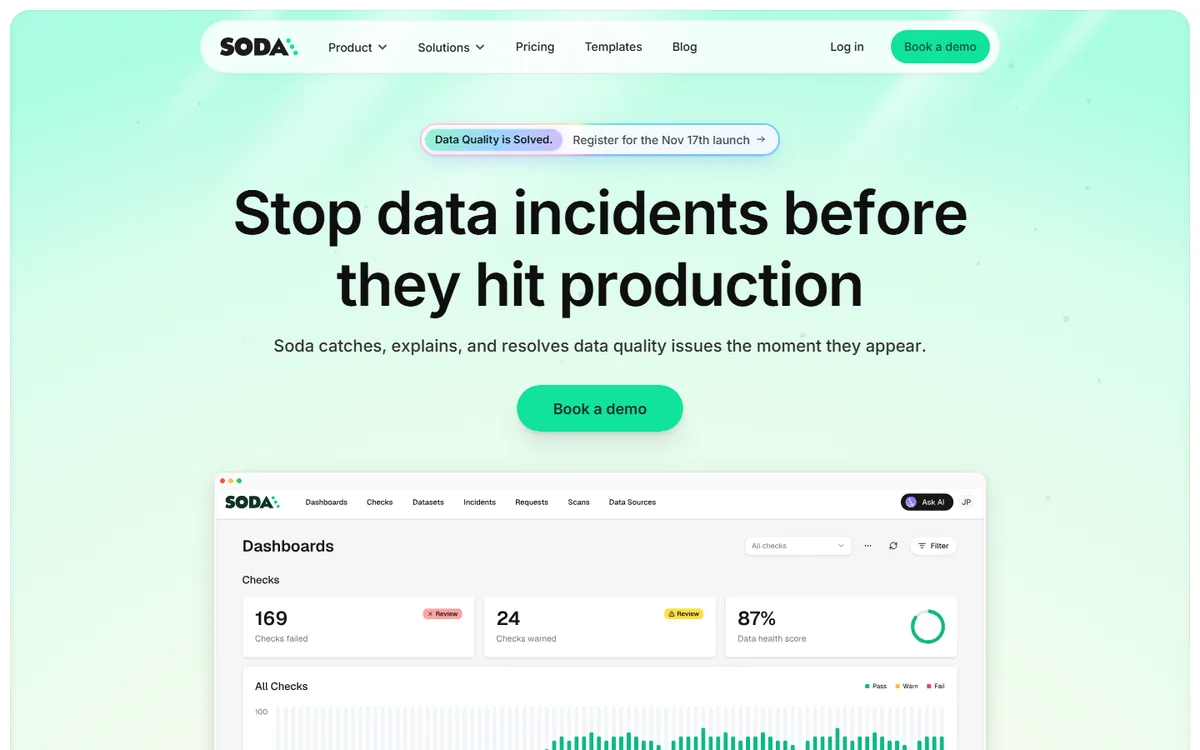
The Best All-Round Pick If You Want Quality Checks Written as Code and Owned by Your Team
Soda is a data quality platform built around checks you write in a simple YAML-style language (SodaCL), plus data contracts, anomaly detection and alerting. The open-source Soda Core library runs the checks, and the Soda Cloud service adds the dashboards, alerts and team features on top.
I rank it first because it is the easiest tool to start small with and still grow. A data engineer can write ten checks on a warehouse table in an afternoon, and an analyst can read them without help. In my client work, the teams that succeed with Soda pick one critical table, set a handful of checks for freshness, duplicates and missing values, and route alerts to the person who owns the data. The risk is the opposite of a heavy suite: with no process around it, checks multiply and alerts get ignored.
Pros of Soda
- Readable checks that analysts and engineers can both review
- Free tier and an open-source core make a low-risk start
- Covers Snowflake, BigQuery, Databricks, Postgres and many other sources
Cons of Soda
- Per-dataset pricing needs careful scoping as you scale
- Fewer built-in cleansing and matching features than enterprise suites
Soda Pricing
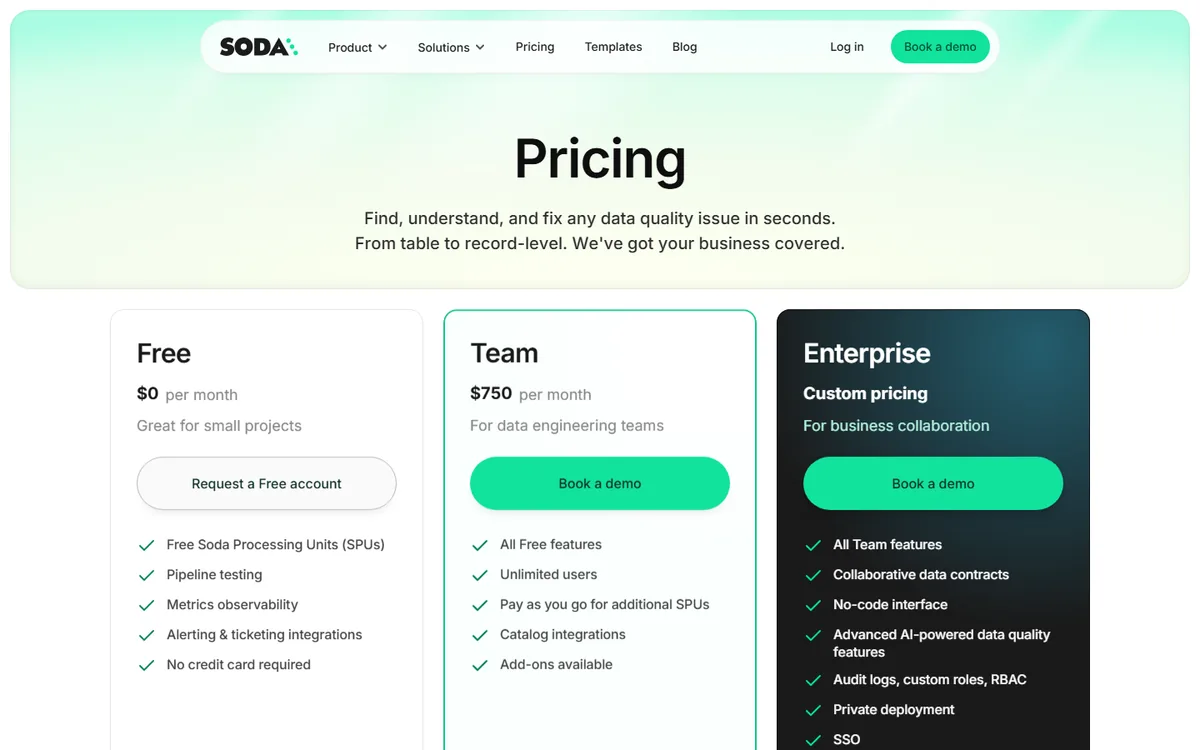
Soda lists three plans. The Free plan costs $0 and covers 3 production datasets per month. The Team plan costs $750 for 20 production datasets per month, with $8 for each additional dataset and unlimited users. Enterprise is quoted by sales and adds data contracts workflows, audit logs, custom roles and private deployment. Confirm the current plan limits on the vendor's pricing page before you commit.
Soda Reviews
- G2: 4.4/5 average (from 55 reviews)
Monte Carlo
The Strongest Choice When Broken Pipelines and Late Data Are Your Main Quality Problem
Monte Carlo is a data observability platform. It watches your warehouse, lakehouse and pipelines for freshness, volume and schema changes and unusual values, then alerts the owner and shows lineage so you can see what a problem touches downstream.
It earns its place when you run hundreds of tables and cannot write a check for each one. Monitors learn what normal looks like and flag the break, which suits teams who keep finding out about bad data from an executive instead of from an alert. The trade-off is that it tells you something is wrong more than it fixes the cause, and it works best next to a clear ownership model. I have seen teams buy it, switch on every monitor and drown in alerts within a month, so start with your top ten tables.
Pros of Monte Carlo
- Learns normal behavior, so you skip writing hundreds of manual checks
- Lineage shows which dashboards and models a problem affects
- Large user base and the most G2 reviews in this list
Cons of Monte Carlo
- Pricing is not published and needs a sales conversation
- Detects problems more than it cleans or fixes records
Monte Carlo Pricing
Monte Carlo does not publish prices. Its pricing page sends you to a request form, so you receive a quote based on your environment and scope. I suggest asking for a written three-year cost covering the same tables and users you would give any other vendor.
Monte Carlo Reviews
- G2: 4.3/5 average (from 579 reviews)
dbt
The Practical Pick If Your Transformations Already Run in dbt and You Want Tests in the Same Place
dbt is a transformation tool, not a dedicated data quality product, but its built-in tests make it one of the most used quality tools in practice. You declare checks such as not null, unique, accepted values and relationships next to your models, and every run tests the results.
If your team already builds models in dbt, adding tests costs almost nothing, and the tests live in version control with the code they protect. That is the main argument for it. The limit is scope: dbt tests the data it builds, so it does not profile raw sources, match duplicate customers or watch tables outside your project. I usually treat it as the first layer, then add Soda or an observability tool for sources and anomaly detection.
Pros of dbt
- Tests sit next to the models and travel through code review
- Large community and the highest G2 rating in this list
- Free Developer plan and the open-source core for self-hosting
Cons of dbt
- Only checks data inside your dbt project
- No cleansing, matching or profiling of raw source data
dbt Pricing
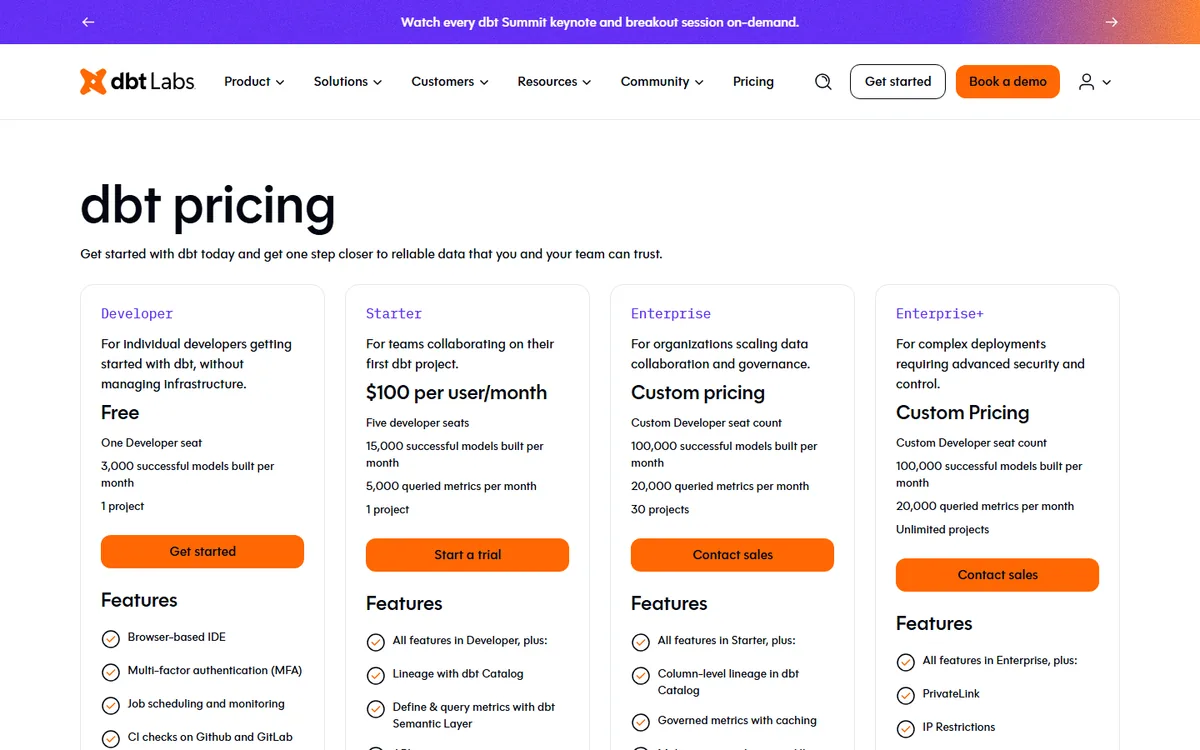
dbt lists a free Developer plan with one seat and 3,000 models built per month. The Starter plan costs $100 per user per month and includes 5 developer seats and 15,000 models built per month. Enterprise and Enterprise+ are custom quotes. Pay-as-you-go add-ons such as dbt State are billed by usage, so check the current rates on the vendor's pricing page.
dbt Reviews
- G2: 4.7/5 average (from 210 reviews)
Great Expectations
The Flexible Choice for Python-Heavy Teams That Want Validation Inside Their Own Pipelines
Great Expectations (GX) is a Python framework for validating data. You define expectations, such as a column never being null or a value staying inside a range, run them inside a pipeline and get readable validation reports. GX Cloud adds a hosted interface and team features.
GX suits engineers who want checks to run as a step in Airflow, Dagster or a similar orchestrator and fail the job before bad data moves on. Reviewers praise its documentation and the generated Data Docs, and they warn about setup effort for people without a technical background. In my experience it works best when a data engineer owns it and business users read the reports, not when you expect analysts to write expectations themselves.
Pros of Great Expectations
- Free open-source core with a large Python community
- Validation reports that non-engineers can read
- Runs as a step in your own orchestration
Cons of Great Expectations
- Setup takes real engineering effort, according to G2 reviewers
- Only 11 G2 reviews, so the rating rests on a small sample
Great Expectations Pricing
The open-source GX Core library is free. GX Cloud lists a free Developer plan, plus Team and Enterprise plans for which the vendor does not publish prices on its pricing page. For hosted plans, request a quote and compare it with the engineering time a self-hosted setup would cost.
Great Expectations Reviews
- G2: 4.5/5 average (from 11 reviews)
Ataccama ONE
The Broad Platform for Teams That Want Quality, Catalog and Master Data in One Place
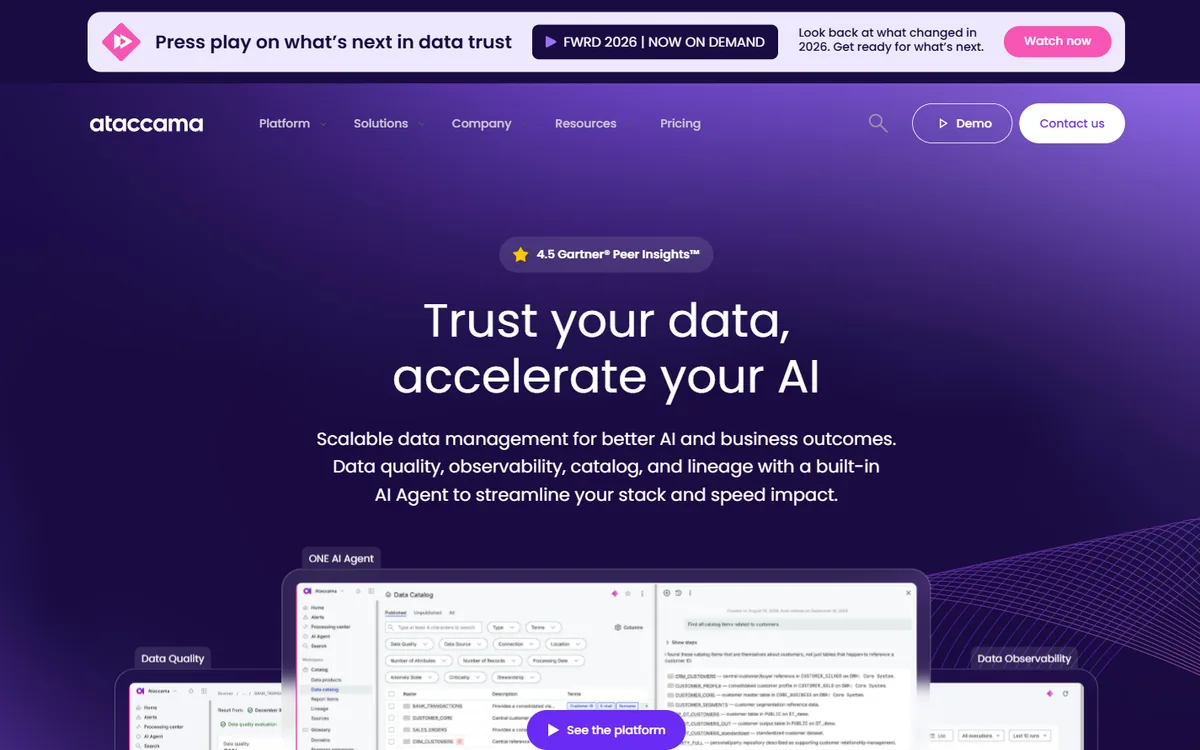
Ataccama ONE combines data profiling, data quality rules, a catalog, observability and master data management in one platform. It adds AI to suggest rules and classify data, and it can cleanse, match and merge records as well as monitor them.
That breadth is the reason to pick it and the reason to hesitate. If your quality problems include duplicate customers and mismatched product records, matching and master data features save you from stitching three tools together. If you only need tests on warehouse tables, it is more than you need, and the rollout takes planning. Only 12 reviews on G2 mean the public evidence is thin, so ask for references from a company of your size and industry.
Pros of Ataccama ONE
- Profiling, rules, matching and master data in one platform
- AI suggestions speed up rule writing
- Strong fit for quality-led governance programs
Cons of Ataccama ONE
- Broad scope needs careful phasing
- Small review base on G2 and little public pricing
Ataccama ONE Pricing
Ataccama does not publish prices. G2 says pricing details are not available, and Capterra lists a free trial with pricing on request. Ask for a quote scoped to your data volumes and modules, and request a proof of concept on one domain before you sign.
Ataccama ONE Reviews
- G2: 4.2/5 average (from 12 reviews)
Informatica Data Quality
The Enterprise Standard for Cleansing, Matching and Monitoring at Very Large Scale
Informatica Data Quality profiles, cleanses, standardizes and deduplicates data, and its cloud version adds observability and rule management. It sits inside the wider Informatica platform next to integration, catalog and master data.
Large banks, insurers and healthcare groups choose it because it handles address standardization, matching and rule reuse across thousands of sources, and because they already run Informatica for integration. The cost is complexity and price. Capterra reviewers note that implementation costs suit large companies better, and a few say some checks need workarounds. For a mid-size team with a modern cloud stack, I would test lighter tools first.
Pros of Informatica Data Quality
- Deep cleansing, standardization and matching features
- Works with cloud and on-premises sources
- Fits companies already standardized on Informatica
Cons of Informatica Data Quality
- Implementation cost and effort suit large budgets
- Capterra shows only 4 reviews, so public feedback is thin
Informatica Data Quality Pricing
Informatica does not list a starting price, and Capterra shows no free trial. Licensing is quoted by sales and is usually consumption-based, so ask for a written cost model for your expected volumes and compare it over three years.
Informatica Data Quality Reviews
- Capterra: 4.3/5 average (from 4 reviews)
Anomalo
The Fast Way to Get Automatic Monitoring on Big Tables Without Writing Every Rule
Anomalo uses machine learning to monitor tables for unexpected changes in values, volume and freshness, and it lets business users add their own rules without code. It reads data inside your warehouse, so records stay where they are.
G2 reviewers like that it catches issues before stakeholders do and that non-technical colleagues can create checks. They also warn that deep record scans can raise warehouse costs and that alerts get noisy when every monitor is on. I would pick it for large tables where hand-written rules cannot keep up, and I would set a warehouse cost cap and alert routing in the first week.
Pros of Anomalo
- Automatic detection without writing a rule per column
- No-code checks for business users
- Responsive support in G2 reviews
Cons of Anomalo
- Deep scans can add to your warehouse bill
- Alert noise if monitors are not tuned
Anomalo Pricing
I could not find published pricing for Anomalo, so treat it as quote-based. Ask for a written estimate that includes the extra warehouse compute the scans use, since reviewers flag that as a cost.
Anomalo Reviews
- G2: 4.4/5 average (from 44 reviews)
Estimate the Return on a Data Quality Tool
Before you pick a plan, check whether the numbers work for you. Enter the manual hours you spend on cleaning data, fixing broken reports and chasing errors, and the monthly price of the tool you are considering, and you will see what it could return in a year.
Will the Tool Pay Off for You?
Move the sliders to match the work you want to automate and the plan you are considering.
How to Choose the Right Data Quality Tool
In my experience, the match between the tool and your operating model decides more than any feature list. Before you compare vendors, I suggest you answer four questions:
- Which datasets hurt most when they are wrong, and who owns each one?
- Do you need to detect problems, or also cleanse and match records?
- Who will respond to alerts: engineers, analysts or business stewards?
- Which platforms hold the data, and does the tool connect to them natively?
If your models already run in dbt, add its tests first. If you want readable checks and contracts, shortlist Soda, and if you have hundreds of tables, look at Monte Carlo or Anomalo. Enterprises with heavy matching needs should test Informatica and Ataccama. A tool only measures what you define, so my data quality metrics guide shows what to measure first. Scope your checks with a data quality framework, and a data quality assessment tells you which tables to start with. For the bigger picture, my data quality strategy article explains how tools fit into a plan.
Questions About Choosing Data Quality Tools
What Is the Best Data Quality Tool for a Small Team?
For a small team, I usually start with dbt tests if you already use dbt, or Soda's free tier if you do not. Both let you write a few checks on your most important tables in an afternoon. Move to a larger platform only after you know which checks you run every day and who acts on the alerts.
What Is the Difference Between Data Quality and Data Observability Tools?
Data quality tools check data against rules you define, such as no duplicates or valid codes. Observability tools learn normal behavior and alert you when freshness, volume or values drift. Monte Carlo and Anomalo lean toward observability, while Soda, Great Expectations and dbt lean toward rules. Many teams use one of each.
Are There Free Data Quality Tools Worth Using?
Yes. Great Expectations Core and Soda Core are open source, dbt has a free Developer plan and Soda offers a free tier for 3 production datasets. Free options cost engineering time instead of license fees, so count the hours it takes to write checks, host them and respond to alerts.
How Much Do Data Quality Tools Cost?
Prices vary widely. Soda lists $750 per month for 20 datasets and dbt lists $100 per user per month on Starter. Monte Carlo, Anomalo, Ataccama and Informatica quote by request. I suggest asking each vendor for a written three-year cost for the same scope, so you can compare them fairly.
Do I Need a Tool to Start Improving Data Quality?
No. Start by profiling one critical table with SQL, write down five rules and assign an owner for the alerts. A tool becomes useful when you need those checks to run daily across many tables. Teams that buy first often end up with alerts nobody owns.
Which Tool Handles Duplicate Records and Cleansing?
Informatica Data Quality and Ataccama ONE include matching, merging and standardization. Soda, Great Expectations, dbt and the observability tools mostly detect problems and leave the fix to you. If duplicate customers are your main issue, shortlist the enterprise suites or look at master data management.
How Long Does It Take to Roll Out a Data Quality Tool?
A code-based tool on a modern warehouse can show first results in days, because you add checks to a few tables. Enterprise suites usually take months, since they involve rules, matching and integration work. I recommend starting with one dataset and expanding as owners adopt the alerts.
Heads up: vendors change prices, plans and ratings often. Everything was checked at the last update date, but confirm on each vendor’s website first. This article is not legal or financial advice.
Was this article helpful?
Thank you for letting us know.
Camille leads the Trevio editorial team and works with our consultants to turn real client projects into practical guides on data strategy, engineering and governance. Before joining Trevio, she spent 11 years in data engineering and analytics roles. She has since edited more than 300 articles on data management and reviewed pipelines and platforms from over 100 client projects. She is based in Denver, Colorado.