Key Takeaways
- Small teams get the most from low-cost consent and policy tools such as Termly and Cookiebot by Usercentrics.
- Mid-sized teams that need requests and consent together should compare Osano and Ketch first.
- Enterprise platforms such as OneTrust, TrustArc and Transcend fit large programs with dedicated owners, and most do not publish prices.
- Discovery tools like BigID and Securiti pay off only when personal data is spread across many systems.
The Best Data Privacy Tools at a Glance
| Tool | Type | Best for |
|---|---|---|
| 1. OneTrust | Enterprise privacy suite | Large or regulated organizations that want one suite for consent, requests, mapping and assessments |
| 2. Osano | Consent and privacy platform | Mid-sized teams that want consent, requests and vendor monitoring without enterprise complexity |
| 3. Usercentrics (Cookiebot) | Consent management | Websites and shops that need a reliable cookie banner and consent records across regions |
| 4. Ketch | Consent and data permission platform | Growing companies that want consent and request handling that reach downstream tools |
| 5. Termly | Policy and consent tool | Small businesses that need policies, a cookie banner and a basic request form at a low price |
| 6. Transcend | API-first privacy platform | Technical teams that want to automate requests and consent across many systems |
| 7. TrustArc | Privacy management platform | Established privacy teams that run assessments, vendor reviews and consent in one platform |
| 8. Securiti | Data security and privacy platform | Mid-market and enterprise teams that want data discovery, privacy and security controls together |
| 9. BigID | Data discovery and classification | Organizations with large, scattered data estates that need to find and classify personal data |
The 9 Best Data Privacy Tools, Ranked
I start with tools that suit the widest range of teams and move toward specialist platforms, so you can stop reading once you find your fit. The tool is only part of the result. In the data privacy consulting projects I review, an owner for each task matters more than the product, and my guide to data privacy trends shows which tool features are becoming essential.
OneTrust
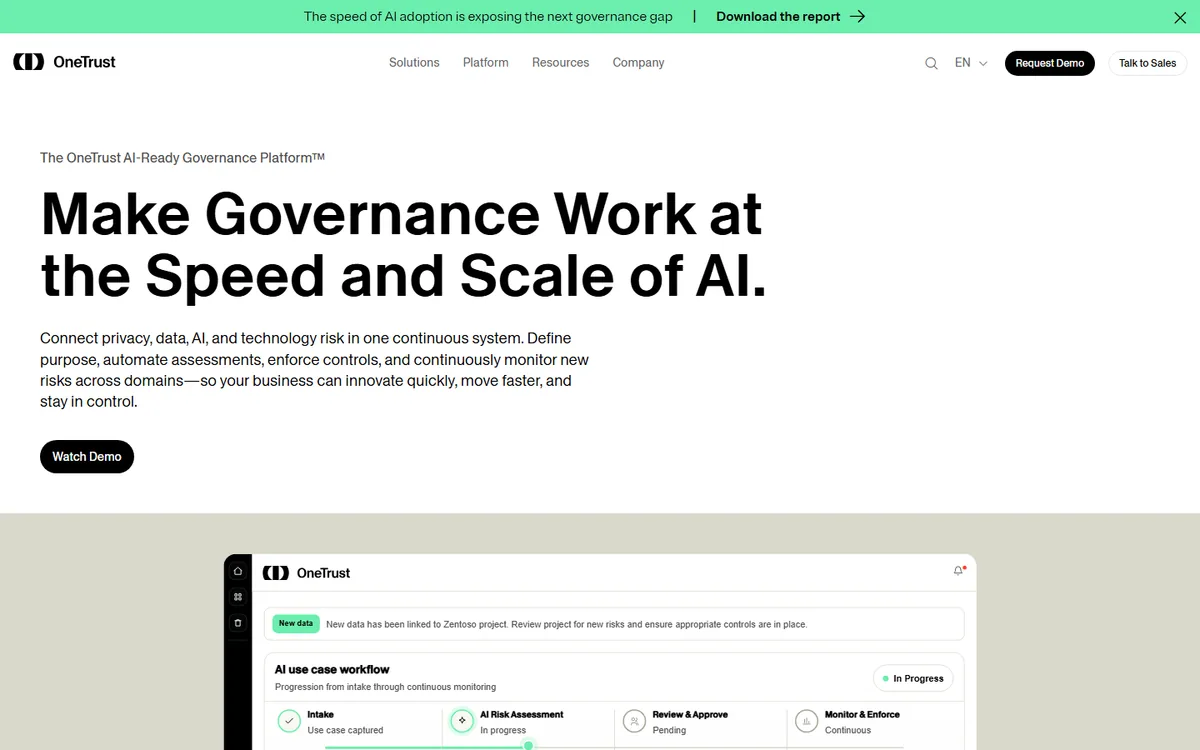
The Broadest Privacy Suite, Built for Organizations With a Dedicated Privacy Team
OneTrust covers consent, individual requests, data mapping, privacy assessments and vendor risk in one platform, with AI governance modules added on top.
OneTrust is the name I hear first in enterprise privacy work, and for good reason. The platform covers cookie consent, handling of access and deletion requests, data mapping, privacy impact assessments and vendor risk, so a large privacy team can run most of its program in one place. It also reaches into AI governance, which matters if your teams are adopting AI tools quickly.
The trade-off is weight. OneTrust works best when somebody owns it full time. Reviewers on G2 report an average of about three months to implement and about 17 months to see a return, and the buyer cost rating sits at the highest tier. If you have a small team and a handful of systems, you will use a fraction of it. If you have many regions, many business units and auditors asking for evidence, the breadth is the reason to buy it. A clean inventory beforehand, as I describe in my guide to data privacy management, makes the rollout far smoother.
Pros of OneTrust
- One platform covers consent, requests, mapping, assessments and vendors
- Strong fit for multi-region programs with several privacy owners
- Workflows and audit trails produce evidence buyers and auditors ask for
Cons of OneTrust
- Pricing is quote-only and sits at the top of the market
- Implementation takes months, and a small team may feel overwhelmed
OneTrust Pricing
OneTrust does not publish prices. Plans are custom quotes that scale with the modules you buy, such as consent, request handling and vendor risk, and G2 shows no public price list, no free plan and no free trial. Buyers on G2 rate the cost at the highest level of its scale, so budget for an enterprise contract and ask for a modular quote.
OneTrust Reviews
- G2: 4.3/5 average (from 155 reviews)
- Capterra: 4.3/5 average (from 57 reviews)
Osano
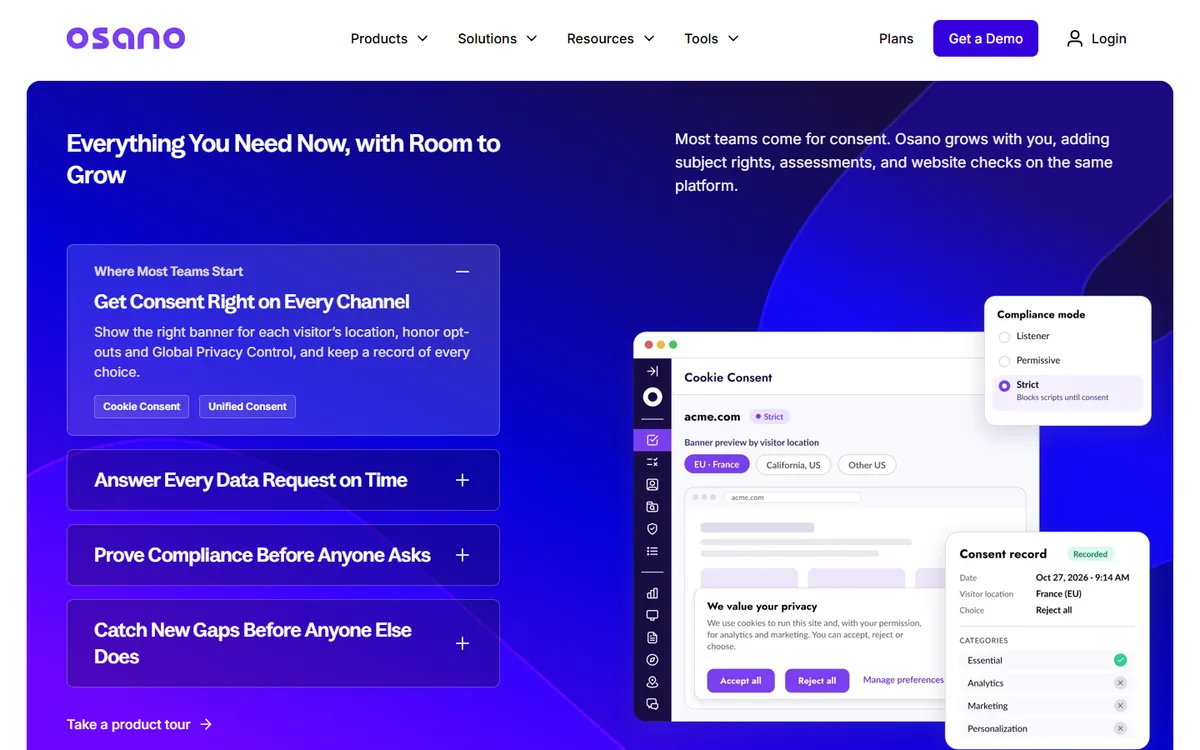
A Friendlier Way to Cover Consent, Requests and Vendor Monitoring Without an Enterprise Contract
Osano combines a consent banner, a request portal and vendor monitoring in a platform that a small privacy team can set up without help from IT.
Osano is where I send mid-sized companies that have outgrown a free cookie banner and are not ready for an enterprise suite. It bundles consent management, handling of access and deletion requests, data mapping and a vendor monitoring service in one product, and the setup feels closer to a marketing tool than to a compliance system.
I like that you can start small. A single domain with low traffic can run on a free tier, and you add modules as needs grow. The limit shows up when you need deep scanning of databases and cloud storage for personal data. Osano is strong at the web and request layer, and it relies on your own inventory for the rest. Teams that already follow a simple structure, like the one in my data privacy strategy framework, tend to get value from it quickly.
Pros of Osano
- Quick to set up, even for non-technical privacy owners
- Consent, requests and vendor monitoring in one product
- Lower entry cost than enterprise suites, with a free option for small sites
Cons of Osano
- Less depth for scanning databases and cloud storage for personal data
- Pricing is built per module, so costs rise as you add features
Osano Pricing
Capterra lists the Basic plan from $119.99 per feature per month, with a free trial. A recent comparison from Enzuzo lists a free tier for one domain with low traffic and a Plus plan at $199 per month, so confirm the current plans and limits on Osano's pricing page before you decide.
Osano Reviews
- G2: 4.5/5 average (from 173 reviews)
Usercentrics (Cookiebot)
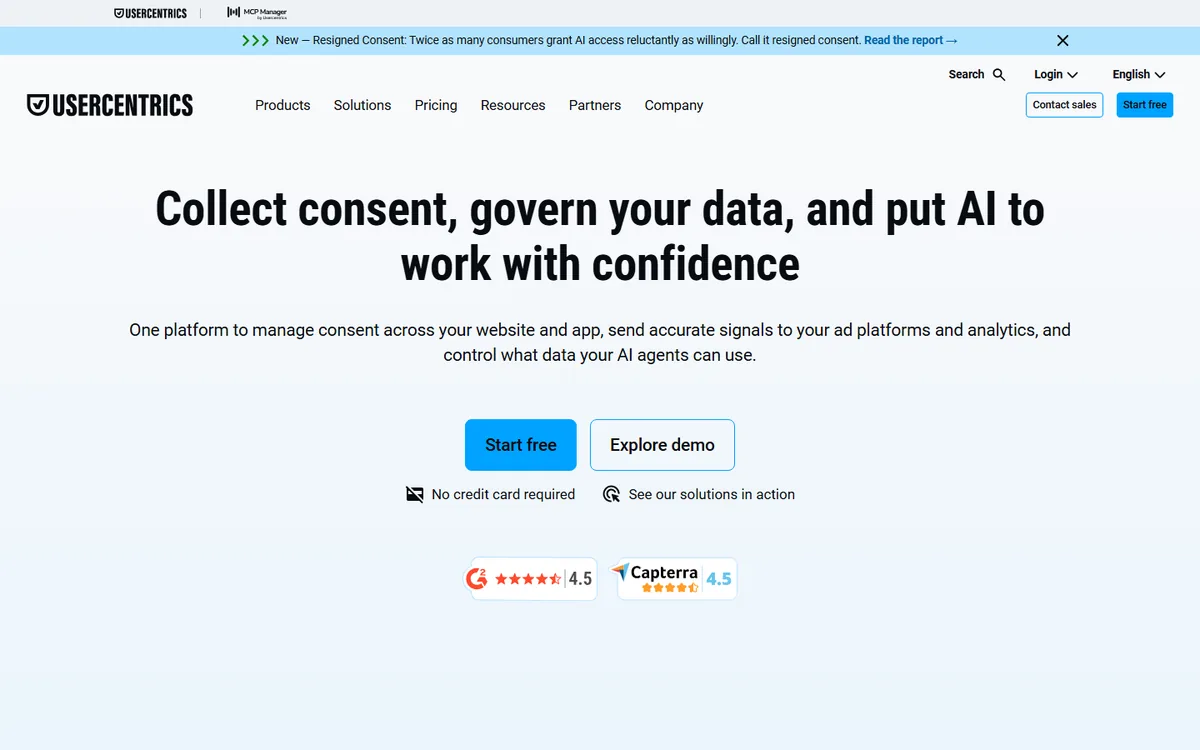
A Dependable Consent Banner for Sites That Need Cookie Scanning and Consent Records in Many Languages
Cookiebot by Usercentrics scans your site for cookies and trackers, shows a configurable banner and keeps a record of each visitor's choice.
If your biggest privacy exposure is the website, Cookiebot is a solid starting point. It scans for cookies and trackers, shows a banner in many languages, supports Google Consent Mode v2 and, on higher tiers, the IAB TCF framework used in advertising. Capterra notes that more than two million websites use it, which also means plenty of documentation and agency know-how.
Be clear about what it does not do. Cookiebot is a consent tool. It will not handle access or deletion requests, and it will not find personal data in your databases. Capterra reviewers praise easy setup and the dashboard. Some mention unexpected charges after cancelling and say pricing climbs for sites with many pages, so read the billing terms carefully and test the banner with a browser opt-out signal. My overview of data privacy trends explains why that test matters.
Pros of Usercentrics (Cookiebot)
- Automatic cookie scanning keeps your banner list current
- Strong language coverage and support for Google Consent Mode v2
- Low entry price and a free plan for small sites
Cons of Usercentrics (Cookiebot)
- Consent only: no request handling or data discovery
- Reviewers report price jumps for sites with many pages and billing surprises
Usercentrics (Cookiebot) Pricing
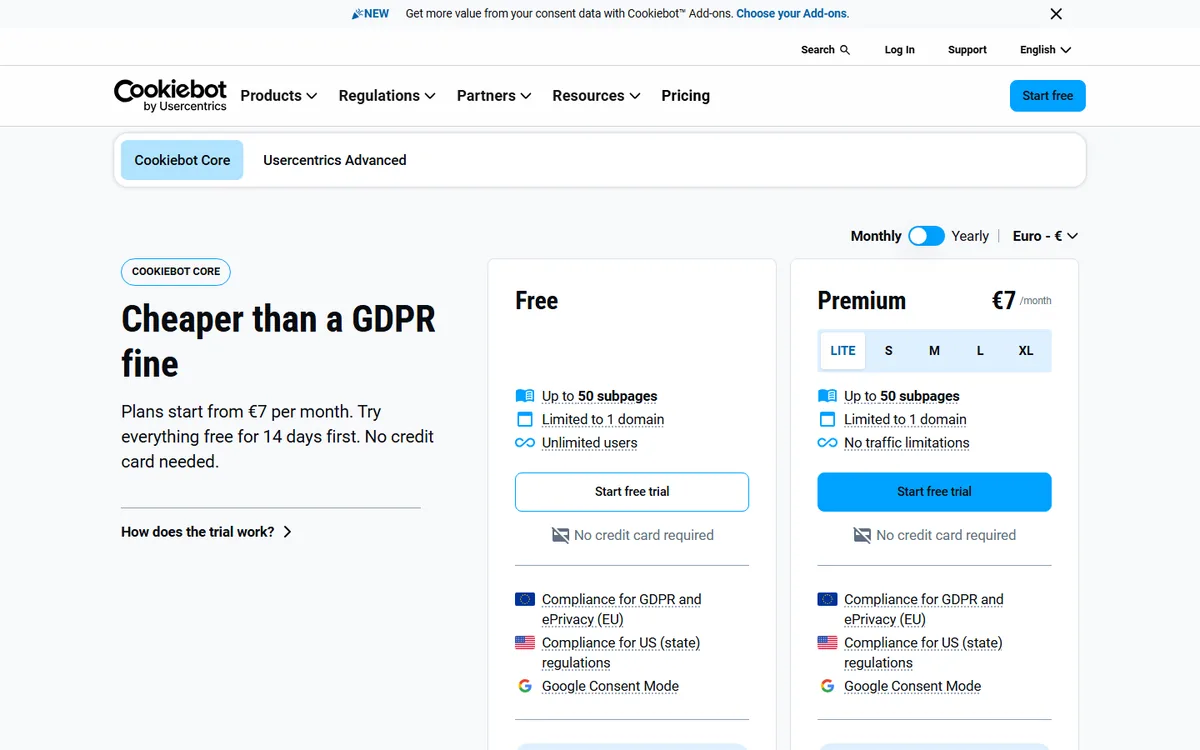
G2 lists a free plan, Premium Lite at €7 per month and Premium Small at €15 per month, with a 14-day trial. Capterra reports a free plan for one domain with 1,000 sessions per month, paid plans from €7 up to €50 per month and quote-based enterprise pricing. Pricing is based on domain size, so check how many subpages your site has.
Usercentrics (Cookiebot) Reviews
- G2: 4.2/5 average (from 217 reviews)
- Capterra: 4.2/5 average (from 53 reviews)
Ketch
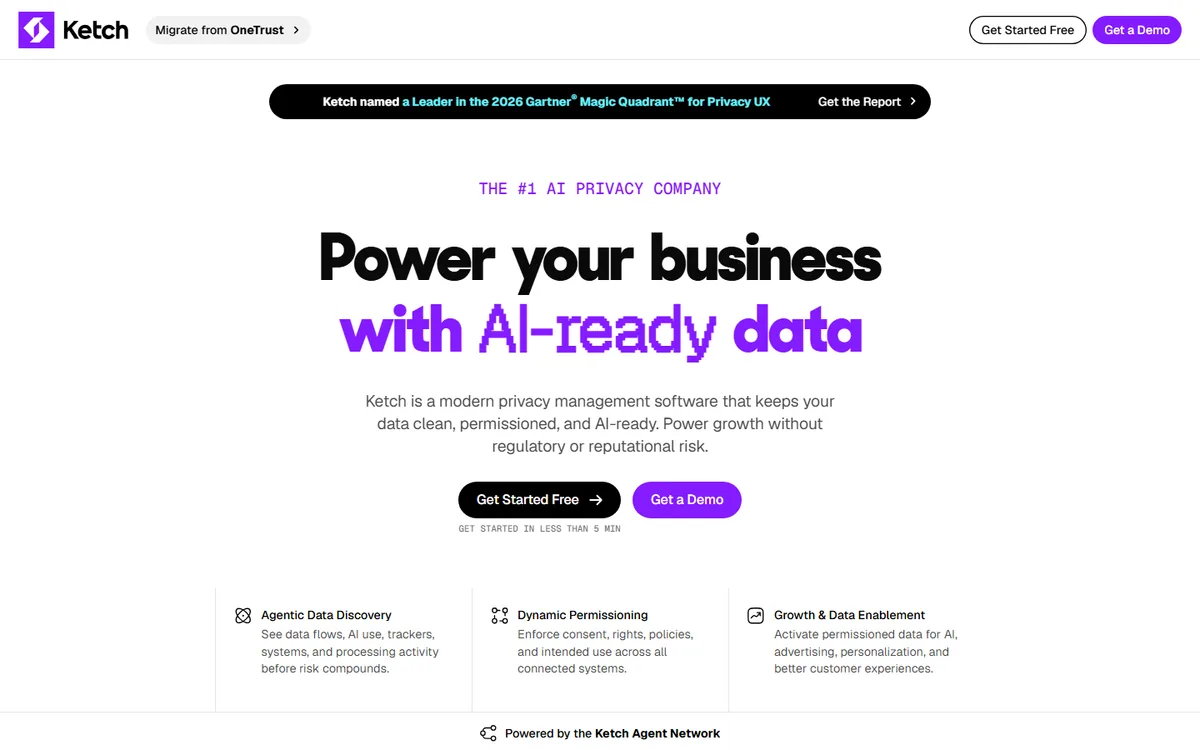
Strong on Passing Consent and Request Decisions Down to the Tools That Actually Use the Data
Ketch handles consent, individual requests and data mapping, and sends permission decisions to connected marketing and data tools.
Ketch stands out for one idea: a consent choice is only useful if every downstream system respects it. The platform manages consent banners and preferences, handles access and deletion requests and maps data, then passes the decisions to connected tools. That makes it a good fit for companies where marketing, analytics and data teams all touch personal data.
Its published pricing is also unusually clear. G2 shows flat monthly prices for the first two tiers, and Ketch says full access is free until a site passes 5,000 unique visitors per month. One G2 reviewer noted that they had to upgrade sooner than expected, so estimate your visitors before you plan the budget. Because Ketch relies on integrations, connecting your tools and testing them end to end is where most of the effort goes, and the checks in my data privacy audit guide help you test that.
Pros of Ketch
- Published flat pricing makes budgeting simple
- Consent and request decisions flow to connected tools
- Free access for low-traffic sites
Cons of Ketch
- Traffic-based tiers can force an upgrade sooner than planned
- Value depends on the quality of your integrations
Ketch Pricing
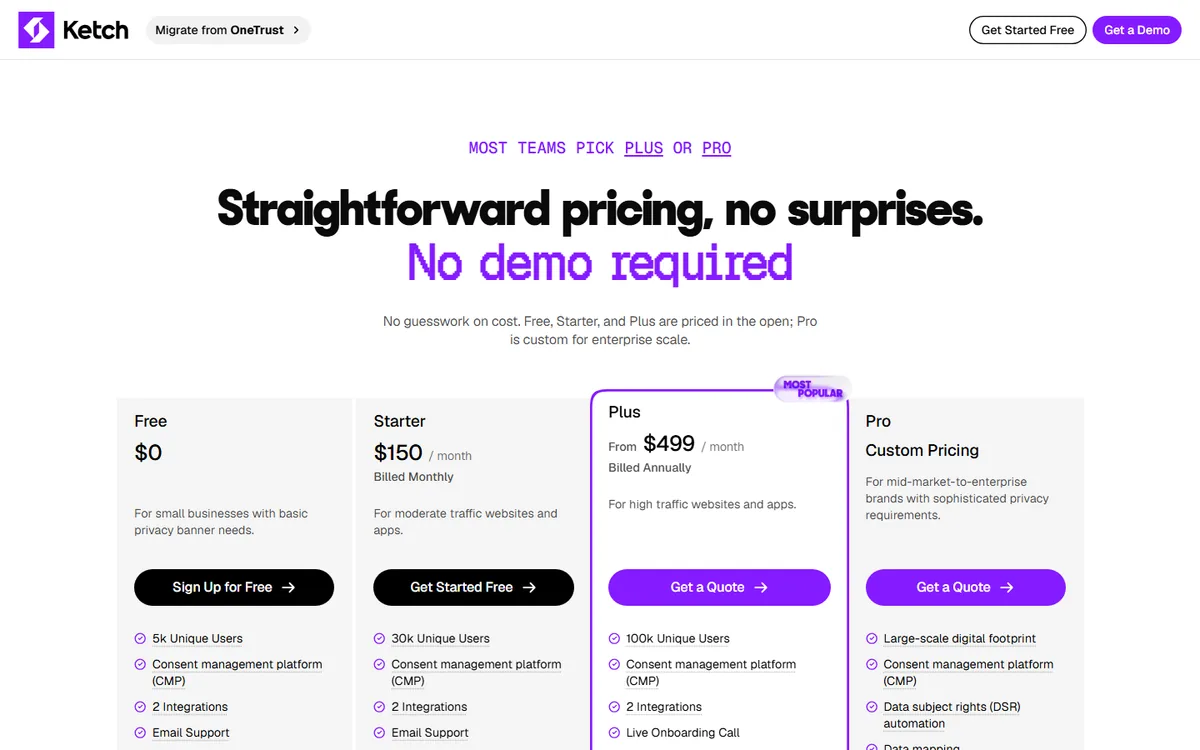
G2 lists Ketch Starter at $150 per month and Ketch Plus at $499 per month, both flat rates, and Ketch Pro as a custom quote. Ketch says tiers are tied to unique visitors and that full access is free until a site exceeds 5,000 unique visitors per month. Capterra lists the Starter plan at $150 per month for up to 30,000 unique users.
Ketch Reviews
- G2: 4.6/5 average (from 224 reviews)
- Capterra: 4.8/5 average (from 4 reviews)
Termly
The Practical Low-Cost Option for Small Businesses That Need Policies and Cookie Consent Fast
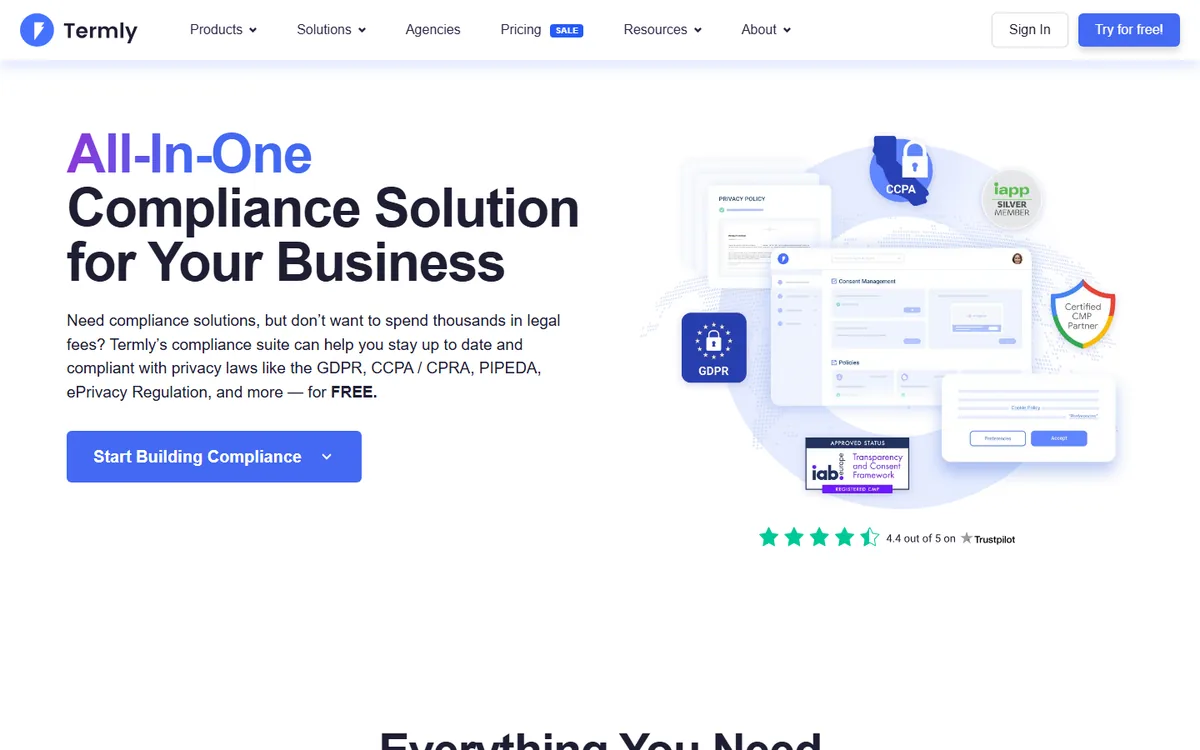
Termly generates privacy and cookie policies, runs a consent banner and offers a simple form for individual requests, at prices small teams can afford.
Termly is the tool I mention to owners of small shops and service businesses who ask, "What is the minimum I should do?" It generates privacy and cookie policies from a questionnaire, runs a consent banner and offers a form for handling individual requests. Setup takes an afternoon, and the cost stays low.
You should know the limits. Termly does not scan your databases, and its request handling is lightweight compared with platforms built for large volumes. Policies depend on the answers you give, so a wrong answer produces a wrong policy, and your counsel should read the output once. For a company with ten to twenty systems and a few requests per month, it is often enough, and the savings go into the inventory work I describe in data privacy assessment.
Pros of Termly
- Low price with a free plan for very small sites
- Policy generators save time on first drafts
- Quick setup that a non-specialist can finish in one sitting
Cons of Termly
- No data discovery in databases or cloud storage
- Request handling is basic for higher volumes
Termly Pricing
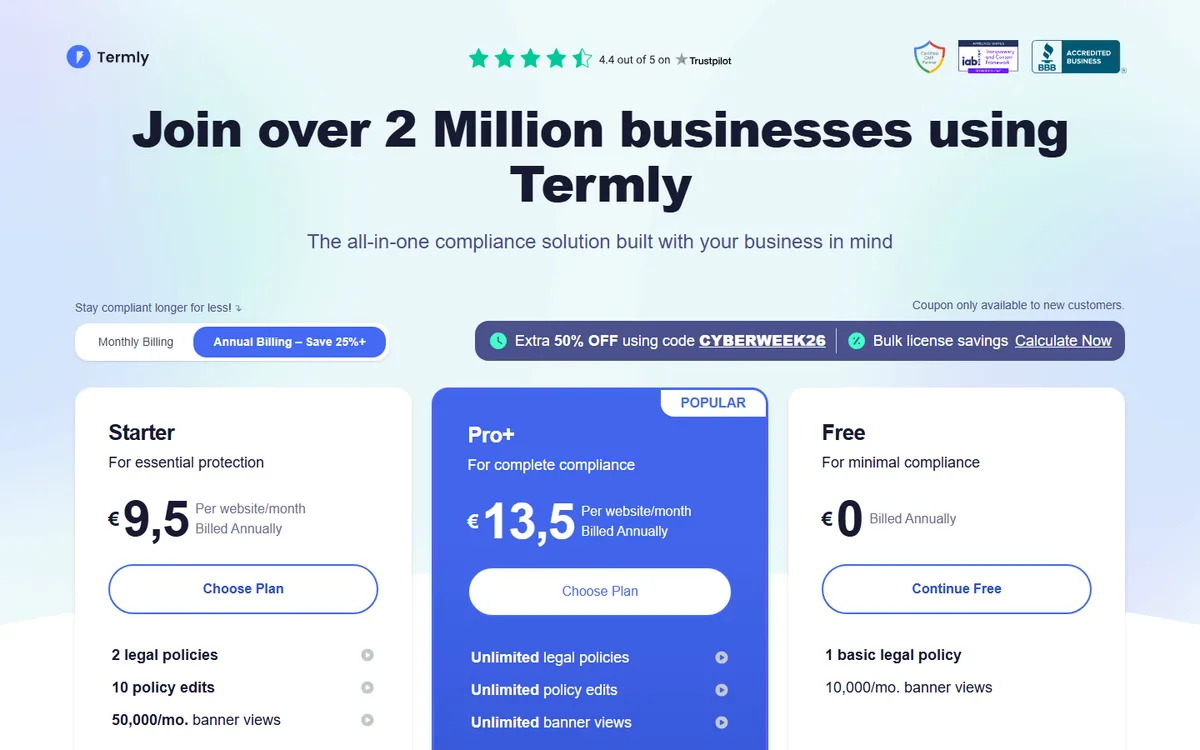
G2 lists a free plan, Starter at $14 per month and Pro+ at $20 per month. Capterra lists the Starter plan at $14 per month, flat, with a free version available. Limits on policies and banner views differ by plan, so check what your traffic needs.
Termly Reviews
- G2: 4.3/5 average (from 45 reviews)
- Capterra: 4.7/5 average (from 80 reviews)
Transcend
The Pick for Engineering-Led Teams That Want Privacy Requests Automated Across Dozens of Systems
Transcend automates consent and individual requests through direct connections to your systems, so deletions and exports run without manual searching.
Transcend takes an infrastructure approach. Instead of asking people to search systems and fill in forms, it connects to your tools through integrations and APIs and executes access and deletion requests directly in them. The platform also covers consent management, data mapping and masking. Capterra's listing claims more than 40 integrations, including common analytics, CRM and ticketing tools.
I recommend it when requests arrive weekly across a dozen or more systems, and you have engineers who can own the connections. G2 users rate it 4.6, and a small set of Capterra reviewers praise reliability and fast support. The cost is the barrier: G2 lists the Basic plan at $10,000 per user per year, and the listing says it targets enterprises. For a team with a handful of systems, the price and the engineering effort will not pay back.
Pros of Transcend
- Requests are executed directly in connected systems
- API-first design suits engineering-led teams
- Consent, mapping and masking sit next to request automation
Cons of Transcend
- Enterprise pricing, with the Basic tier listed at $10,000 per user per year
- Needs engineering time to connect and maintain integrations
Transcend Pricing
G2 lists the Basic plan at $10,000 per user per year, as provided by Transcend, and Capterra shows the same starting price with no free trial or free version. Transcend directs you to its sales team for a quote tailored to your systems and volumes.
Transcend Reviews
- G2: 4.6/5 average (from 112 reviews)
- Capterra: 4.8/5 average (from 6 reviews)
TrustArc
A Veteran Privacy Platform With Strong Assessment and Risk Workflows for Established Teams
TrustArc combines consent management, requests, data mapping, risk assessments and vendor risk in a platform aimed at companies of all sizes.
TrustArc has been in privacy for a long time, and its platform reflects the workflow side of the job. Capterra lists 20 features, including consent management, data subject requests, data mapping, risk assessment, vendor risk management and audit management, plus an API. If your program centers on assessments, reviews and evidence, that is the area where it fits best.
It has the largest G2 review base of the tools here, with 348 reviews and a 4.2 average, which makes its rating more reliable than most. On price, G2 and Capterra both list a starting point of $10,000, so it sits in the enterprise band. Capterra shows no user reviews for it, so lean on G2 and on reference calls with customers of your size. If your assessments are still on spreadsheets, try a simple readiness scorecard before you buy a platform for them.
Pros of TrustArc
- Covers assessments, vendor risk and audit management alongside consent
- Large G2 review base, so the rating is well supported
- Phone and chat support listed, plus training options
Cons of TrustArc
- Starts at an enterprise price point
- Overkill if you only need a cookie banner and a request form
TrustArc Pricing
G2 lists the Basic tier at $10,000 per user per year, as provided by TrustArc, and Capterra lists a starting price of $10,000 with a free trial but no free version. Final pricing depends on the modules and the size of your organization, so ask for a written quote.
TrustArc Reviews
- G2: 4.2/5 average (from 348 reviews)
Securiti
A Good Fit When You Want Data Discovery, Privacy and Security Controls From One Platform
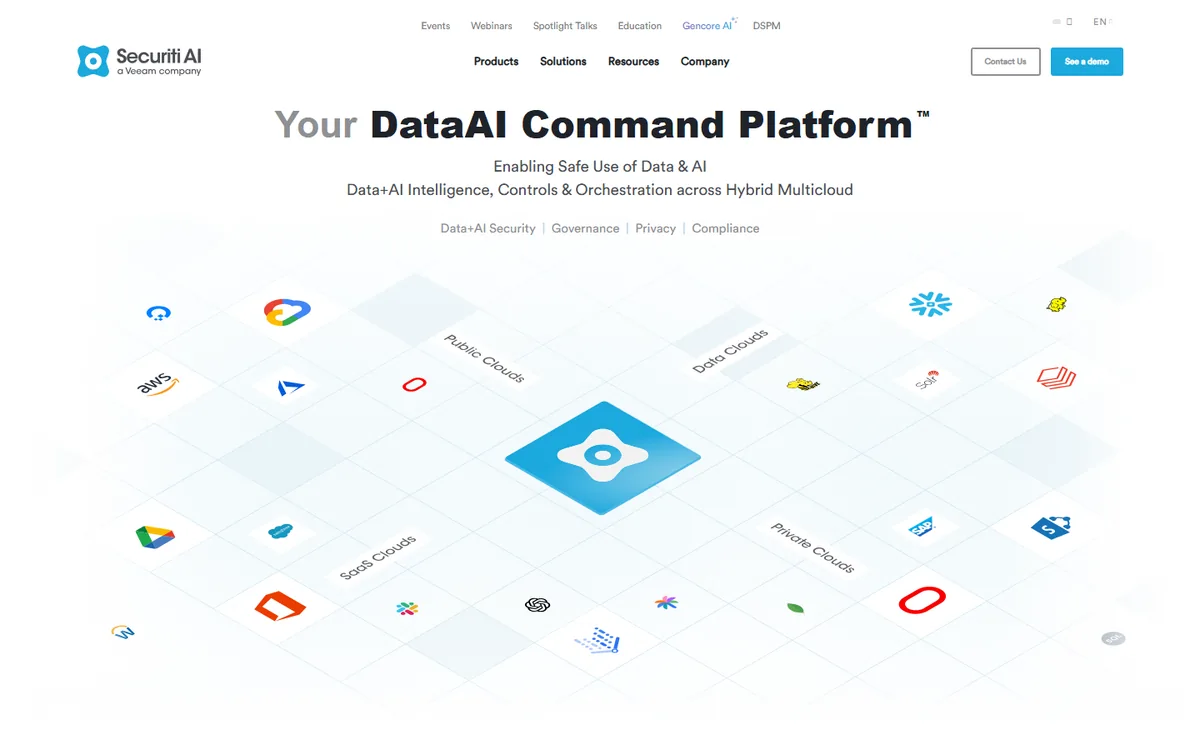
Securiti's Data Command Center scans your cloud and SaaS data for personal information and ties discovery to privacy, security and governance controls.
Securiti positions its Data Command Center as one place for data security, privacy and governance. Capterra lists 23 features, including data discovery, data masking, access controls, compliance tracking and handling of data subject requests. The attraction is the link between finding personal data and acting on it, so one scan feeds mapping, requests and security alerts.
G2 reviewers rate it 4.6 across 116 reviews. They also report about three months to implement and about ten months to see a return, and they rate its cost at the highest level of G2's scale. Capterra has a single review, so I would not draw conclusions from it. Plan for a proper proof of concept with your own data, since discovery accuracy depends heavily on your environment. If you prefer to start with the program design, my guide to data privacy management shows how the layers fit together.
Pros of Securiti
- Data discovery connects directly to privacy and security actions
- Well rated on G2 with a solid review base
- Targets regulated sectors such as finance, healthcare and insurance
Cons of Securiti
- Pricing is not published and sits in the enterprise range
- Implementation takes months, so plan a proof of concept first
Securiti Pricing
Securiti does not publish prices on G2 or Capterra. G2 shows a perceived cost at its highest level, and Capterra offers a free trial with pricing on request. Expect a quote based on the data sources, modules and volumes you need, and ask for a proof of concept on your own data.
Securiti Reviews
- G2: 4.6/5 average (from 116 reviews)
BigID
The Specialist for Finding and Classifying Personal Data Across Large, Scattered Data Estates
BigID scans databases, cloud storage and SaaS apps to find and classify personal and sensitive data, and feeds the results to privacy and security workflows.
BigID is a discovery-first platform. It scans structured and unstructured data across databases, cloud storage and SaaS apps, classifies what it finds and builds the inventory that other privacy tasks depend on. That inventory is the layer most programs lack, and in large estates manual mapping is slow and incomplete.
Choose BigID when finding the data is the problem and you can staff the follow-up. A scan produces findings, and somebody has to decide what to delete, mask or restrict. The G2 review base is small, with 16 reviews at a 4.3 average, so ask for references from companies of your size. Pricing is not published and, according to third-party roundups, tends to be custom and large. Before you scan, agree on owners using the routines in my audit guide, so findings go to a named person.
Pros of BigID
- Strong discovery and classification across structured and unstructured data
- Builds the inventory that consent, requests and retention depend on
- Fits large estates where manual mapping does not scale
Cons of BigID
- Pricing is not public and aimed at larger organizations
- G2 has only 16 reviews, so the rating is a thin signal
BigID Pricing
BigID does not publish prices. G2 shows no dollar figures and rates the cost at its highest level, with an average implementation time of about one month and an average discount of 20 percent according to reviewers. Capterra says to contact the vendor and lists no free trial.
BigID Reviews
- G2: 4.3/5 average (from 16 reviews)
Estimate the Return on a Privacy Tool
Before you pick a plan, check whether the numbers work. Enter the manual hours you spend on privacy work such as requests and consent checks, the share a tool could remove and the monthly price of the plan you are considering.
Will the Tool Pay Off for You?
Move the sliders to match the work you want to automate and the plan you are considering.
How to Choose the Right Data Privacy Tool
In my experience, fit with your program decides more than any feature list. Before you compare vendors, answer four questions:
- Which job hurts most today: consent on the website, handling requests, finding personal data or running assessments?
- How many systems hold personal data, and how many requests do you receive each month?
- Who will own the tool after launch, and how many hours a week can they give it?
- Do you have an inventory and a written request workflow that the tool can follow?
If the website is the main exposure, start with Cookiebot, Termly or Osano. If requests across many tools are the pain, look at Ketch and Transcend. If you cannot say where personal data lives, look at BigID or Securiti. If assessments and vendor reviews drive your workload, compare OneTrust and TrustArc. Write your workflow first, as set out in my management guide, and test candidates on your own data. A readiness scorecard will show whether you are ready for a platform, and a ranked privacy plan will tell you which purchase comes first. After go-live, a privacy audit checks that the tool does what the vendor said. If you want a second opinion on your shortlist, a short call usually settles it.
Questions About Choosing Data Privacy Tools
What Is the Best Data Privacy Tool for a Small Business?
For most small businesses I recommend starting with Termly or Cookiebot by Usercentrics. Both are low-cost, set up in an afternoon and cover policies and cookie consent. Add a request form and a simple inventory spreadsheet, and you have covered most of the practical needs until your volumes grow.
What Is a DSAR Tool?
A DSAR tool handles data subject access requests, which are requests from individuals to see, correct or delete the personal data you hold about them. It receives the request, verifies identity, tracks deadlines and sometimes searches or executes the action inside your systems. Several tools here, including Osano, Ketch and Transcend, include it.
Do I Need a Data Discovery Tool?
You need it when personal data is spread across many databases, cloud stores and SaaS apps, and manual mapping can no longer keep up. BigID and Securiti focus on discovery. If you have fewer than about twenty systems, a well-kept inventory spreadsheet is usually enough.
What Is the Difference Between a Consent Tool and a Privacy Platform?
A consent tool, such as Cookiebot, manages banners and records visitor choices on your website or app. A privacy platform adds request handling, data mapping, assessments and vendor risk. Platforms cost more and take longer to roll out, so buy one when your program needs those jobs.
How Much Do Data Privacy Tools Cost?
Prices range from free tiers and about $14 per month for small-business tools to $10,000 per user per year at the listed starting point for enterprise platforms, and many vendors only publish quotes. Cost depends on traffic, modules and volume, so check each vendor's current pricing page.
Should I Buy a Tool Before I Build a Privacy Program?
Usually not. Tools automate routines that already exist. If you have no inventory, no owners and no request process, software will sit unused. Write the workflow and build the inventory first, then buy the tool that removes the slowest step.
Can These Tools Make Me Compliant on Their Own?
No. A tool helps you perform and record privacy tasks, but compliance depends on how you use it and on rules that your counsel confirms apply to you. Treat any vendor claim of automatic compliance with caution and ask for a demo on your own use case.
Heads up: vendors change prices, plans and ratings often. Everything was checked at the last update date, but confirm on each vendor’s website first. This article is not legal or financial advice.
Was this article helpful?
Thank you for letting us know.
Camille leads the Trevio editorial team and works with our consultants to turn real client projects into practical guides on data strategy, engineering and governance. Before joining Trevio, she spent 11 years in data engineering and analytics roles. She has since edited more than 300 articles on data management and reviewed pipelines and platforms from over 100 client projects. She is based in Denver, Colorado.