Key Takeaways
- Total cost is compute plus storage plus data movement plus tools plus people, and compute and people usually dominate.
- Published unit prices are simple, but the bill depends on how long compute runs and how much each query scans.
- Budgets, alerts, auto-suspend and partitioned tables stop most surprise invoices.
- Work out year-one and year-three cost before you sign a multi-year contract.
Platform price lists look cheap, and platform invoices often do not. The gap comes from compute that keeps running, queries that scan too much and the people you need to run it all. When I review a bill with a client, the first question is always the same: who owns this number? A good data platform consulting engagement puts a cost model on the table before the first contract is signed.
Below is the formula I use, the prices the vendors publish, a worked example with arithmetic you can check and a table of what to budget for. Prices were checked on the vendors’ pages when I wrote this, and they change, so confirm them before you plan.
The Formula: Five Lines That Make the Bill
Every platform budget I build has the same five lines. Fill each in separately, because they behave differently as you grow.
| Line | Scope | How it grows |
|---|---|---|
| Compute | Running queries, loads and transformations | With users, query size and hours of runtime |
| Storage | Raw, modeled and archived data, plus backups | With data volume, slowly and predictably |
| Data movement | Loading tools, cross-region and outbound transfer | With the number of sources and rows changed |
| Tools around the platform | Orchestration, transformation, catalog, BI and monitoring | With seats and features |
| People | Engineering, analytics, security and support time | With scope, not with data volume |
The formula in one line: monthly cost = compute + storage + data movement + surrounding tools + people. Storage grows smoothly with your data. Compute and people grow in steps, usually when a new team arrives or a new workload goes live.
What the Vendors Publish
Almost every platform bills by use, and the unit differs, which makes comparison hard. The table lists the main published rates I could verify. Rates vary by cloud and region, and several vendors keep rates on a separate price list, so treat this as a starting point.
| Platform | Compute unit | Published rate | Storage |
|---|---|---|---|
| Google BigQuery | Data scanned, or slot-hours | $6.25 per TiB on demand, first 1 TiB free each month; slot-hours $0.04 to $0.10 by edition | About $0.023 per GiB-month active, $0.016 long-term |
| Amazon Redshift Serverless | RPU-hour | $0.375 in US East (N. Virginia) examples | $0.024 per GB-month managed storage |
| ClickHouse Cloud | Compute unit per hour | $0.2181 Basic, $0.2985 Scale, $0.3903 Enterprise | $25.30 per TB-month, compressed |
| Cloudera | CCU per hour | $0.07 Data Warehouse, excluding cloud infrastructure | Charged by your cloud provider |
| Snowflake | Credits | Depends on edition, cloud and region; see the consumption table | Billed per TB per month on compressed data |
| Databricks | DBUs, billed per second | Depends on product, cloud and region; see the price list | Billed by your cloud provider |
One detail changes budgets more than any rate: some platforms bill only the vendor part, and your cloud provider bills the servers and storage on top. Databricks and Cloudera work this way, so ask for the full picture in writing. To compare eight platforms on features and review scores as well, see my ranking of data platform tools.
A Worked Example: One Mid-Sized Company, One Month
Here is a simple setup to show how the lines add up. It uses published unit prices and my own assumptions, so treat the totals as an illustration, not a quote. Assume 5 TB of active data, 40 TiB scanned per month by queries and a small team of analysts.
| Line | Assumption | Monthly cost |
|---|---|---|
| Storage on BigQuery | 5 TiB active at $0.023 per GiB-month (5 x 1,024 x 0.023) | About $118 |
| Query compute on BigQuery | 40 TiB scanned, first 1 TiB free, $6.25 per TiB (39 x 6.25) | About $244 |
| Alternative: Redshift Serverless | 16 RPUs, 6 hours a day, 30 days at $0.375 (16 x 0.375 x 180) | About $1,080 |
| Loading and transformation tools | Depends on tool and volume; use a quote | Your own estimate |
| BI seats | Per-user license | Your own estimate |
| People | Share of engineering and analytics time | Usually the largest line |
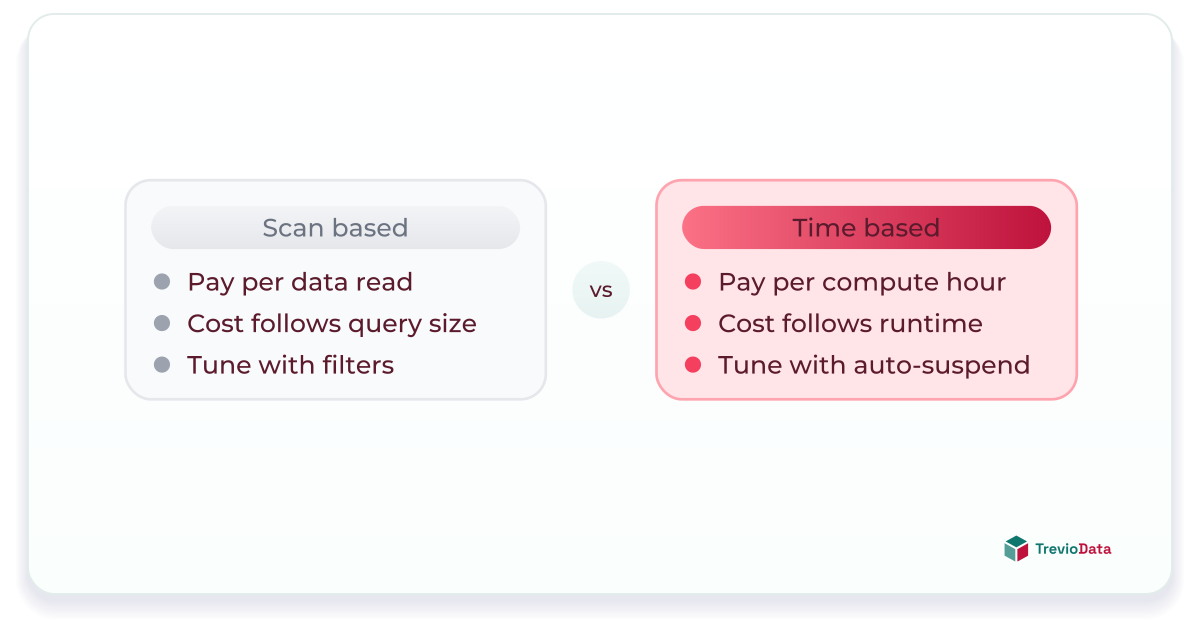
The two compute lines show why the same data can cost very different amounts. On BigQuery, queries that scan less cost less. On Redshift Serverless, the hours you leave the capacity running are the lever. Neither is better in general, and the test is which one matches how your team works.
Notice what the example leaves out. Storage is a few hundred dollars at most, and a single analyst’s salary dwarfs the whole platform bill. That is also why a larger rollout, such as the one in my guide to data platform implementation, should count the build team’s time.
Seven Factors That Push the Bill Up or Down
- Hours of compute. Idle warehouses and always-on clusters are the most common leak.
- Query design. Selecting every column or skipping partitions multiplies the data scanned.
- Refresh frequency. Hourly refreshes of a report that people open weekly cost real money.
- Number of users. More analysts mean more concurrent compute, and often more BI seats.
- Data retention. Keeping every raw copy forever adds up, so tier older data to cheaper storage.
- Commitment level. Reservations discount steady use and penalize unused capacity.
- Skills. A team that knows the platform writes cheaper queries than one that is learning it.
I would add a point of experience. The first bill is rarely the problem, and the third is. Usage grows with adoption, so the platform people love is the one whose cost climbs fastest. Plan for that with monthly reviews rather than yearly ones.
Costs That Rarely Appear in the First Estimate
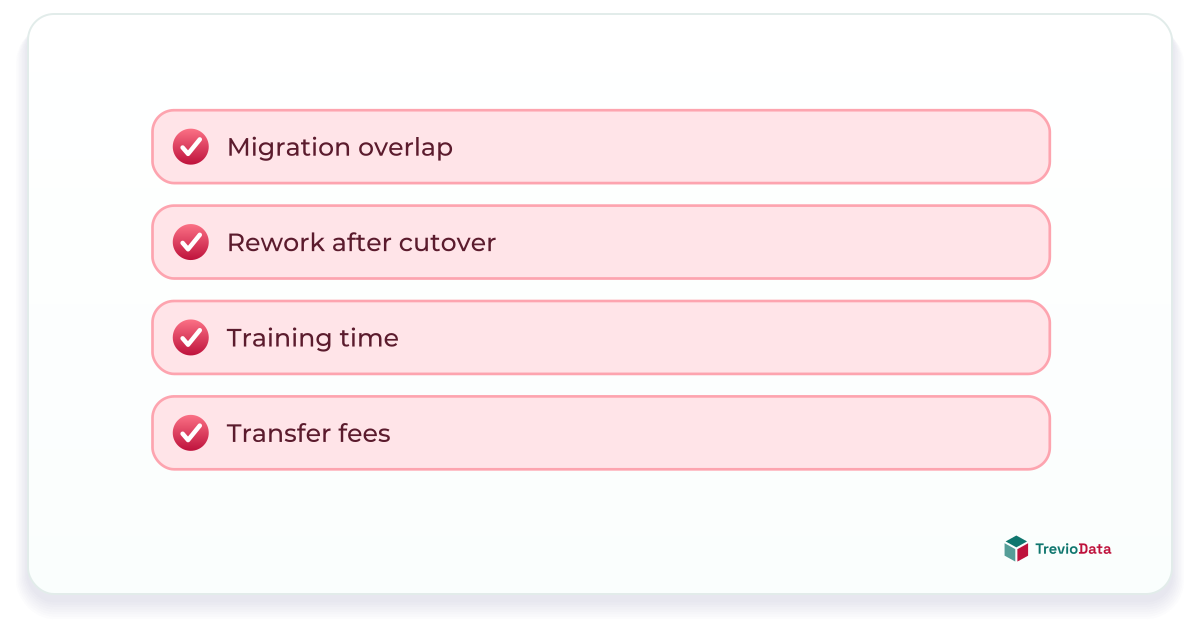
Teams that budget only for the platform invoice miss four items. None is large alone, and together they can add a fifth to the first-year total.
- Parallel running. During a migration you pay for the old and the new system at once, usually for one to three months.
- Rewrites. Jobs and reports that used vendor-specific features need rework, and the effort is hard to guess before you open them.
- Training and onboarding. Analysts need time to learn a new tool, and productivity dips for a few weeks.
- Security and compliance work. Access reviews, masking and audit logging take engineering hours, especially for health or financial data. Check the rules that apply to you with your own advisers.
A figure of one fifth is my rough rule from past projects, not a benchmark, and your own total depends on how much you migrate. The safest approach is a small proof of concept that surfaces these items before the contract is signed.
Ways to Keep the Bill Predictable
These habits are cheap to set up and prevent most surprises:
- Set budgets and alerts at 50, 80 and 100 percent of the monthly plan.
- Turn on auto-suspend and a short idle timeout for compute.
- Partition and cluster large tables, and cap the data any single query may scan.
- Tag compute by team so every group sees its own cost.
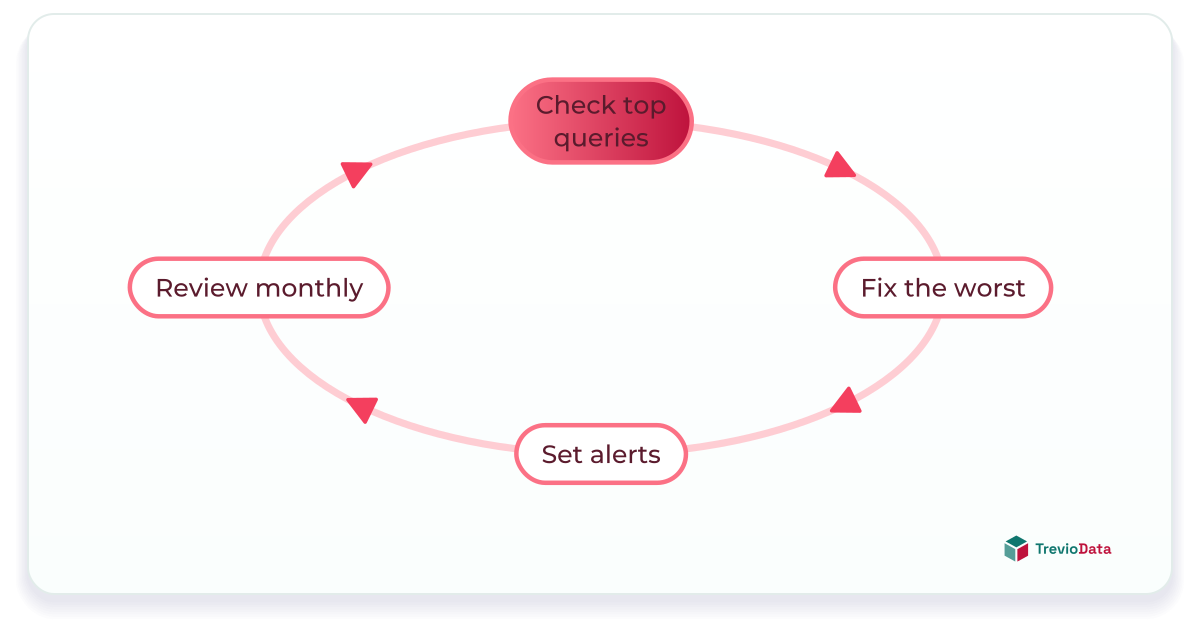
- Review the top ten most expensive queries every month.
- Move old data to cheaper storage tiers.
Then give the cost report an owner. In my client work the single biggest improvement is a monthly thirty-minute review with the budget holder and one engineer. Most savings come from the first two reviews, after which spend settles.
One more habit helps with forecasting. Keep a simple sheet with three columns: the cost you expected, the cost you got and the reason for the gap. After three months you will see a pattern, such as a nightly job that scans a full table or a dashboard that refreshes too often. Each reason becomes a rule for the next project, and your estimates get closer to the invoice every quarter. Finance teams like this sheet because it turns a technical bill into a story they can follow, and it makes the next budget conversation short.
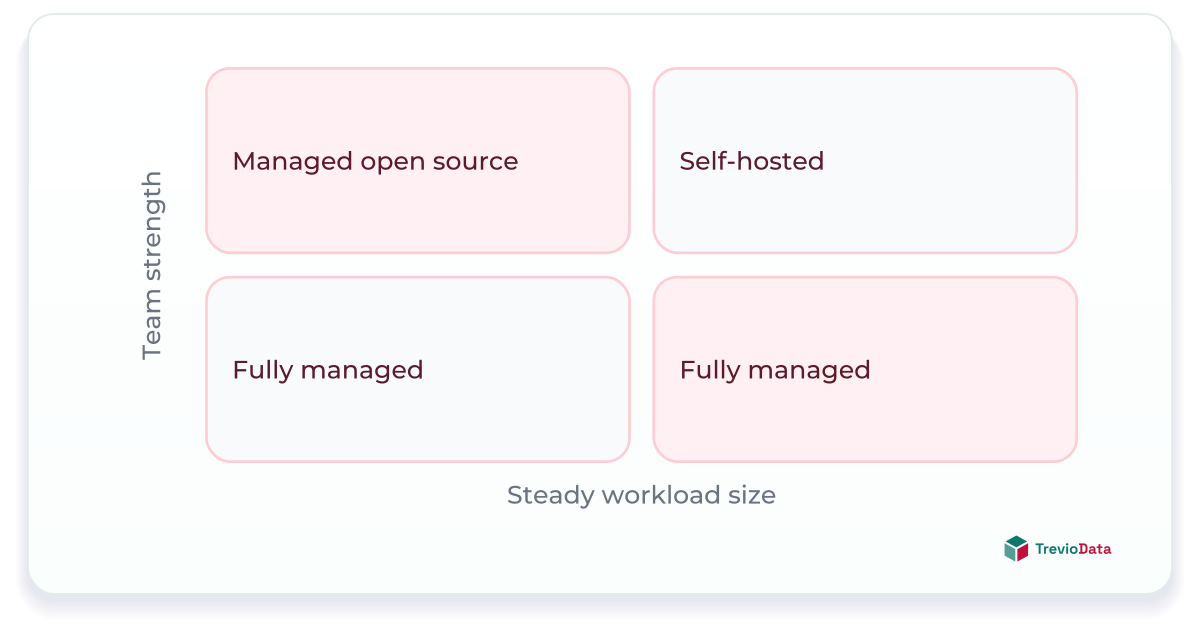
Self-Hosted or Managed: The Cost Trade-Off
Open-source engines such as ClickHouse or Spark on your own servers have no license fee, and they have a people fee. A rough comparison helps you decide where you sit.
| Option | You pay for | Best when |
|---|---|---|
| Fully managed service | Usage, at a premium for convenience | Your team is small and time matters more than unit price |
| Managed open source | A vendor’s hosting plus your own tuning | You want open formats and some control |
| Self-hosted open source | Servers, monitoring and engineer time | You have strong engineers and very large, steady workloads |
Before you decide, write the three-year cost for each option, including the person who is on call. Then check your choice against the plan in my data platform strategy guide, so the cost model and the priorities agree. Companies that have already made these choices are described in data platform examples.
How to Pick Your Budget Number
Work through these four steps before you set a budget:
- Estimate data volume today and in two years, and the number of active users.
- Price two platforms with their own calculators, using the same workload.
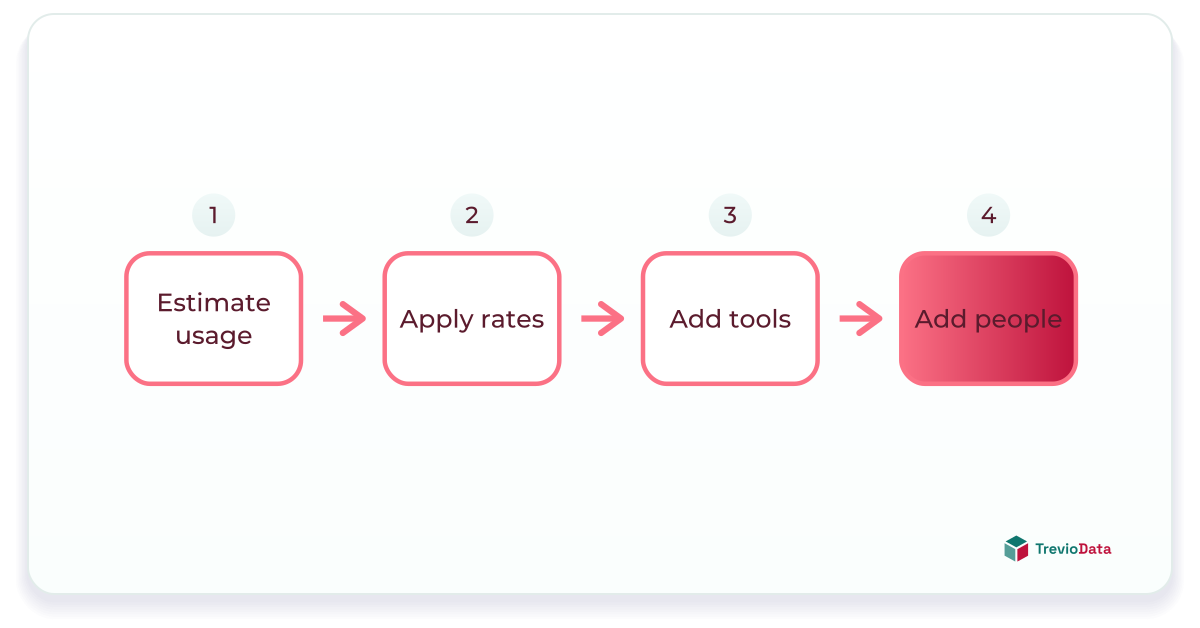
- Add the surrounding tools and the people time, and write the total for year one and year three.
- Set the budget at the year-one figure plus a buffer, and review it monthly.
If the numbers surprise you, a small proof of concept on real data settles the argument faster than another spreadsheet.
Questions About Data Platform Cost
How Much Does a Data Platform Cost?
For a mid-sized company, I see monthly platform bills from a few hundred dollars for a small cloud setup to tens of thousands for large, busy ones. The software bill is often smaller than the people cost of building and running it. Your number depends on data volume, users and how long compute runs.
What Is the Biggest Cost Driver?
Compute, followed by people. Storage is cheap by comparison: BigQuery lists active storage at about $0.023 per GiB per month, and Redshift lists managed storage at $0.024 per GB-month. Compute left running, or queries that scan too much data, produce most surprise bills.
Is On-Demand or Reserved Pricing Cheaper?
On-demand is cheaper for light or unpredictable use, and reserved capacity is cheaper for steady heavy use. Microsoft, for example, says a one-year or three-year Fabric reservation can save about 41% compared with pay-as-you-go. Measure your usage for a few months before you commit.
How Do I Keep a Data Platform Bill Under Control?
Set budgets and alerts on day one, auto-suspend idle compute, partition large tables, and review spend by team every month. Assign one person to own the cost report. These habits matter more than switching vendors.
Are Open-Source Tools Really Free?
The license is free, and the work is not. You pay for servers, upgrades, monitoring and the engineer who is on call when something breaks. Self-hosting often wins at large scale or with strong engineers, and managed services win for small teams.
How Much Does It Cost to Migrate to a New Platform?
Migration costs are mostly people and a period of paying for two systems at once. Plan for a parallel run of at least one month-end close, and budget for rewriting jobs that used vendor-specific features. A scoped audit gives you a fixed number before you start.
Should I Include People Costs in the Platform Budget?
Yes. A platform with no one to run it is a bill without a return. Count engineering, analytics and a share of security and finance time, and compare the total with the value of the decisions the platform supports.
Sources
- Google Cloud: BigQuery pricing
- AWS: Amazon Redshift pricing
- ClickHouse: pricing
- Cloudera: pricing
- Microsoft Azure: Fabric pricing
Note: This article is general information, not legal, financial or tax advice. Figures and examples are estimates based on typical projects, so check current details with your providers and advisers before you decide.
Was this article helpful?
Thank you for letting us know.
Camille leads the Trevio editorial team and works with our consultants to turn real client projects into practical guides on data strategy, engineering and governance. Before joining Trevio, she spent 11 years in data engineering and analytics roles. She has since edited more than 300 articles on data management and reviewed pipelines and platforms from over 100 client projects. She is based in Denver, Colorado.