Key Takeaways
- Object storage on S3, Azure or Google Cloud is the base of almost every lake, and the cloud you already use usually decides which one.
- Databricks fits Spark and machine learning, while Snowflake and Dremio fit teams that want to query lake data in plain SQL.
- Lake Formation and similar catalogs handle access rules, because storage alone does not tell you who may see what.
- Most teams need one storage layer, one table format, one query engine and one catalog, so start small and add tools only when a real problem calls for them.
The Best Data Lake Tools at a Glance
| Tool | Type | Best for |
|---|---|---|
| 1. Amazon S3 | Object storage | Teams on AWS building the storage layer |
| 2. Azure Data Lake Storage | Object storage | Microsoft-centered companies |
| 3. Google Cloud Storage | Object storage | Teams using BigQuery and Looker |
| 4. AWS Lake Formation | Governance | Access control on S3 lakes |
| 5. Databricks | Lakehouse platform | Spark, streaming and ML workloads |
| 6. Snowflake | Cloud data platform | SQL-first teams querying open tables |
| 7. Dremio | SQL lakehouse engine | Fast Iceberg queries without copies |
| 8. Starburst | Federated SQL | Querying many sources at once |
The 8 Best Data Lake Tools, Ranked
I start with the storage layers that every lake needs and move toward the platforms that query and govern the data on top. The tool is only part of the result: in data lake consulting projects, layout, table formats and ownership decide more than the logo on the invoice. If you are still sketching the rollout, my data lake implementation guide shows where each tool fits in the timeline.
Amazon S3
The Default Lake Storage Layer for Teams Already on AWS
Amazon S3 is object storage that holds most of the world's cloud data lakes, with nearly every analytics tool able to read from it.
S3 is where I start when a client already runs on AWS. You land raw files in a bucket, organize them into prefixes for raw, cleaned and curated zones, and point Athena, Redshift, Databricks, Snowflake or Dremio at the same data. Storage classes and lifecycle rules move old files to cheaper tiers automatically, which keeps a lake affordable as it grows.
The weak spot is order. S3 gives you buckets and keys, nothing more, so permissions, small-file sprawl and naming rules are your job. On one project a team had four million files under two hundred kilobytes each, and query times were bad until we compacted them into partitioned Parquet files. Treat S3 as the foundation and add a table format and a catalog on top.
Pros of Amazon S3
- Practically every analytics engine reads it, so you avoid lock-in to one query tool
- Storage classes and lifecycle rules cut cost on cold data
- Durability and scale are far beyond what a small team could run itself
Cons of Amazon S3
- Buckets are only storage, so catalog, permissions and quality are extra work
- Request, transfer and small-file costs surprise teams that skip planning
Amazon S3 Pricing
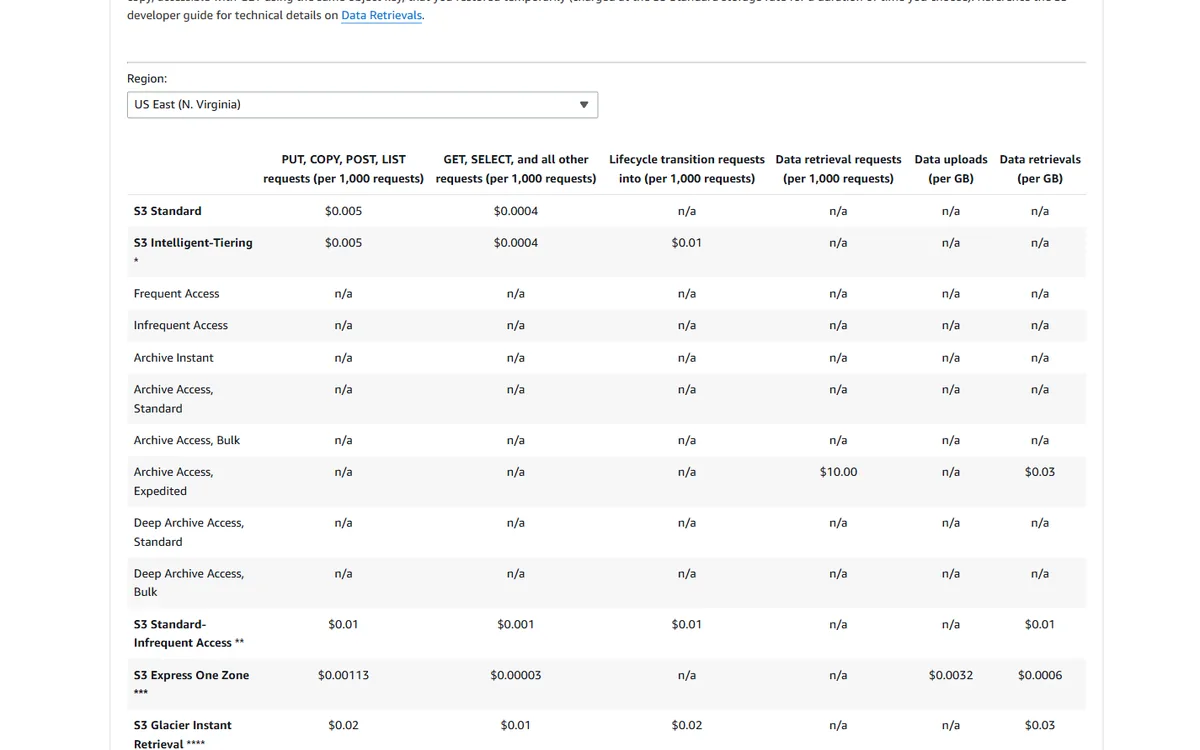
S3 bills for storage, requests, data transfer and management features. S3 Standard storage starts at $0.023 per GB per month for the first 50 TB in US East (N. Virginia), and colder classes such as Intelligent-Tiering and Glacier cost less per GB with minimum storage durations or retrieval fees. Prices vary by region, so use the AWS pricing calculator for yours.
Amazon S3 Reviews
- G2: 4.6/5 average (from 948 reviews)
Azure Data Lake Storage
The Natural Choice for Lakes Built Around Microsoft Fabric, Synapse and Power BI
Azure Data Lake Storage Gen2 adds a hierarchical namespace and file-level permissions to Azure Blob Storage, which suits analytics workloads.
If your company runs on Microsoft, ADLS Gen2 is usually the right home for the lake. The hierarchical namespace gives you real folders and fast renames, which matters for big Spark jobs, and access control lists let you set permissions per folder. It plugs straight into Azure Databricks, Synapse, Fabric and Power BI.
I like the tight identity story with Microsoft Entra ID, because your existing groups can control access. The catch is that permissions come in several layers, with role assignments and ACLs interacting in ways that confuse people. Plan the folder structure and the access model together before you load the first file, because changing ACLs on millions of files later is slow.
Pros of Azure Data Lake Storage
- Folder-level ACLs and a hierarchical namespace suit big data jobs
- Works closely with Fabric, Databricks, Synapse and Power BI
- Access tiers (hot, cool, cold and archive) help control cost on older data
Cons of Azure Data Lake Storage
- Role assignments and ACLs together are easy to misconfigure
- Strongest when you stay inside the Microsoft ecosystem
Azure Data Lake Storage Pricing
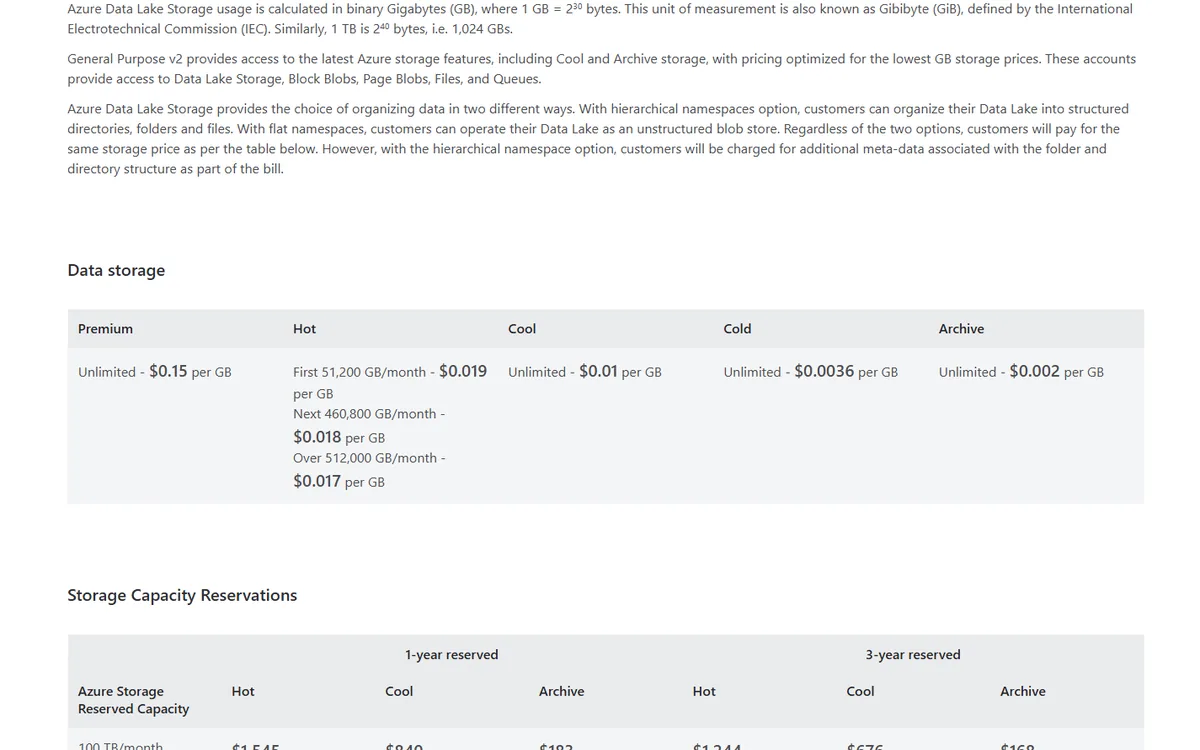
ADLS Gen2 uses pay-as-you-go pricing by capacity, access tier, redundancy option, region and operations. The prices did not load on Microsoft's public page when I checked, so use the Azure pricing calculator with your region, redundancy and tier selected for a real number.
Azure Data Lake Storage Reviews
- No verified G2 or Capterra rating was available when I checked, so I do not list one.
Google Cloud Storage
Simple, Fast Object Storage That Pairs Well With BigQuery
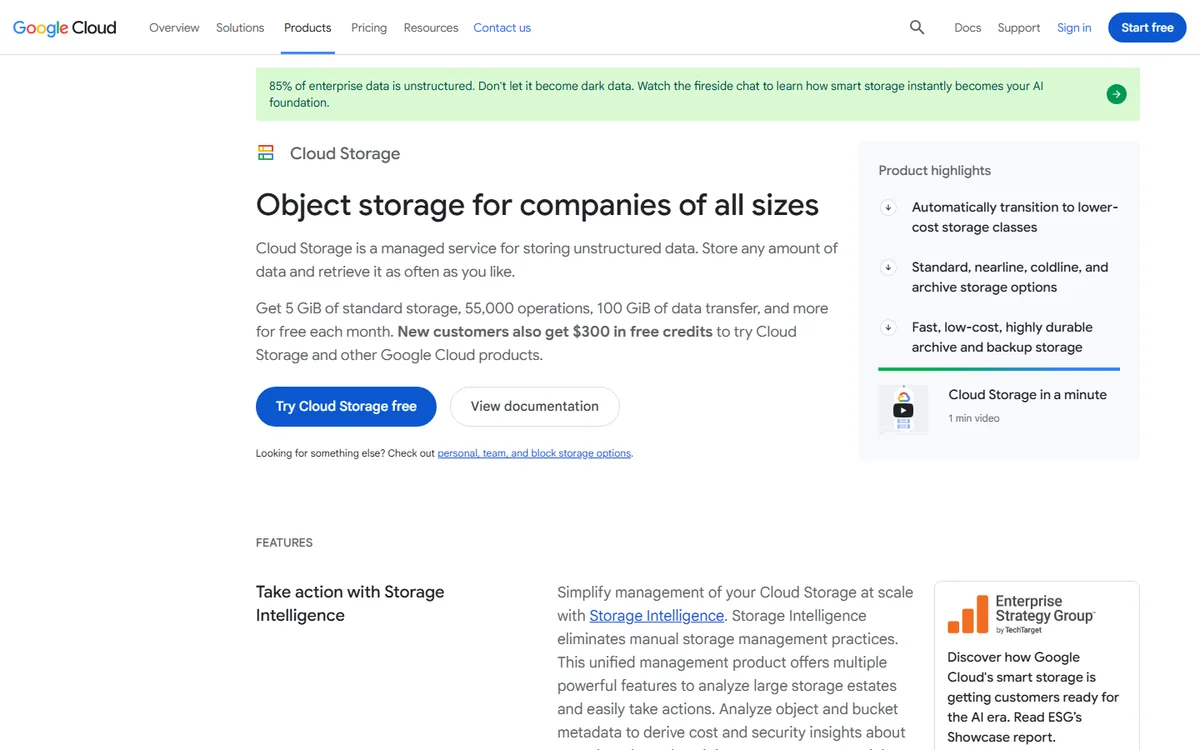
Google Cloud Storage is object storage with a single API across four storage classes, and it works as the base for lakes that use BigQuery and Dataproc.
Cloud Storage keeps things simple. One bucket model, four storage classes (Standard, Nearline, Coldline and Archive) and the same API for all of them, so moving cold data to cheaper classes needs no code change. BigQuery can query files in Cloud Storage directly through external tables and BigLake, which gives you a clean path from lake to warehouse.
I recommend it when a client already uses BigQuery or Looker and wants raw data nearby. The honest limit is that its folder layout is flat, so renames of big prefixes copy objects, and the governance tooling is spread across BigLake, Dataplex and IAM. Budget time to learn how those fit together.
Pros of Google Cloud Storage
- Four storage classes under one API make lifecycle moves easy
- External tables and BigLake connect the lake to BigQuery
- Strong default performance and durability with little setup
Cons of Google Cloud Storage
- Governance sits in several services, which takes time to learn
- Early deletion fees apply to Nearline, Coldline and Archive
Google Cloud Storage Pricing
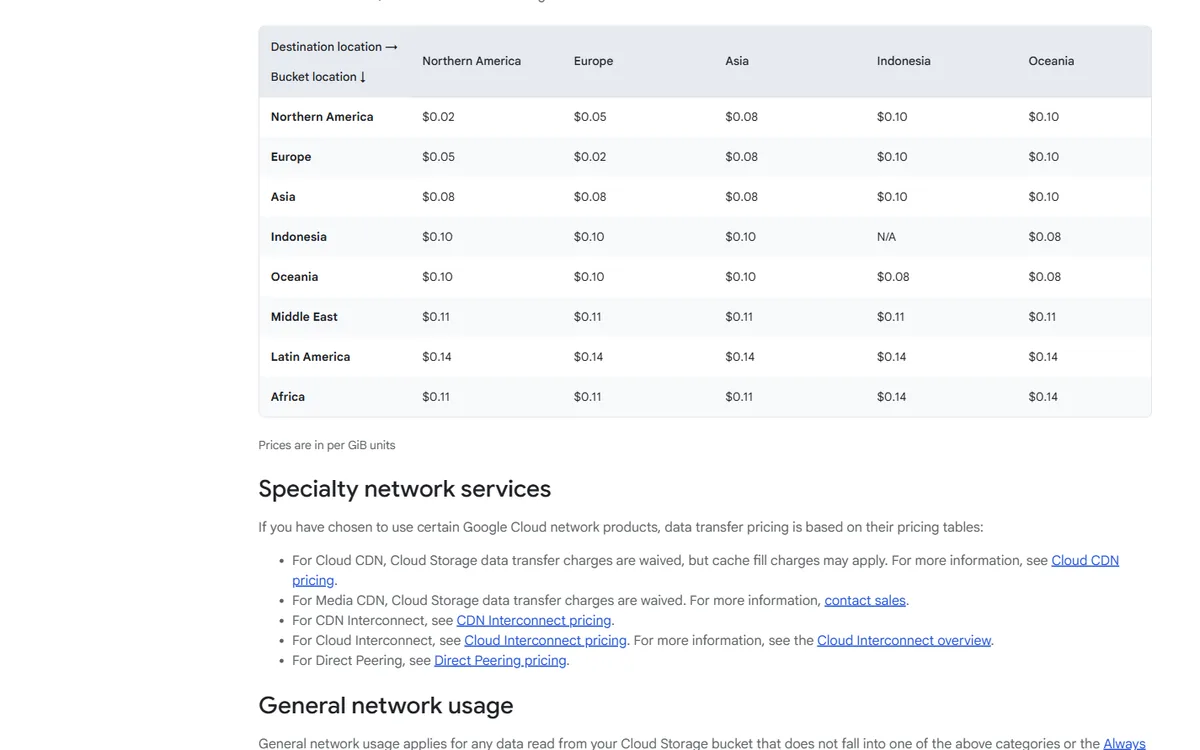
In us-central1 (Iowa), Standard storage costs about $0.020 per GB per month, Nearline about $0.010, Coldline about $0.004 and Archive about $0.0012. Nearline, Coldline and Archive have minimum storage durations of 30, 90 and 365 days. Operations, network egress and other regions are priced separately.
Google Cloud Storage Reviews
- G2: 4.6/5 average (from 604 reviews)
AWS Lake Formation
The Governance Layer for S3 Lakes: Permissions, Sharing and Fine-Grained Access
AWS Lake Formation manages who can see which databases, tables, columns and rows in a lake stored on S3.
Lake Formation solves the problem S3 alone leaves open: who may read what. You register S3 locations, define tables in the Glue Data Catalog and grant access at database, table, column or row level, instead of writing bucket policies for every team. Athena, Redshift Spectrum and EMR then respect those grants.
It is a governance tool, not a lake by itself, and it only helps if you are on AWS. I find the column and row filters most valuable for healthcare and finance clients, where analysts need most of a table but not the personal fields. The learning curve is real, because Lake Formation permissions and IAM policies both apply, and mixing them badly gives confusing denials.
Pros of AWS Lake Formation
- Column, row and cell-level permissions managed in one place
- Tag-based access control scales better than per-table grants
- No extra charge for the service itself
Cons of AWS Lake Formation
- Works only inside the AWS ecosystem
- IAM and Lake Formation permissions together are hard to debug
AWS Lake Formation Pricing
AWS states there is no additional charge for Lake Formation itself. You pay for the services it works with, such as S3 storage, Glue Data Catalog and ETL jobs, and the query engines you use. Check the current Lake Formation pricing page for exceptions such as governed-table or data-sharing features.
AWS Lake Formation Reviews
- G2: 4.4/5 average (from 38 reviews)
Databricks
The Leading Lakehouse Platform for Spark, Streaming and Machine Learning
Databricks is a lakehouse platform built around Apache Spark and Delta Lake, with SQL, notebooks, streaming and machine learning in one workspace.
Databricks is where I send teams whose lake serves data scientists as much as analysts. Delta Lake adds ACID transactions, schema enforcement and time travel to files on S3, ADLS or Google Cloud Storage, so the lake behaves like a set of reliable tables. Unity Catalog adds lineage, access control and a search layer across everything.
The trade-off is cost discipline. Compute bills by the DBU, clusters left running overnight add up, and teams new to Spark often over-provision. In my client work, the first month of tagging clusters and setting auto-termination pays for itself. It also helps to decide early whether you will use Databricks SQL for BI or keep a separate warehouse.
Pros of Databricks
- Delta Lake makes lake tables reliable, with transactions and time travel
- Strong for streaming, Spark and machine learning workloads
- Unity Catalog brings governance and lineage across clouds
Cons of Databricks
- Cost control needs attention, because idle clusters bill quickly
- The platform has a lot of features, so onboarding takes time
Databricks Pricing
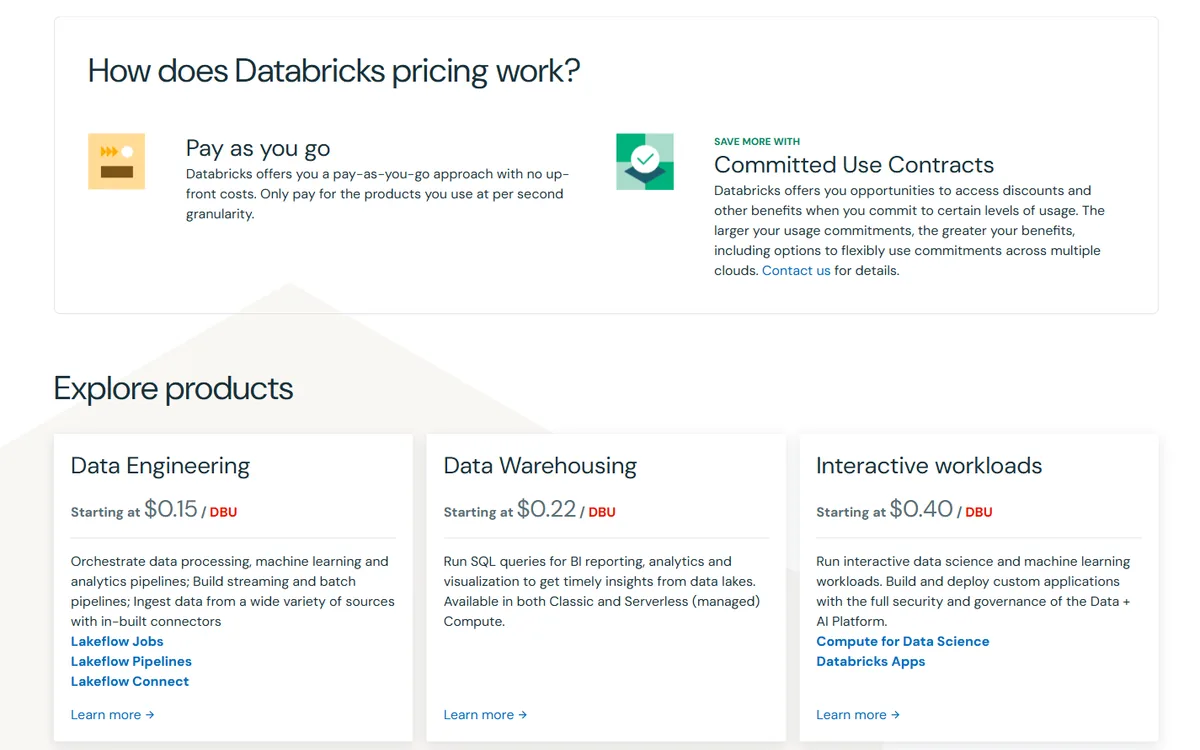
Databricks uses pay-as-you-go pricing with no up-front costs, based on compute usage in Databricks units (DBUs). Committed-use contracts offer discounts, and a free trial gives access to the platform. If you connect it to your own cloud account, your cloud provider still charges for the underlying resources. Databricks publishes a price list by product and a cost calculator, so check current rates for your cloud.
Databricks Reviews
- G2: 4.6/5 average (from +1,400 reviews)
- Capterra: 4.5/5 average (from 23 reviews)
Snowflake
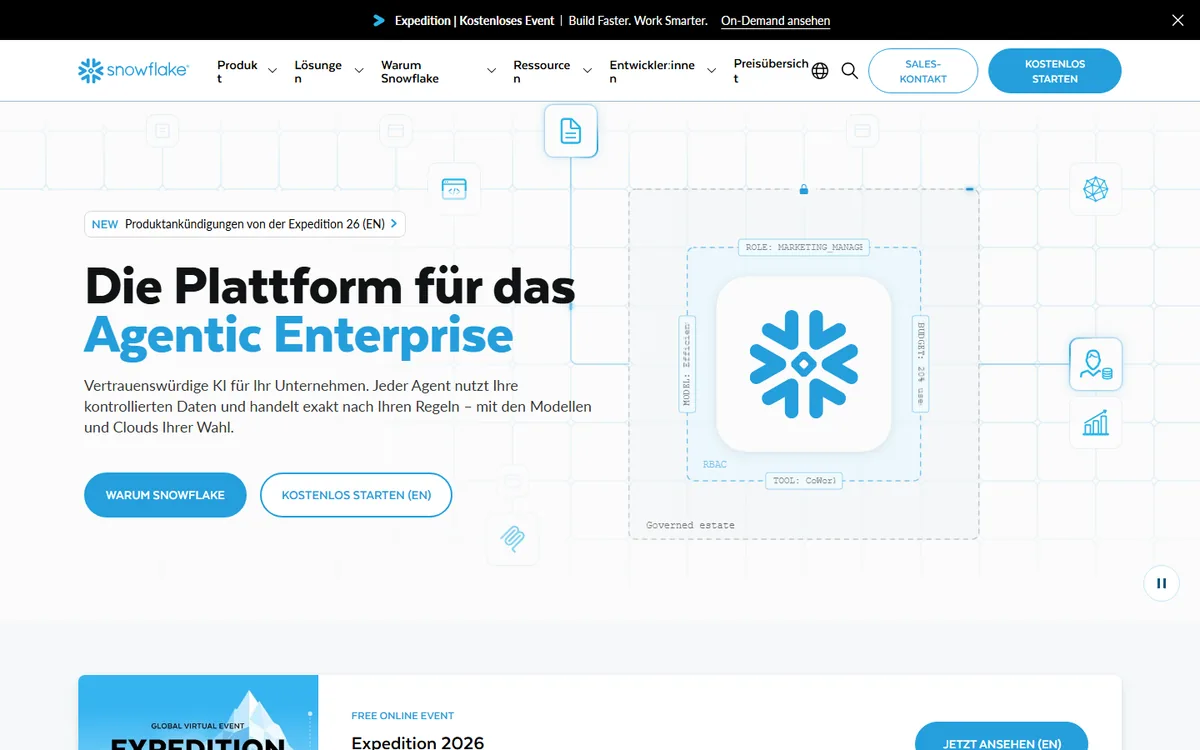
The Easiest Way to Query Lake Data With SQL, Including Open Iceberg Tables
Snowflake is a cloud data platform that can query data in your own storage through Apache Iceberg tables, as well as its own managed storage.
Snowflake started as a warehouse, and it now reaches into the lake through Iceberg tables and external tables. You keep files in your own S3, Azure or Google bucket, and Snowflake queries them with the same SQL, roles and sharing features your analysts already know. For SQL-heavy teams with little Spark skill, that is the lowest-effort way to a lakehouse.
Costs are the thing to watch. Compute is billed in credits while a warehouse runs, so auto-suspend settings and warehouse sizes matter more than storage price. I also tell clients to test Iceberg performance on their own queries, because managed tables and external tables can behave differently.
Pros of Snowflake
- Plain SQL access to lake data, with strong sharing and role controls
- Separate compute and storage, with fast scaling
- Supports open Iceberg tables, which reduces lock-in
Cons of Snowflake
- Credit-based compute needs monitoring to avoid surprise bills
- Heavy machine learning or streaming often fits Databricks better
Snowflake Pricing
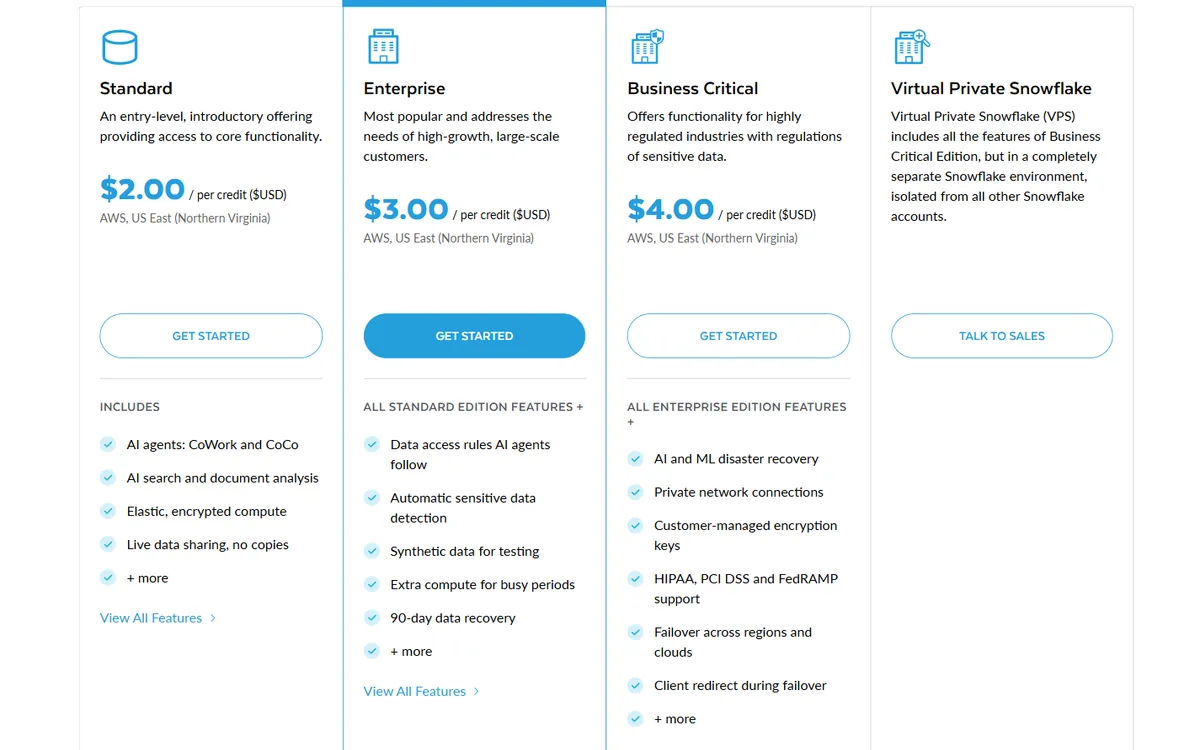
Snowflake uses consumption-based pricing. You pay for compute in credits, for storage by the terabyte per month, and for data transfer, and the credit price depends on the edition (Standard, Enterprise, Business Critical or Virtual Private Snowflake) and region. Snowflake does not show a flat per-credit price on its pricing page, so use its pricing calculator or ask for a quote for your region. A free trial is available.
Snowflake Reviews
- G2: 4.6/5 average (from +780 reviews)
Dremio
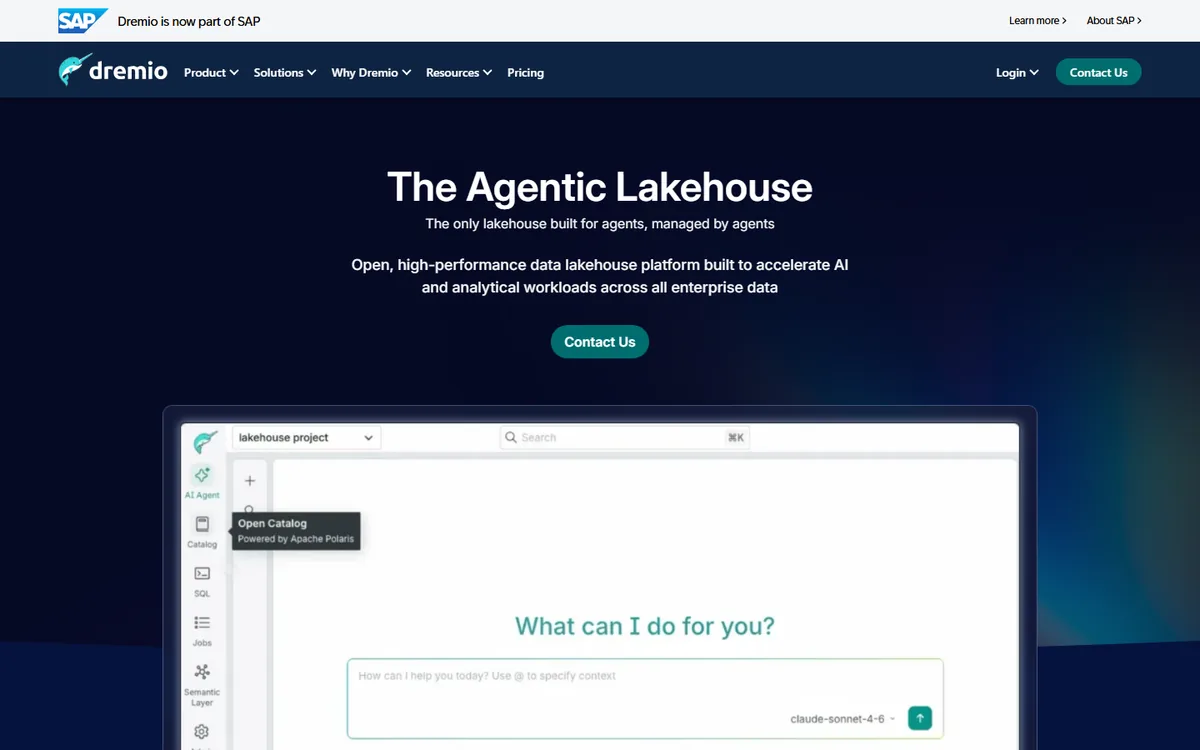
A Fast SQL Engine for Lake Data Built on Apache Iceberg and Arrow
Dremio is a lakehouse platform that runs SQL directly on files and Iceberg tables in your object storage, with a semantic layer and query acceleration.
Dremio targets one job: make queries on lake data fast without copying it into a warehouse. It reads Iceberg tables and Parquet files in place, speeds up repeat queries with reflections, and offers a semantic layer so business users see friendly views instead of raw paths. Its Iceberg catalog, based on Apache Polaris, handles table management.
I like it for teams that want an open, vendor-neutral lakehouse and have strong SQL skills. It is a smaller vendor than Databricks or Snowflake, so you get less ecosystem and fewer people who already know it. Run a proof of concept on your three slowest queries before committing.
Pros of Dremio
- Queries lake files and Iceberg tables in place, with no copy step
- Reflections speed up repeat queries without rewriting reports
- Built on open standards, which limits lock-in
Cons of Dremio
- A smaller community and talent pool than the big platforms
- G2 users rate the perceived cost at the top of its scale, so check the total price
Dremio Pricing
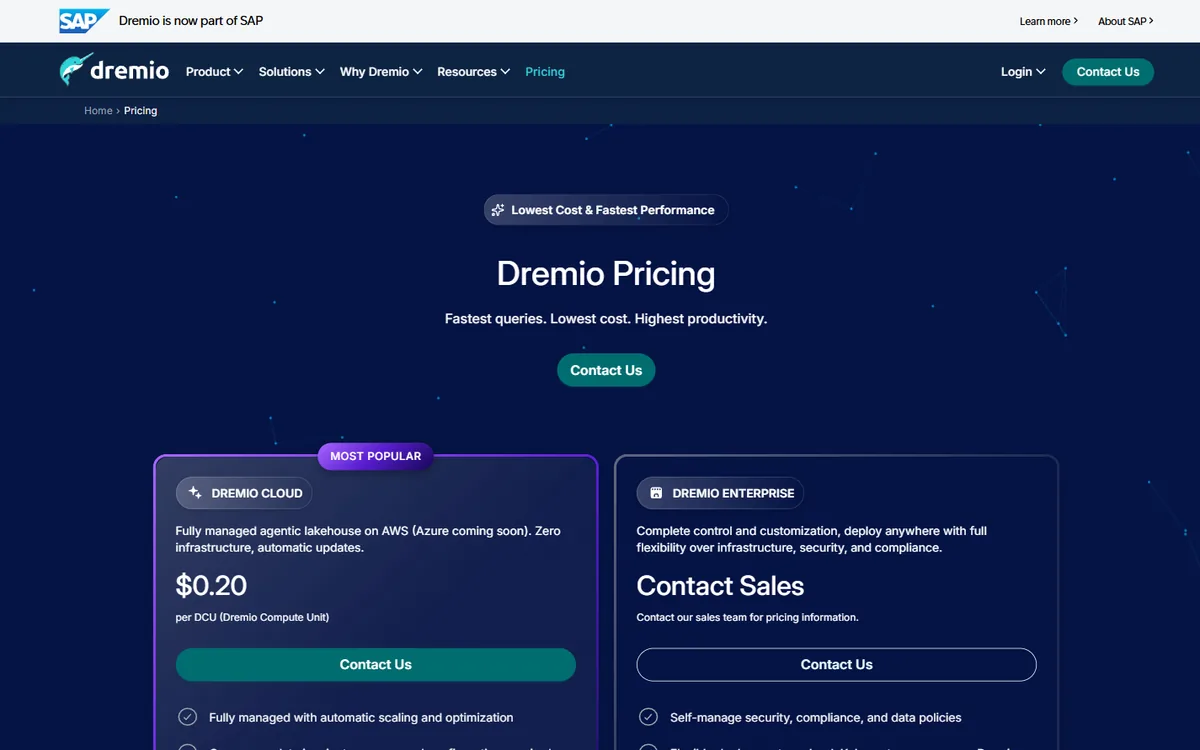
Dremio does not show prices in the G2 listing, and G2 only gives a perceived-cost indicator. Ask Dremio for a quote and compare it with your expected query volume. Plan for storage and compute charges from your cloud provider on top, as the data stays in your own bucket.
Dremio Reviews
- G2: 4.6/5 average (from 71 reviews)
Starburst
The Best Fit When Your Data Lives in Many Places and You Want One SQL Layer
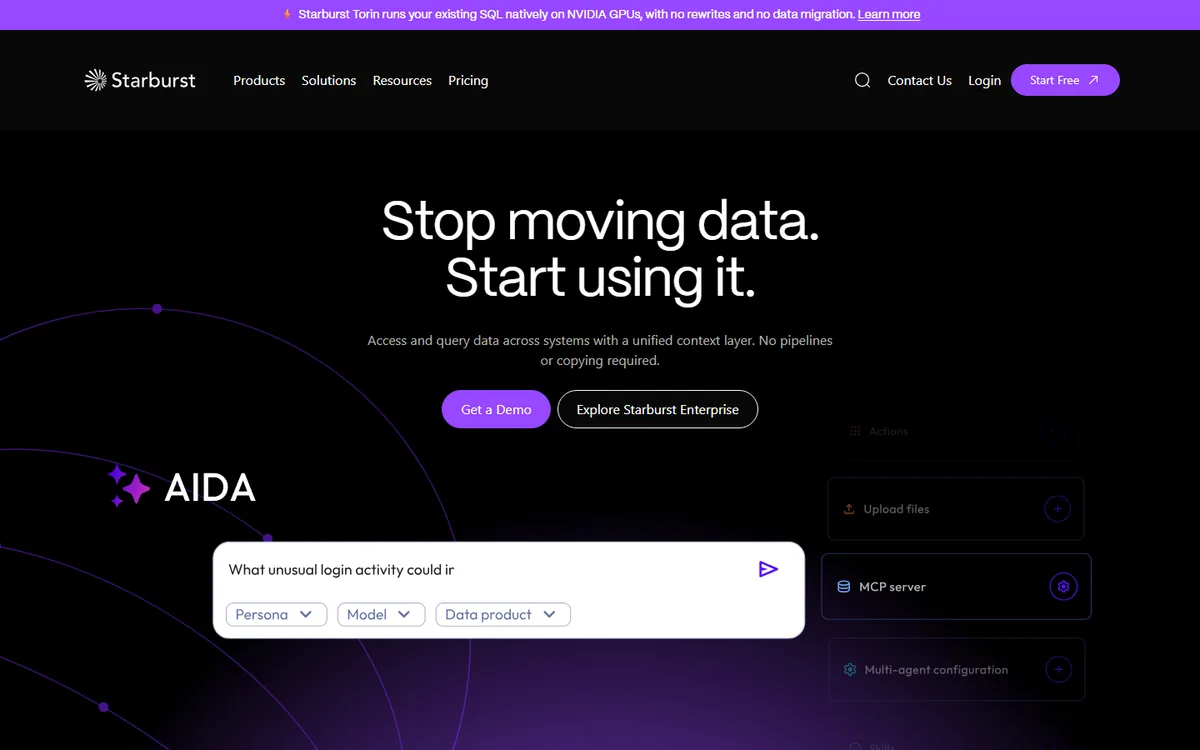
Starburst is a query platform built on Trino that runs SQL across lakes, warehouses and databases without moving the data first.
Starburst turns Trino into a managed product with connectors, security and a data catalog. You can query an S3 lake, a PostgreSQL database and a Snowflake warehouse in one SQL statement, which helps when consolidation is years away. Starburst Galaxy is the cloud service, and Enterprise is for self-managed use.
I suggest it when a client cannot, or should not, copy everything into one place, for example because of data residency rules. The trade-off is performance consistency: federated queries are only as fast as the slowest source, so I still recommend landing the hottest tables in the lake as Iceberg. Expect to tune connectors and cluster size in the first weeks.
Pros of Starburst
- One SQL layer across lakes, warehouses and databases
- Built on open-source Trino, so skills and queries carry over
- Fine-grained access control across connected sources
Cons of Starburst
- Federated queries are limited by the slowest source
- Needs tuning of clusters and connectors to hold performance
Starburst Pricing
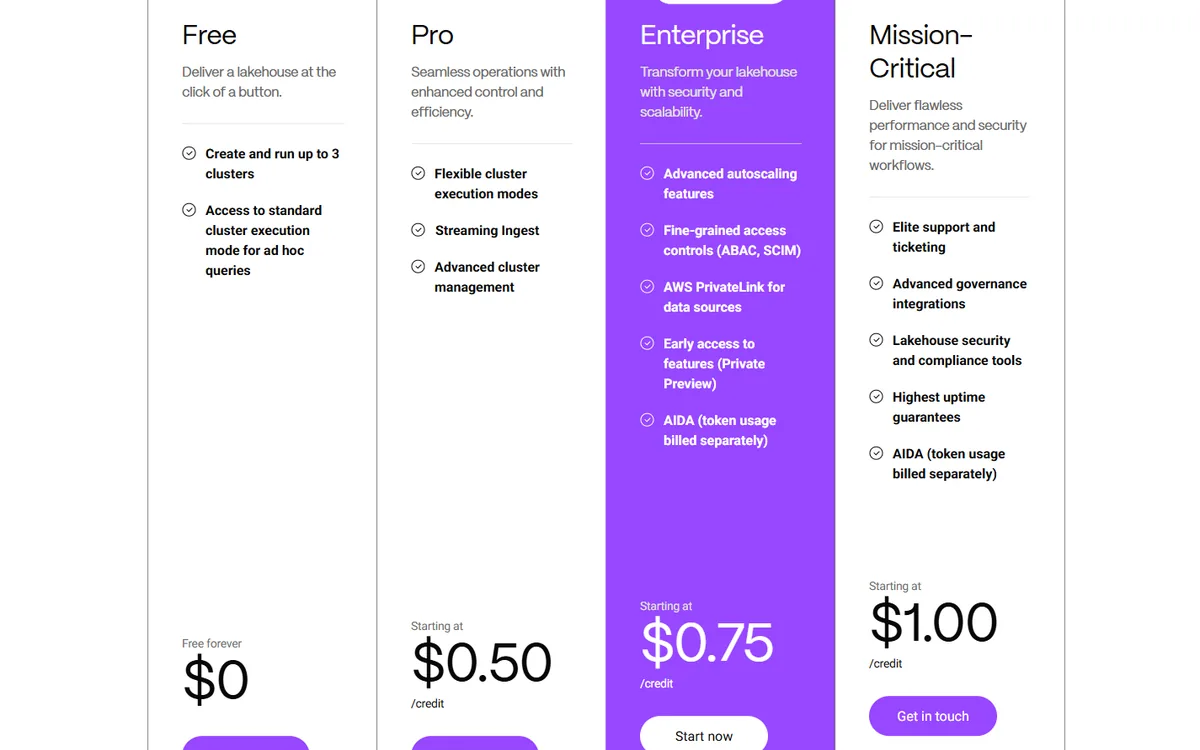
Starburst sells Galaxy as a managed cloud service and Enterprise for self-managed deployments, and pricing depends on usage and contract. I could not confirm a public list price, so ask Starburst for a quote based on your expected queries and compare it with running open-source Trino yourself, which costs engineering time.
Starburst Reviews
- G2: 4.3/5 average (from 128 reviews)
Estimate the Return on a Data Lake Tool
Before you pick a plan, check whether the numbers work for you. Enter the manual hours you want to save and the monthly price of the tool you are considering, and you will see what it could return in a year. Typical wins come from fixing the problems I list in my overview of data lake challenges, such as duplicate copies and queries nobody can tune.
Will the Tool Pay Off for You?
Move the sliders to match the work you want to automate and the plan you are considering.
How to Choose the Right Data Lake Tool
In my experience, your cloud and your team’s skills decide more than any feature list. Before you compare vendors, I suggest you answer four questions:
- Which cloud do you already run on, and where does your data live today?
- Does your team prefer SQL or Spark and Python, and who will tune the platform?
- How sensitive is the data, and which people may see which columns?
- Can you start on a trial and move engines later without rewriting everything?
If you run on AWS and have a small team, S3, Lake Formation and Snowflake or Dremio gets you going fastest. If data science is the main goal, Databricks on your cloud storage is the usual pick. Whatever you choose, follow the habits in my list of data lake best practices, because tools do not fix a weak design. For the bigger picture, my piece on data lake strategy explains how to set goals before you buy, and the data lake pros and cons article helps you check that a lake is the right choice at all.
Questions About Choosing Data Lake Tools
What Is the Best Tool for Building a Data Lake?
There is no single winner. Object storage (Amazon S3, Azure Data Lake Storage or Google Cloud Storage) is the foundation, and the cloud you already use usually decides which. On top of it, Databricks suits Spark and machine learning, Snowflake and Dremio suit SQL-first teams, and Starburst suits federated queries.
Do I Need a Separate Tool for Data Lake Governance?
Often yes. Storage alone gives you buckets and permissions, not a catalog, lineage or column-level control. AWS Lake Formation, Unity Catalog in Databricks, Microsoft Purview and open-source catalogs fill that gap, and the right one depends on your platform.
What Is the Difference Between a Data Lake and a Lakehouse?
A lake stores raw files cheaply. A lakehouse adds table formats such as Delta Lake or Apache Iceberg, so the files behave like reliable tables with transactions and fast SQL. Most new projects aim for a lakehouse.
Should I Choose Delta Lake or Apache Iceberg?
Delta Lake is tightly tied to Databricks, and Iceberg is supported by Snowflake, Dremio, Starburst, AWS and Google. If you want to keep your options open across engines, Iceberg is the safer default, though Databricks can read both.
How Much Does a Data Lake Cost to Run?
Storage is the smaller part. Object storage costs cents per GB per month, and most of the spend goes to query compute, pipelines and people. Tag costs by dataset from day one, and review them monthly.
Can I Build a Data Lake with Free Tools?
Yes. Apache Iceberg, Delta Lake, Trino, Spark and Apache Hive Metastore are open source. You pay for the servers and for the engineering time to run them, so compare that with a managed service before deciding.
When Is a Data Warehouse Enough Without a Lake?
If your data is mostly structured business tables and you have no need for raw logs, images or machine learning, a warehouse alone is simpler. I look at data types, volume and planned AI work before recommending a lake.
Heads up: vendors change prices, plans and ratings often. Everything was checked at the last update date, but confirm on each vendor’s website first. This article is not legal or financial advice.
Was this article helpful?
Thank you for letting us know.
Camille leads the Trevio editorial team and works with our consultants to turn real client projects into practical guides on data strategy, engineering and governance. Before joining Trevio, she spent 11 years in data engineering and analytics roles. She has since edited more than 300 articles on data management and reviewed pipelines and platforms from over 100 client projects. She is based in Denver, Colorado.