Key Takeaways
- Split the lake into raw, cleaned and curated zones with written rules, so everyone knows where data belongs.
- Give every dataset an owner and a catalog entry, and test quality when data crosses between zones.
- Use an open table format, columnar files and sensible partitions to keep queries fast and cheap.
- Control access by dataset and column, and track cost and retention so the lake does not become a swamp.
Most data lakes I am asked to rescue are not broken in a clever way. Files sit in one bucket with no owners, tables cannot be updated safely and the monthly bill has doubled. The fixes are habits, and good data lake consulting mostly consists of installing them early.
Below are seven practices I apply on nearly every lake. Each one has a short explanation, then what to do and what to avoid. The table gives you the whole set in one view, and you can read the details in any order.
The Seven Practices at a Glance
| Practice | Problem it prevents | First step |
|---|---|---|
| 1. Zones with clear rules | Mixed-up data | Create three zones |
| 2. Open table format | Unreliable files | Pick Iceberg or Delta |
| 3. Owners and catalog entries | Unfindable data | Add owner fields |
| 4. Quality tests on entry | Wrong numbers | Test top tables |
| 5. Dataset and column access | Exposed data | Create groups |
| 6. File layout and partitions | Slow, costly queries | Compact files |
| 7. Cost tracking and retention | Growing bills | Tag cost |
The 7 Data Lake Best Practices, With Do’s and Don’ts
If your lake already exists and people distrust it, start with practices 3 and 4. If you are building fresh, take them in order, and use my guide to data lake implementation to place each habit in the project timeline.
1. Organize the Lake Into Zones With Clear Rules
Split your lake into raw, cleaned and curated zones, and say in writing what may enter each one. Raw holds data exactly as it arrived, cleaned holds standardized files and tables, and curated holds business-ready datasets that people query.
On one healthcare project, a team had loaded cleaned and raw extracts into the same folder. Nobody could say which file was the original, and a data fix meant guessing. After we separated the zones, a replay from raw took an afternoon.
- Do this: Give each zone its own bucket or container, its own permissions and a naming rule.
- Avoid this: Mix raw files and edited copies in one folder, or let analysts write into the raw zone.
2. Choose an Open Table Format and Stick to It
Plain files in a lake cannot update a row safely or show you yesterday’s version. A table format such as Apache Iceberg or Delta Lake adds transactions, schema changes and time travel on top of Parquet files, so your lake behaves like a set of reliable tables.
Pick one format per lake and note why. Iceberg is the safer default if several engines will read the data, and Delta Lake fits teams that live in Databricks. Mixing both without a reason doubles the maintenance for little benefit.
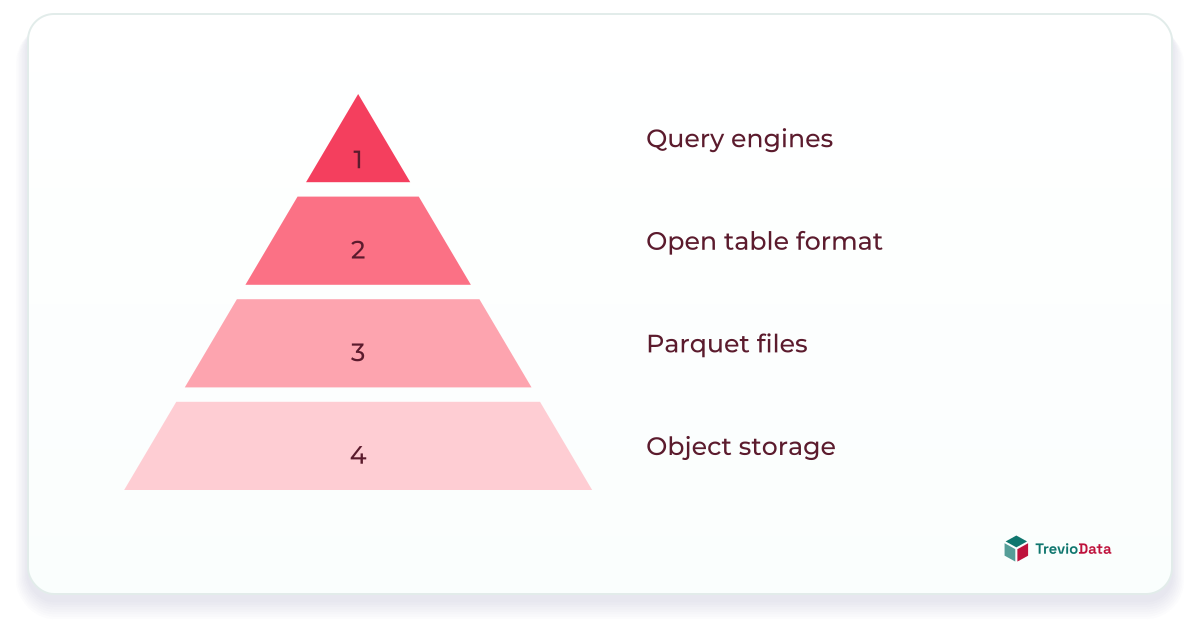
- Do this: Write the format choice into your architecture note and enforce it in pipeline templates.
- Avoid this: Leave important tables as loose CSV files because it was quicker on day one.
3. Give Every Dataset an Owner and a Catalog Entry
A lake without a catalog is a storage bill. Each dataset needs a named owner, a one-line description, a refresh schedule and tags for sensitive columns. Without them, analysts rebuild data that already exists and nobody knows who to ask about a strange number.
The catalog can be simple at first. A shared page generated from code works, and a tool such as AWS Glue Data Catalog, Unity Catalog or an open-source option can follow. The habit of naming an owner matters more than the tool.
- Do this: Block a dataset from the curated zone until it has an owner and a description.
- Avoid this: Plan to document everything in one big cleanup later.
4. Test Data Quality on the Way In
Check freshness, row counts, key uniqueness and accepted values at the boundary between zones. Fail loudly and quarantine bad rows instead of dropping them silently. A lake that accepts anything gives you wrong answers that look right.
These checks also help you push back on source owners. When you can show that a customer ID was empty on four percent of rows after their release, the conversation about a fix gets short. The same tests protect you during platform changes.
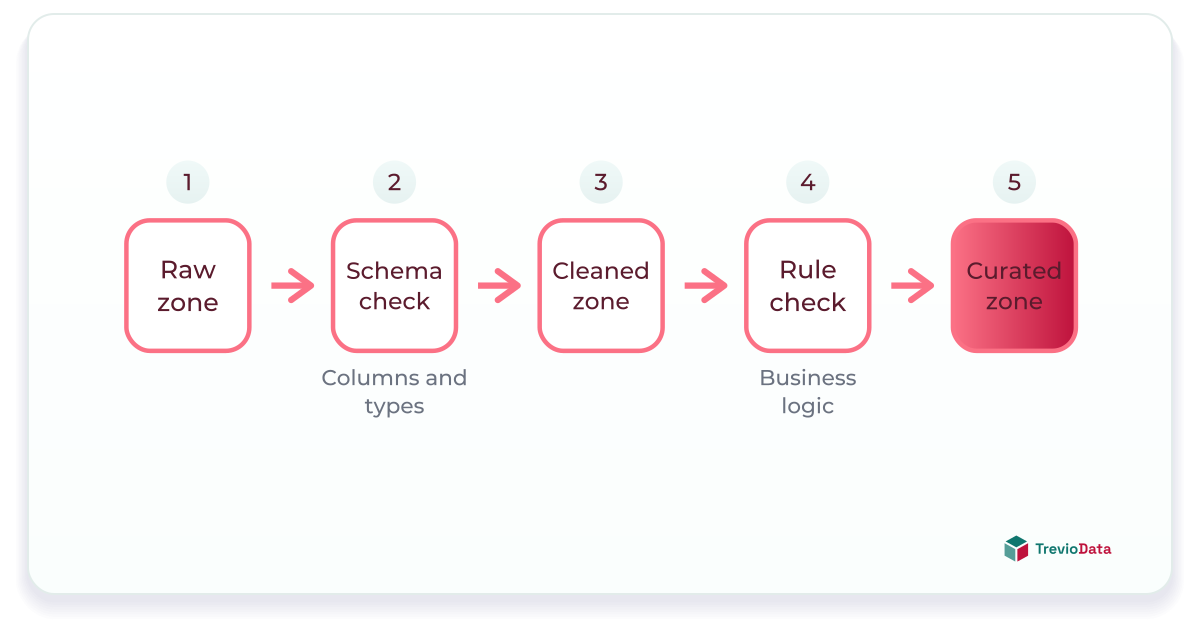
- Do this: Start with your five most-used tables and add a check whenever an incident teaches you something.
- Avoid this: Write hundreds of tests nobody reads, or let alerts fail for weeks until everyone ignores them.
5. Control Access by Dataset, Column and Purpose
Open buckets are the fastest way to a privacy incident. Grant access per dataset, mask or hash sensitive columns and log who reads what. Analysts usually need most of a table, but not the personal fields, and column-level rules let them have exactly that.
Prefer groups over individual grants, and review them on a schedule. Tag-based access control scales better than table-by-table rules once you pass a few dozen datasets.
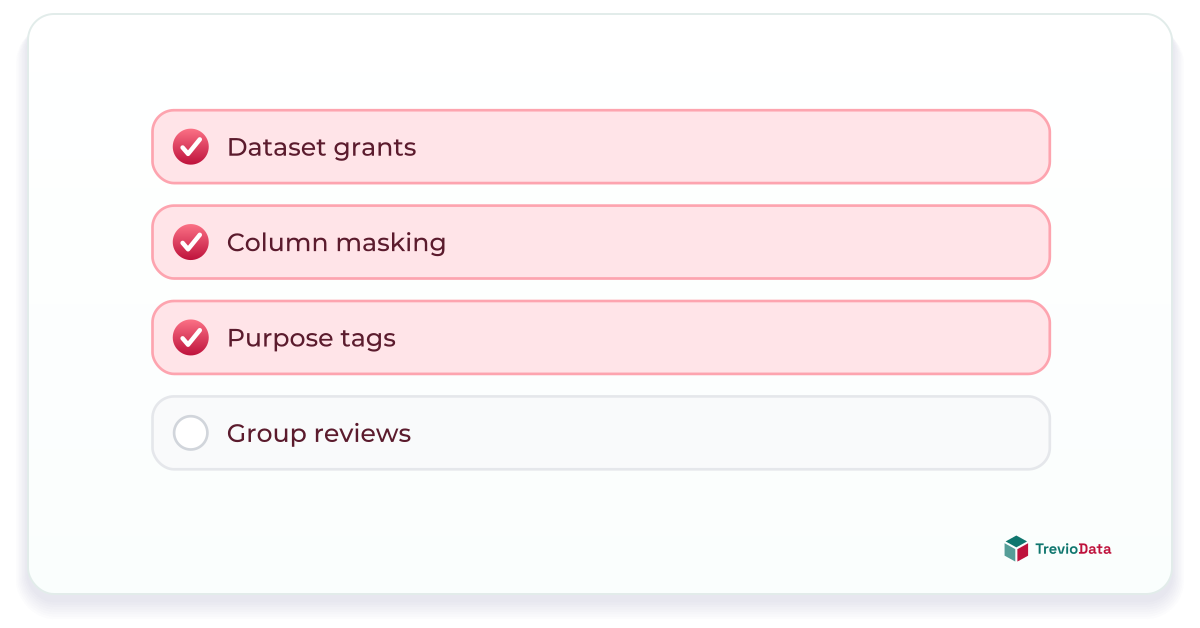
- Do this: Use least-privilege groups and review who has access to sensitive data every quarter.
- Avoid this: Share one broad role across the company because setting up groups takes time.
6. Design Files and Partitions for the Queries You Run
Query cost depends on how much data an engine has to read. Store analytics data as columnar files such as Parquet, partition large tables by a field people filter on, usually a date, and compact small files into larger ones. Millions of tiny files slow every query and raise request costs.
I once saw a daily job write one file per record batch, which produced four million files in a year. Compaction and a sensible partition scheme cut query time from minutes to seconds and removed a surprising share of the bill.
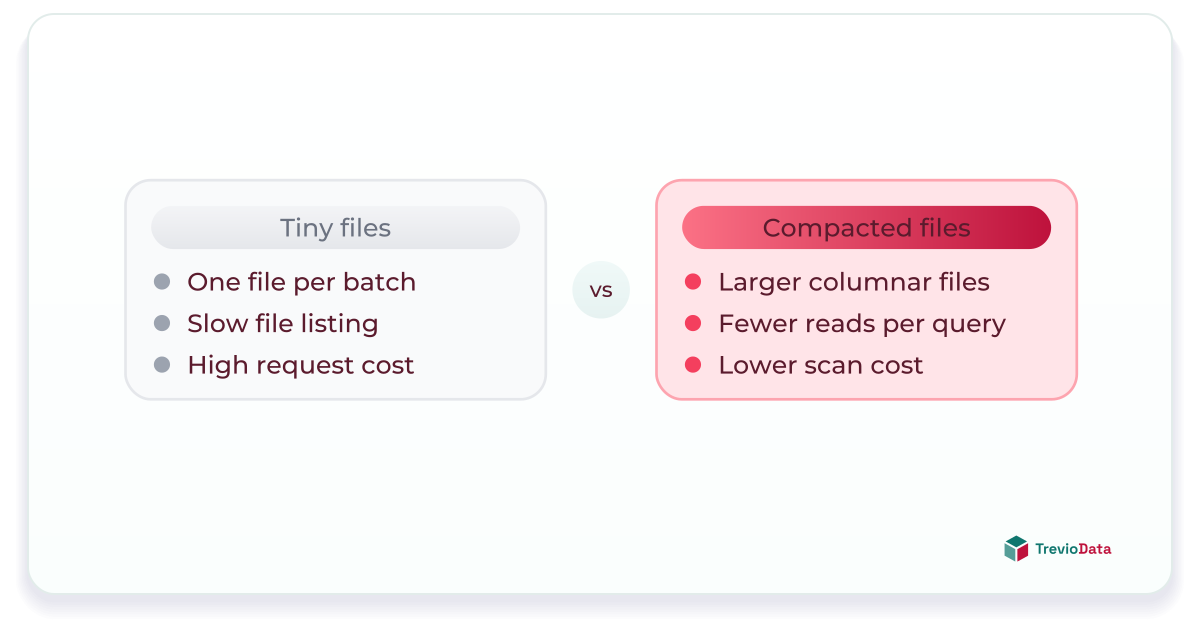
- Do this: Target file sizes in the hundreds of megabytes and schedule regular compaction.
- Avoid this: Partition by a column with millions of distinct values, such as a customer ID.
7. Track Cost and Retire Data Nobody Uses
Storage is cheap, but queries, copies and forgotten datasets add up. Tag compute and storage by team and dataset, review the largest items monthly and apply lifecycle rules that move old data to colder tiers or delete it when retention ends.
Retention also protects you legally and operationally. Data you no longer need still has to be secured, searched and sometimes deleted on request, so keeping everything forever is a risk as well as a cost.
- Do this: Report cost by dataset next to freshness and usage, so owners can see their own numbers.
- Avoid this: Keep every copy forever, or let each team build private duplicates of the same table.
Which Practice to Adopt First
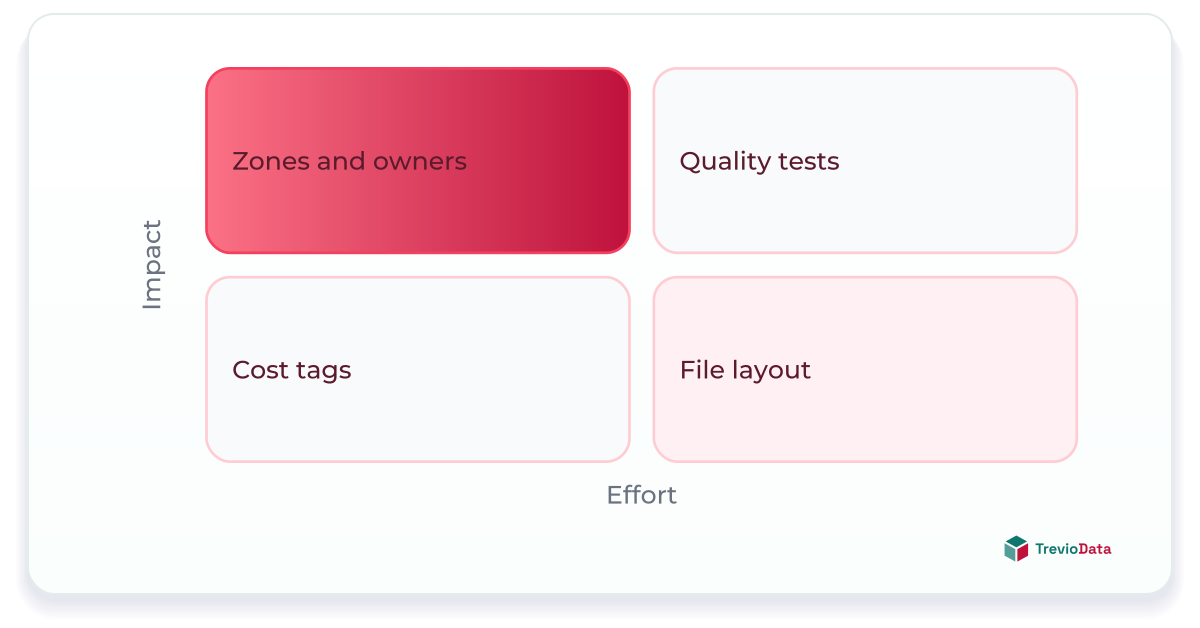
You do not need all seven at once. In my client work, this order removes the most pain per week of effort:
- First, zones and naming rules, because every later habit depends on knowing where data belongs.
- Second, owners and catalog entries for the datasets people use most.
- Third, quality tests and alerts on those same datasets.
- Fourth, access rules and a table format for new tables.
- Fifth, file layout, compaction and cost tags on the biggest tables.
If you are choosing tools to support these habits, my ranking of data lake tools shows which ones handle storage, catalogs and access control well. To tie the habits to business goals, read my piece on data lake strategy first.
When Best Practices Meet Reality
Every team has old data that breaks these rules. Rewriting everything at once rarely works. Apply the habits to new datasets first, then to old ones when they fail or when you need to change them. Over six to twelve months the worst areas get fixed without a big-bang rewrite.
Some problems do not go away with habits. Skill gaps, unclear ownership and tight deadlines come back, and I describe how to handle them in my article on data lake challenges.
Measure progress so the habits stick. Three numbers are enough: how many datasets have an owner and a description, how many quality failures reached the business before your team saw them, and what the lake costs per month. If all three improve over a quarter, the practices work. If one gets worse, look at the dataset behind it and apply the matching habit there.
Keep the list short and visible. A one-page checklist in the pull request template, with the seven practices as tick boxes, reminds reviewers to ask the questions that matter without adding a new process. Before adopting any of them, also weigh the trade-offs in my overview of data lake pros and cons, because a lake is not always the right answer.
One more habit is worth adding to the review: schedule a short monthly meeting where each dataset owner reports on three things, which are failed checks, access requests and cost. Fifteen minutes per owner is enough, and it keeps the lake from drifting back to the state where nobody is accountable.
Picking a Place to Begin in Your Own Team
Look at your last three incidents and ask what would have caught each one. If tests would have, begin there. If nobody could find the data, begin with the catalog. If a privacy question took days to answer, begin with access rules. Your own history is a better guide than any generic list, and a short assessment can map it for you.
Questions About Data Lake Best Practices
What Are the Most Important Data Lake Best Practices?
Four give the biggest return: separate zones with clear rules, an owner and catalog entry for every dataset, quality tests on the way in and access control by dataset and column. File layout, an open table format and cost tracking come right after.
What Is a Data Swamp and How Do I Avoid It?
A data swamp is a lake where data lands with no owner, description or quality checks, so nobody trusts or finds anything. Avoid it with zones, a catalog, owners and automated tests, and remove data nobody uses.
Should I Use Parquet or CSV in My Data Lake?
Use Parquet or another columnar format for analytics data. It is smaller and much faster to query. Keep CSV only in the raw zone when that is how the file arrived.
Do I Need Apache Iceberg or Delta Lake?
If you update or delete rows, share tables across engines or need time travel, yes. Plain files cannot do that safely. Iceberg is the safer default for several engines, and Delta Lake suits Databricks-centered teams.
How Many Zones Should a Data Lake Have?
Three is a good start: raw, cleaned and curated. Some teams add a sandbox for experiments. More than that usually adds confusion, so add a zone only when it has a clear rule and owner.
How Do I Keep Data Lake Costs Under Control?
Tag storage and compute by dataset, compact small files, partition large tables, move cold data to cheaper tiers and review the biggest items monthly with their owners.
How Do I Secure Sensitive Data in a Lake?
Use least-privilege groups, encrypt data at rest and in transit, mask or hash sensitive columns and log access. Review who can see sensitive datasets on a schedule.
Note: This article is general information, not legal, financial or tax advice. Figures and examples are estimates based on typical projects, so check current details with your providers and advisers before you decide.
Was this article helpful?
Thank you for letting us know.
Camille leads the Trevio editorial team and works with our consultants to turn real client projects into practical guides on data strategy, engineering and governance. Before joining Trevio, she spent 11 years in data engineering and analytics roles. She has since edited more than 300 articles on data management and reviewed pipelines and platforms from over 100 client projects. She is based in Denver, Colorado.