Key Takeaways
- Mismatched definitions and bad source data cause most integration pain, and glossaries plus tests solve most of it.
- API limits, source changes and legacy systems break flows, so use maintained connectors, alerts and a raw landing layer.
- Ask what a delay costs before you build real-time flows, because batch is cheaper and often enough.
- Security and ownership gaps are the quiet risks, so use least-privilege accounts and a flow register.
Teams that connect systems hit the same walls in the same order. The first sync works, the second breaks, the bill arrives, and the engineer who knew everything leaves. If you recognize these, you are in good company, and a good data integration consulting partner has seen every one.
Below are seven challenges from my client work, each with its cause, a fix you can start this month and the tools that help. The table gives you a quick map, and you can jump to the one that hurts most.
The 7 Challenges at a Glance
| Challenge | Typical cause | First fix |
|---|---|---|
| 1. Inconsistent Data Definitions Across Systems | Different meanings for the same field | Shared glossary and owners |
| 2. Poor Data Quality at the Source | Source systems and missing checks | Tests plus named source owners |
| 3. API Limits and Source Changes That Break Connectors | Vendor limits and silent changes | Maintained connectors and alerts |
| 4. Legacy and On-Premises Systems With No Clean Interface | Old systems with no interface | Raw landing layer and notes |
| 5. Real-Time Demands Without a Real-Time Need | Speed requested without a reason | Freshness target per flow |
| 6. Security and Compliance Risk in Data Movement | Broad access and loose credentials | Least-privilege accounts |
| 7. Tool Sprawl and No Clear Owner | Teams buying their own tools | Small stack and flow register |
Inconsistent Data Definitions Across Systems
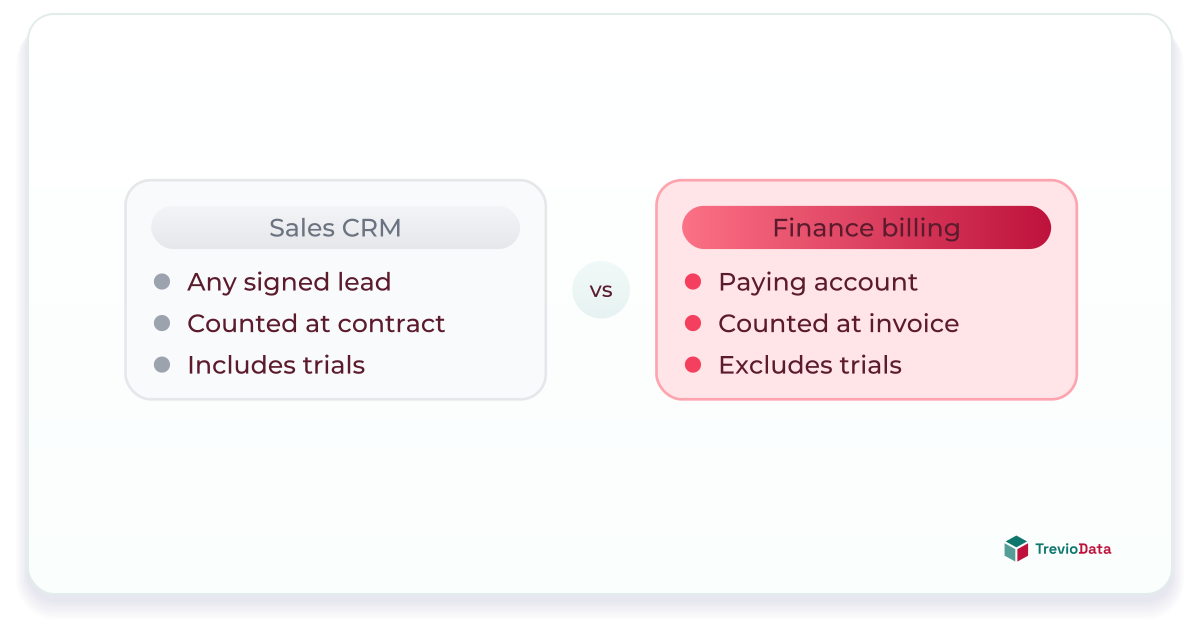
Different systems use the same word for different things. Sales counts a customer when a deal closes, billing counts one when an invoice goes out, and support counts one when a ticket opens. When you connect them, the join works and the numbers still disagree, because the meaning never matched.
The fix is a short business glossary agreed before you build. Each shared entity, such as customer, order or product, gets one definition, one owner and one rule for which system wins when values conflict. In my client work, a two-hour workshop with the system owners removes more rework than any tool.
How to Agree One Set of Definitions
- List the five entities every team uses.
- Write one definition for each, with an example.
- Name the system of record for every field.
- Agree the rule for conflicts, such as latest update wins.
- Publish the glossary where analysts and engineers both look.
What to Use for the Glossary
Use a data catalog or even a shared document to hold the glossary. Master data tools help once you have many conflicting records.
Poor Data Quality at the Source
Integration does not clean data, it moves it faster. Duplicate contacts, free-text values in dropdown fields and missing keys travel into the warehouse unchanged, and then show up in a report as a surprise. Teams often blame the pipeline when the problem started in the source.
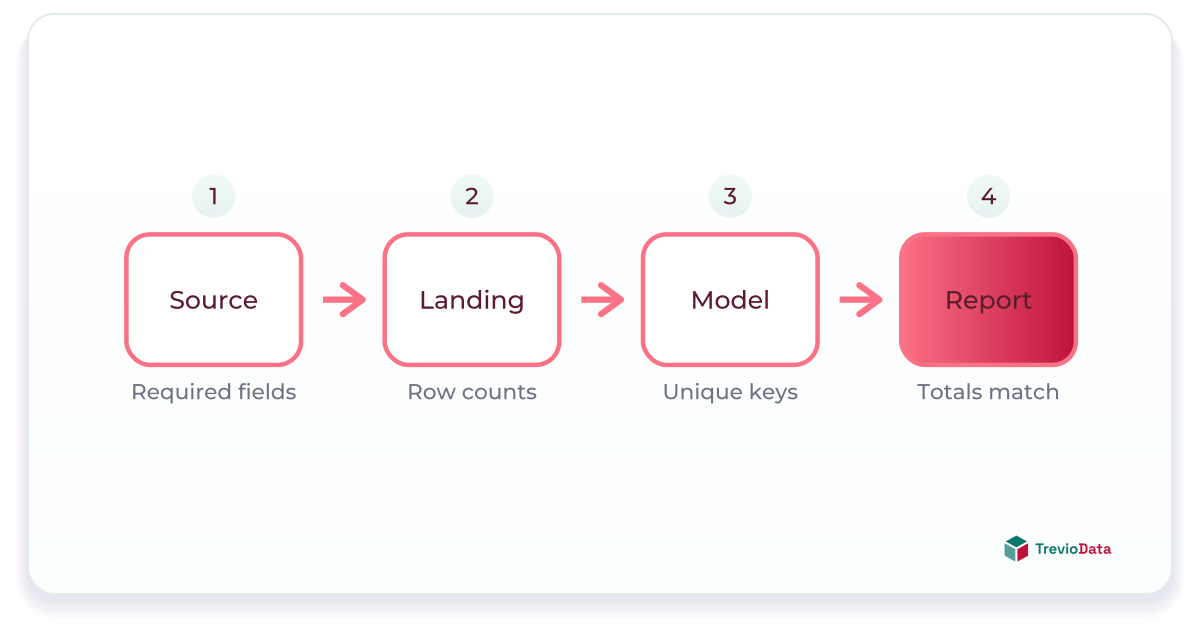
Check at the door, and give each source a named owner who can fix the root cause. A failing row should go to a quarantine table with a reason, never disappear silently. Over time the failure rate per source is a useful score that makes the conversation with that team concrete.
How to Catch Bad Data Early
- Profile each source for nulls, duplicates and odd values.
- Write tests for keys, required fields and accepted values.
- Send failing rows to a quarantine table with a reason.
- Share a weekly failure summary with each source owner.
- Track the rate over time to show progress.
Tools for Quality Checks
Warehouse test frameworks such as dbt tests, and observability tools, run these checks automatically. Start with the ten tables people use most.
API Limits and Source Changes That Break Connectors
SaaS vendors cap how many calls you can make, retire old API versions and rename fields. A connector that worked last quarter fails on a Monday, and the first sign is a stale dashboard. Custom scripts are hit hardest, because you own every fix.
Plan for change. Use maintained connectors where they exist, pin API versions, respect rate limits with back-off and alert when row counts drop. For your top five sources, subscribe to the vendor changelog and name someone who reads it.
How to Survive Source Changes
- Rank your sources by business impact.
- Check how each one handles API versions and limits.
- Replace the most brittle custom scripts with maintained connectors.
- Add alerts for failed runs and for low row counts.
- Review vendor changelogs monthly.
Tools That Absorb Source Changes
Managed loaders such as Fivetran or Airbyte handle most schema changes for you. See my ranked list of data integration tools for how they differ.
Legacy and On-Premises Systems With No Clean Interface
Older ERPs, mainframes and in-house databases may have no API at all. You get nightly file drops, fixed-width exports or direct database access that the vendor does not support. Knowledge of those systems often sits with one or two people near retirement.
Treat the legacy system as a source that will eventually go away, and put a stable layer between it and everything else. Land its data in a raw area, document every field with the person who knows it and avoid building new logic inside the old system.
How to Handle a System With No API
- Find who knows the system and record their notes now.
- Choose the least risky extraction method, such as a read replica or a file export.
- Land the data raw, with no changes.
- Build the mapping on top of the raw copy.
- Plan the retirement date and what replaces each feed.
Tools for Old Databases
Change data capture tools and enterprise platforms such as Informatica or Qlik Talend handle old databases well. Check that the vendor supports your database version.
Real-Time Demands Without a Real-Time Need
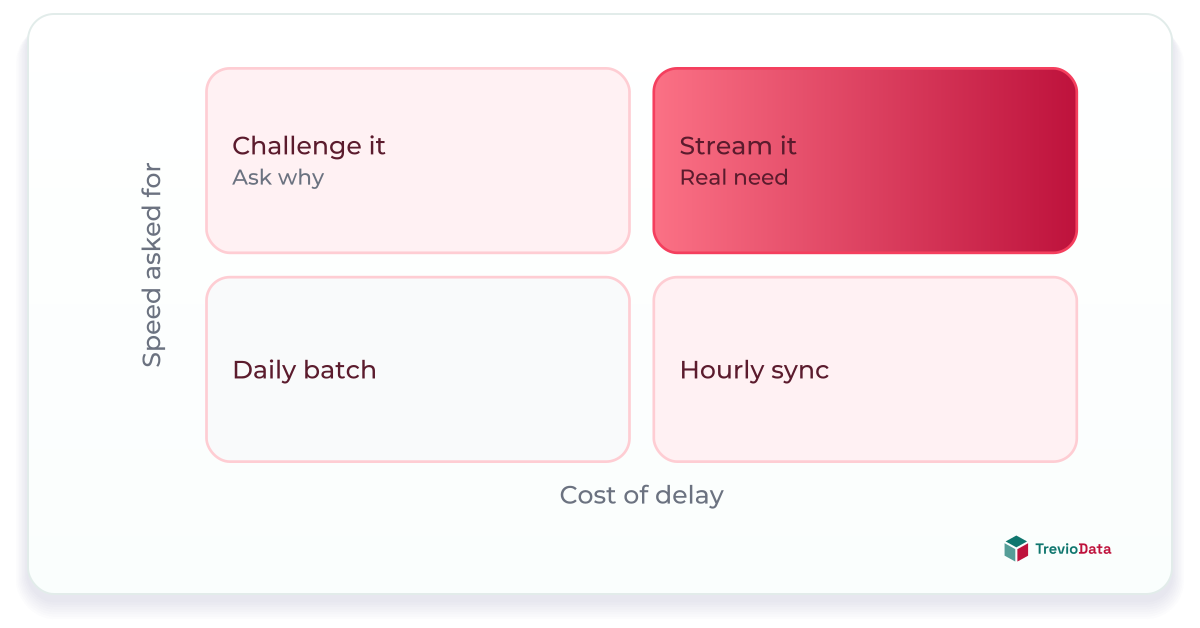
Stakeholders ask for real-time data because it sounds better than overnight. Streaming costs more to build and run, and it needs monitoring that batch jobs do not. Many requests turn out to need an hourly refresh at most.
Ask what decision changes if the data arrives faster, and what a delay would cost. Use event-driven flows where minutes matter, such as stock levels or fraud checks, and batch everywhere else. A written freshness target per flow ends the argument.
How to Decide Which Flows Need Speed
- Ask each requester which decision depends on speed.
- Estimate the cost of a one-hour and a one-day delay.
- Set a freshness target for each flow.
- Choose batch, micro-batch or streaming to meet it.
- Revisit the targets every year.
Tools for Event-Driven Flows
Webhooks, message queues and change data capture serve real-time flows. Scheduled ELT tools cover the rest at lower cost.
Security and Compliance Risk in Data Movement
Every connection moves data out of a system you secured and into another place. Shared admin accounts, credentials in scripts and unmasked personal data in test environments are common findings. In healthcare and finance, a loose integration can become a reportable incident.
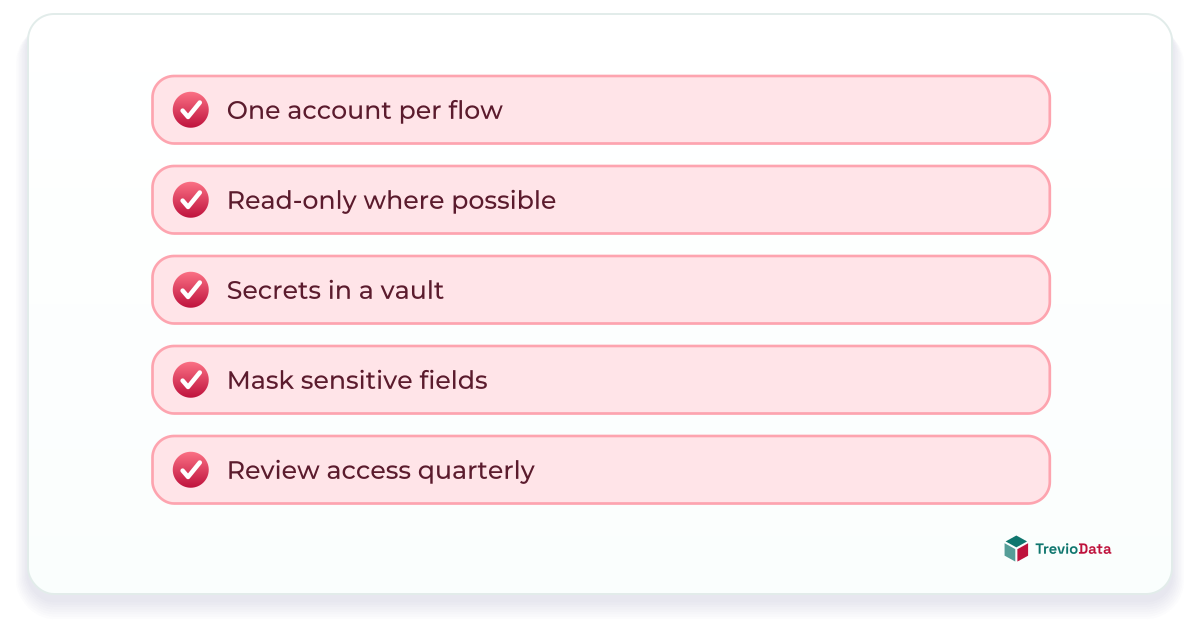
Give each integration its own least-privilege account, keep secrets in a manager and mask or leave out sensitive fields the destination does not need. Keep an audit trail of what moved where. For regulated data, involve your privacy lead before you build, and check current rules for your sector.
How to Lock Down Data in Motion
- Inventory every account used by an integration.
- Move credentials into a secrets manager.
- Remove or mask fields the destination does not need.
- Log access and rotate keys on a schedule.
- Review the list with your security lead each quarter.
Tools for Secure Integrations
Secrets managers, role-based access and column-level masking in your warehouse cover most needs. See data privacy consulting if you need deeper help.
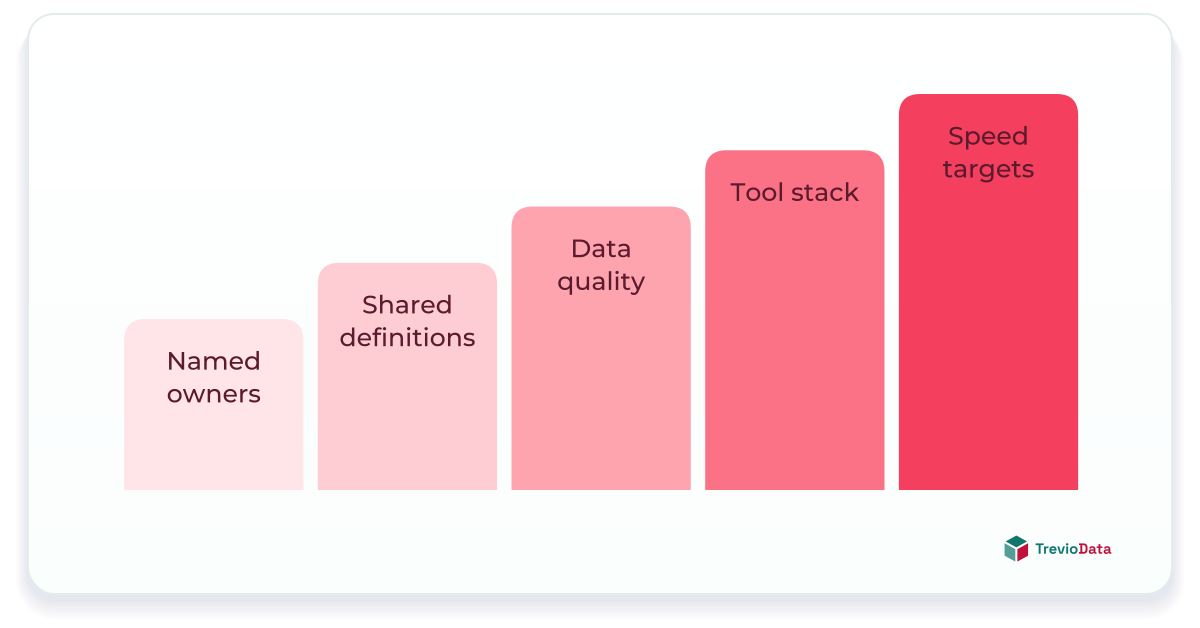
Which Challenge to Fix First
Definitions and source quality come first, because they sit under everything else. Next come the challenges that cause outages, namely source changes and ownership. Speed and security follow, unless you work with regulated data, in which case security moves up.
Many of these problems disappear when you follow the habits in my list of data integration best practices. If you want to see how other companies handled the same issues, read my data integration examples.
Turning the List Into a Plan
You cannot fix seven things at once, and trying to will stall all of them. Take the two challenges with the highest cost, give each an owner and a 30-day target, and review progress weekly. When those are done, repeat.
The sequencing work belongs in a written plan. My data integration strategy guide shows how to set priorities, and the data integration framework gives you the model that each project follows.
How to Choose Between Training, Tools and Outside Help
Training works when the problem is a habit, such as skipping tests. Tools work when the problem is repeated manual work, such as handling API changes. Outside help works when you lack the time or the experience, for example when a legacy system has no documentation.
- Pick a tool when a maintained connector already exists for the source.
- Pick training when your team understands the issue but skips the step.
- Pick outside help when the work blocks a deadline and nobody on your team has done it before.
Questions About Data Integration Challenges
What Is the Biggest Data Integration Challenge?
Inconsistent definitions. Two systems can join perfectly and still disagree, because they mean different things by customer, order or revenue. A short glossary with one owner per entity prevents most disputes.
Why Do Data Integrations Fail?
The usual causes are source changes, bad source data, rate limits and no owner. Add alerts, tests and a named owner for each flow, and most failures become short, visible incidents.
How Do I Integrate Data from a Legacy System?
Land its data in a raw area, document each field with the person who knows it and build the mapping on top of that copy. Plan its retirement, so you do not build new logic in the old system.
Do I Really Need Real-Time Data Integration?
Usually not. Ask which decision changes if data arrives faster. Use event-driven flows where minutes matter and batch for reporting.
How Do I Keep Integrated Data Secure?
Use one least-privilege account per integration, keep secrets in a manager, mask fields the destination does not need and log access. For regulated data, check the current rules for your sector with your privacy lead.
Should I Build Integrations In-House or Buy a Tool?
Build custom code for one or two stable sources. Past five sources, maintenance usually costs more than a tool, so use maintained connectors and keep custom code for sources nobody supports.
Can a Consultant Help Me Fix These Challenges?
Yes. An audit lists your flows, scores them for risk and cost and fixes the worst first, with documentation and training for your team. You can start with a free discovery call.
Note: This article is general information, not legal, financial or tax advice. Figures and examples are estimates based on typical projects, so check current details with your providers and advisers before you decide.
Was this article helpful?
Thank you for letting us know.
Camille leads the Trevio editorial team and works with our consultants to turn real client projects into practical guides on data strategy, engineering and governance. Before joining Trevio, she spent 11 years in data engineering and analytics roles. She has since edited more than 300 articles on data management and reviewed pipelines and platforms from over 100 client projects. She is based in Denver, Colorado.