Key Takeaways
- Close ten checkpoints in order, from inventory to decommissioning, and treat each as a gate with evidence.
- Name one owner per system and capture traffic for a full business cycle before you group servers into waves.
- Run a pilot on non-critical servers, because it gives you real copy and rollback times for the plan.
- Write a runbook with a rollback and a point of no return, and keep the old site intact until owners sign off.
A migration checklist is only useful if each line changes what you do on Monday. I have run and reviewed moves from a few dozen servers to several hundred, and the same ten points decide whether cutover is calm or not. This list is the one I give clients when they start planning with data center migration consulting support.
Work through the points in order, because later steps depend on earlier ones. The table shows the whole list in one view, and the sections below explain what to do and where teams usually slip.
The Ten Checkpoints at a Glance
| Checkpoint | What you finish | Who signs off |
|---|---|---|
| 1. Inventory | One merged list of all assets | Infrastructure lead |
| 2. Owners | Business and technical owner per system | IT director |
| 3. Dependencies | Traffic map over a full business cycle | Architect |
| 4. Retire or keep | Disposition for every system | System owners |
| 5. Target and cost | Three-year comparison | Finance and IT |
| 6. Waves | Dates and downtime windows | Business owners |
| 7. Network and access | Links, DNS, certificates, identity | Network and security |
| 8. Tools and pilot | Measured copy and cutover times | Migration lead |
| 9. Runbook and rollback | Rehearsed step-by-step plan | Cutover manager |
| 10. Validate and shut down | Sign-off, wiped hardware, closed contracts | System owners |
The 10-Point Data Center Migration Checklist
Treat each point as a gate. If a gate is not closed, the next one is built on guesses, and guesses are what cutover nights punish.
1. Inventory Every Server, Database and Link
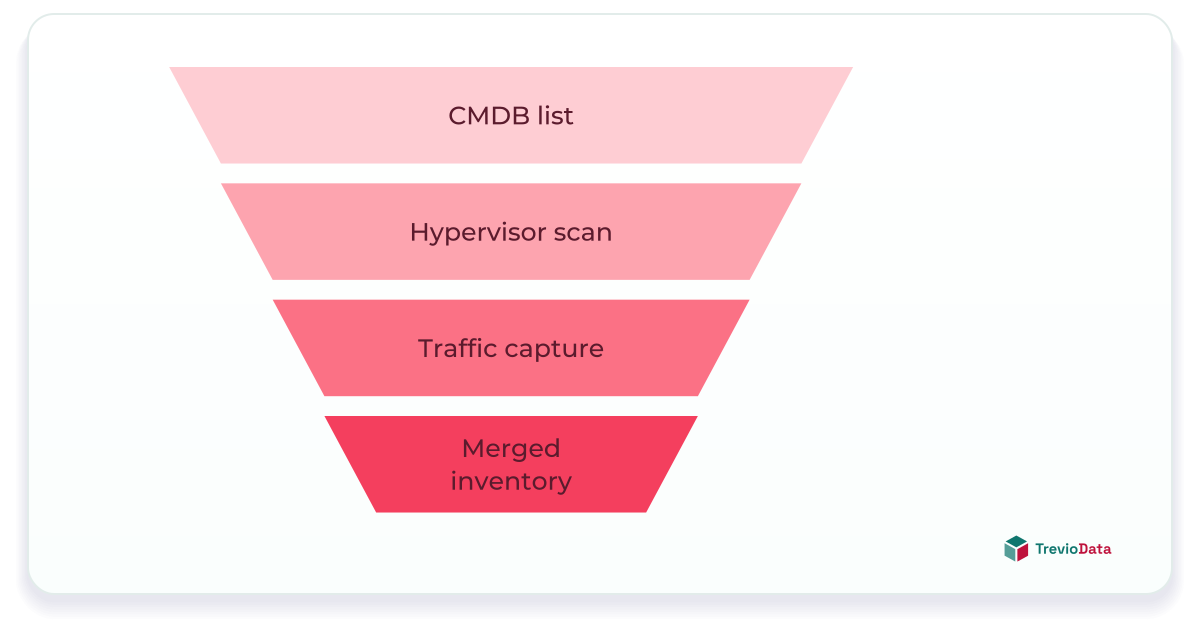
Start with a list of everything that runs in the site: physical servers, virtual machines, databases, storage arrays, network gear and the jobs that hide on them. Pull it from your hypervisor, your CMDB and a network scan, then compare the three, because each one misses something. The gaps between the lists are where surprises live.
On a retail move I worked on, the CMDB listed 310 servers and the scan found 347. The 37 extras included a license server and a file share that finance used every quarter. Nobody had it on any list, and finding it in week two cost us nothing. Finding it on cutover night would have.
2. Name an Owner for Every System
A migration needs one person per system who can say yes or no. List each application with a business owner and a technical owner, and write both names next to it. Ownerless systems are the first candidates for retirement, and the owner decides when the old copy goes dark.
Owners also answer the question that blocks most waves: how long can this system be offline? Ask it in plain terms, such as whether the warehouse can ship orders on paper for four hours. Put the answer in writing before you plan a window.
3. Map Dependencies Before You Group Systems
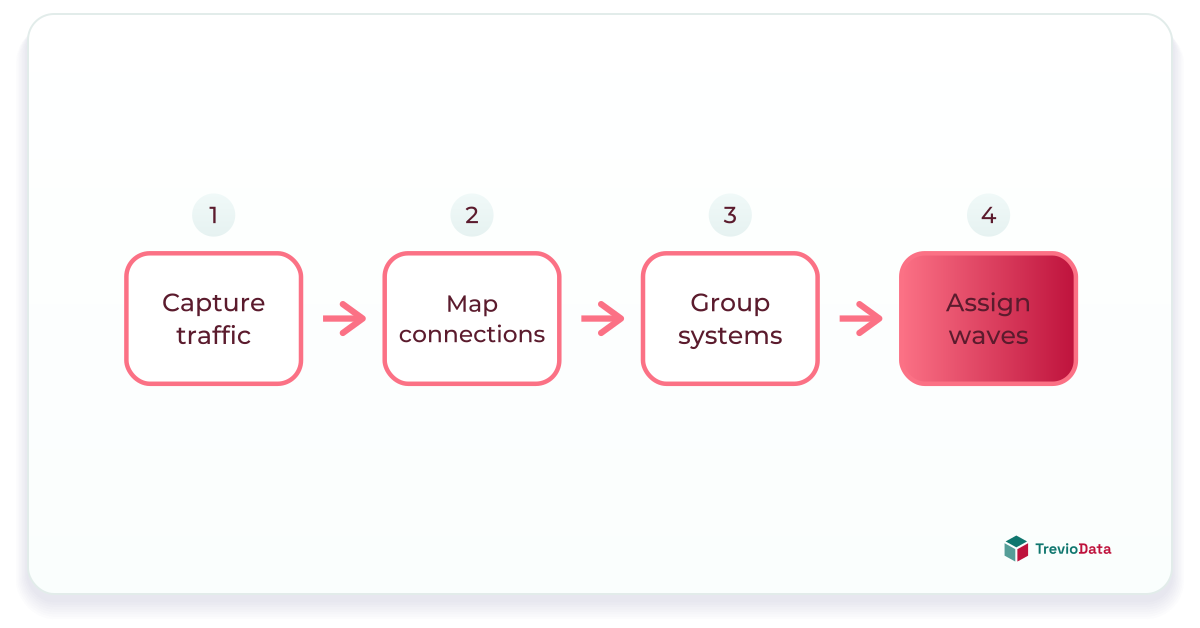
Servers rarely work alone. An application server calls a database, an authentication service, a file share and sometimes a mainframe job. Run traffic analysis for at least a full business cycle, ideally a month, so month-end jobs show up. Use what you learn to group systems into waves that move together.
A two-week capture misses the quarterly job. If you can only watch for two weeks, add interviews with the people who run month-end and year-end processes. Tools for this are covered in my ranking of data center migration tools.
4. Decide What to Retire, Keep or Rebuild
Not everything deserves a ride to the new site. Sort each system into retire, move as is, move and resize, or rebuild. Servers with no traffic and no owner usually go in the first group. Every system you retire saves migration effort, hosting cost and risk.
Be strict about rebuilds. A rebuild is a project of its own, and mixing it into a migration is how deadlines slip. If a system must change, schedule the change for after it is stable at the new site.
5. Choose the Target and Compare Three-Year Cost
Cloud, colocation and a new owned facility each win in different cases. Compare them over three years using your real sizing, including network, licensing, support and the staff time to run each one. Include the cost of the move itself and of running two sites in parallel.
Steady workloads that run at high use all year often cost less in colocation, while spiky ones favor cloud. Be wary of any comparison that uses list prices for one option and negotiated prices for the other. The wider approach is in my data center migration strategy.
6. Set Waves, Dates and Downtime Windows
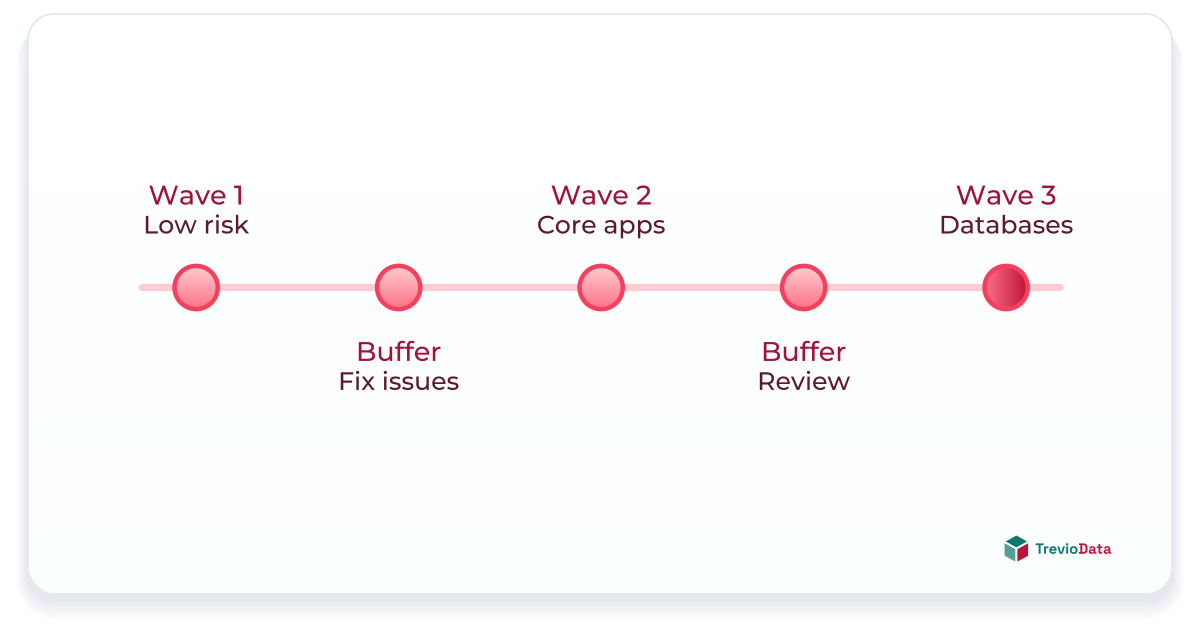
Group systems into waves of related servers, and start with a low-risk wave so the team learns on something forgiving. Match each wave to a window your business owners accepted in step two. Keep the number of servers per wave small enough that you can roll the whole wave back in one night.
Leave buffer between waves. A plan with no slack turns one delay into six. I like a quiet week after each critical wave, so loose ends get tied up before the next one begins.
7. Prepare the Network, Security and Access
Most failed cutovers trace back to network and access problems rather than servers. Build connectivity between the old and new sites first, test bandwidth with real data, and copy firewall rules, DNS records, certificates and identity settings ahead of time. Lower DNS time-to-live values a few days before cutover so changes spread quickly.
Check licensing too. Some software ties a license to hardware IDs or IP addresses, and it stops working after the move. Ask each vendor before the wave, not after.
8. Pick Migration Tools and Test Them on a Pilot
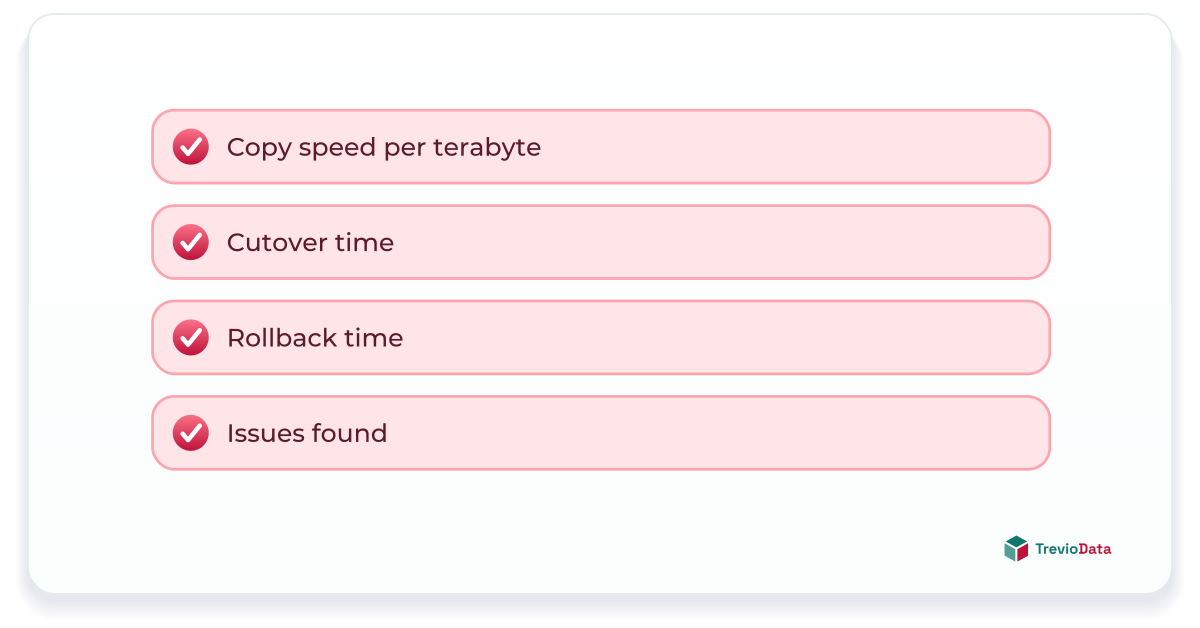
Match the method to the system: block-level replication for most servers, database-native tools for large databases, and rebuild-and-restore for the odd old machine. Run a pilot on three to five non-critical servers, and measure copy speed, cutover time and how long a rollback takes.
Pilots give you real numbers for the plan. If replication of one terabyte takes 14 hours, your wave estimate for 20 terabytes stops being a guess. Skipping the pilot is the most common shortcut I see, and it is the one that hurts most.
9. Write the Cutover Runbook and the Rollback Plan
A runbook lists every step of the cutover with an owner, a start time, an expected duration and a check at the end. The rollback plan states the point of no return and the exact steps back. Rehearse both with the people who will run them, and keep the source systems untouched until the owners sign off.
The best runbooks I have seen read like a flight checklist. They have no prose, only steps, and each step ends in a yes or no check. If a step needs judgment, name the person who makes the call.
10. Validate, Decommission and Document
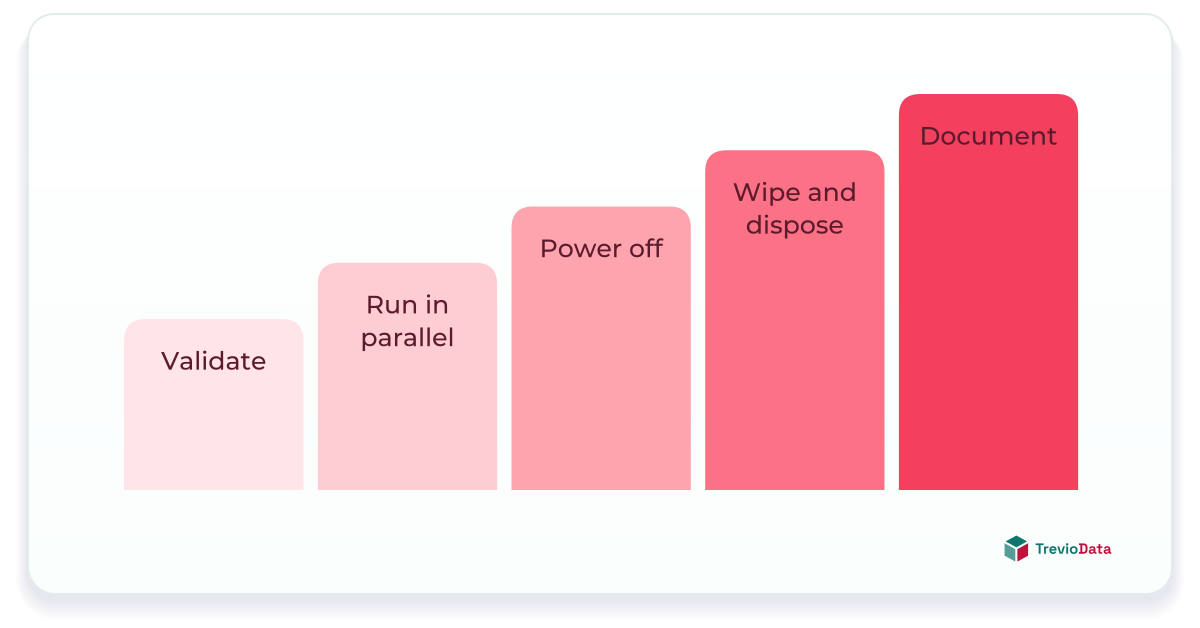
After cutover, run agreed checks: data row counts, application tests, performance against the old baseline and user sign-off. Keep the old systems on standby for an agreed period. Then wipe the hardware, get a certificate of destruction, close contracts in the right order and update your documentation.
Do not skip the cleanup. Old sites that linger for a year because nobody owns the shutdown keep costing money. If you are unsure how to run the final phase, a short engagement with data center migration consulting covers it.
Using the Checklist on a Real Project
Copy the ten points into your project tracker and assign each one a person and a date. Review them weekly with the whole team. A point is done when the evidence exists, such as the merged inventory file or the rehearsal notes, and not when someone says it feels done.
Teams often ask which points they can skip on a small move. For under 30 servers I would still do all ten, only faster: the inventory takes an afternoon and the pilot can be a single server. The habits are the same at every size, and the habits that prevent mistakes are collected in my list of data center migration best practices.
Expect friction at gates 2, 4 and 6, because they need decisions from people outside IT. A system owner who has not answered by the deadline should hear that the system stays where it is. That sounds harsh, but it works better than a long reminder chain. For the problems that still show up, such as hidden dependencies and shrinking windows, read my overview of data center migration challenges.
Deciding Where to Begin
If you have an inventory and owners, start at point 3. If you have neither, stay on points 1 and 2 until you do, because every later estimate depends on them. Companies that already know their target can use the pilot to test that choice before they commit to a full plan.
A short outside review can compare your list with the ten points and tell you which gate is weakest. That is usually cheaper than finding out on cutover night.
Questions About the Data Center Migration Checklist
What Should Be on a Data Center Migration Checklist?
A good checklist covers ten areas: inventory, owners, dependencies, retire or keep decisions, target and cost, waves and windows, network and access, tools and pilot, the cutover runbook with rollback, and validation with decommissioning. Each point should end with evidence, such as a signed list or a rehearsal report, so you can tell it is really done.
How Long Does a Data Center Migration Take?
A move of a few dozen servers can finish in weeks, and a full data center with hundreds of servers usually takes several months. Discovery and planning often take about a third of the total time. Your pilot results give you the most reliable estimate, because they show real copy speeds and cutover durations.
When Should I Start Planning a Migration?
As early as you can. Start the inventory and dependency capture at least a full business cycle before your target date, so month-end and quarter-end jobs appear. If your lease or contract ends on a fixed date, work backward from it and add buffer for delays you cannot yet see.
What Is the Most Common Reason Migrations Fail?
Hidden dependencies and missing owners cause most failures. A system moves without the service it quietly depends on, or nobody can say whether it is safe to switch off. Traffic analysis and a named owner per system remove most of that risk before any server moves.
Do I Need a Rollback Plan for Every Wave?
Yes. Each wave needs a written rollback with a clear point of no return and the exact steps back. Keep the source systems intact until the owners sign off, and rehearse the rollback at least once during the pilot so you know how long it takes.
Should I Move Everything or Retire Some Systems First?
Retire first wherever you can. Servers with no traffic and no owner cost money to move and host. Check with owners, keep a backup, and then switch them off before the move instead of carrying them to the new site.
Can I Use This Checklist for a Cloud Move?
Yes. The ten points apply to moves to cloud, colocation or a new facility. Points 5, 7 and 8 change most: the cost model, the network and identity design, and the tools differ by target. The rest of the list stays the same.
Note: This article is general information, not legal, financial or tax advice. Figures and examples are estimates based on typical projects, so check current details with your providers and advisers before you decide.
Was this article helpful?
Thank you for letting us know.
Camille leads the Trevio editorial team and works with our consultants to turn real client projects into practical guides on data strategy, engineering and governance. Before joining Trevio, she spent 11 years in data engineering and analytics roles. She has since edited more than 300 articles on data management and reviewed pipelines and platforms from over 100 client projects. She is based in Denver, Colorado.